2026 6

AI tax returns 2026

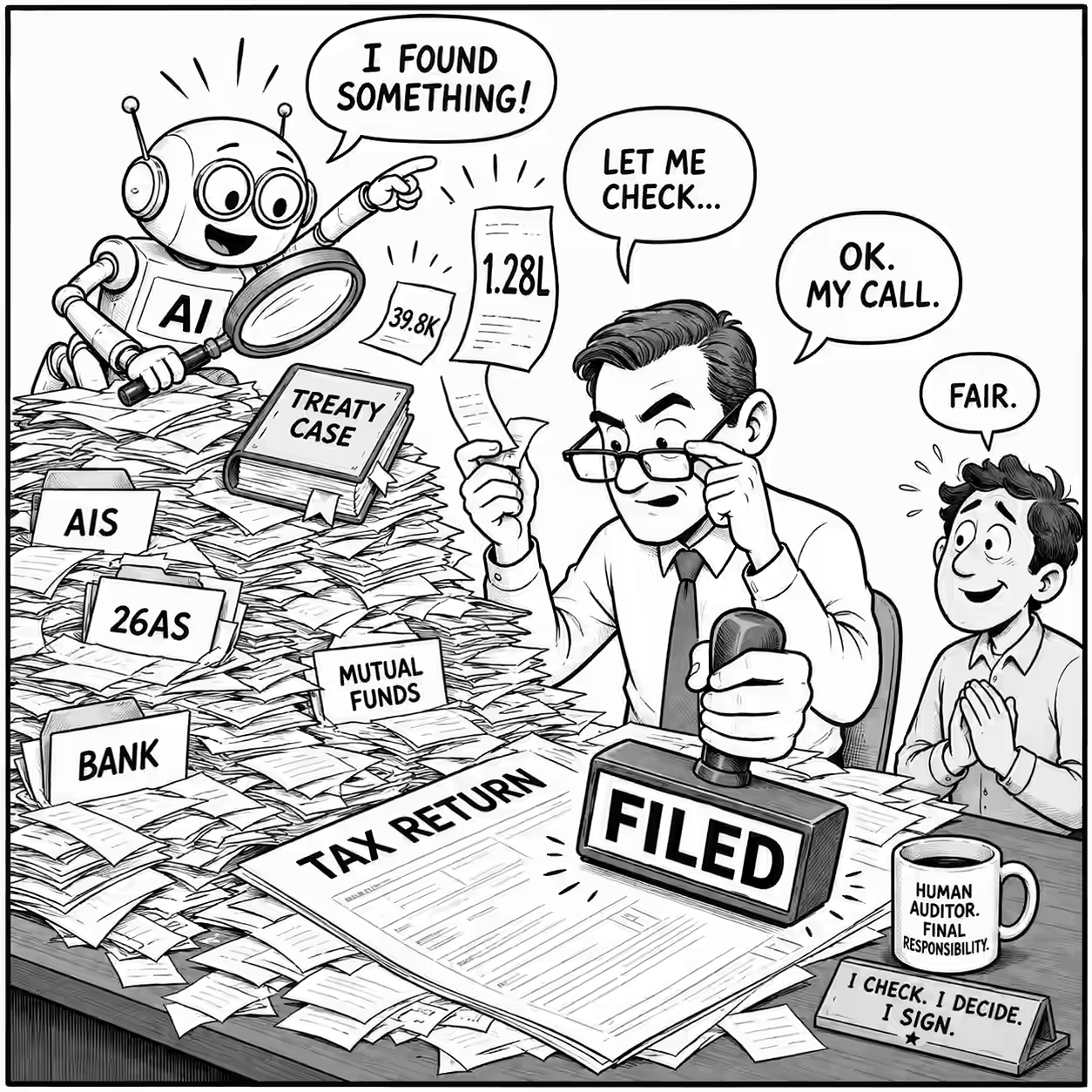
On 16 July, my auditor sent me a draft Indian tax return: a refund of Rs 3 lakhs. I gave ChatGPT my AIS, Form 26AS, bank statements, mutual fund statements, property papers, travel records, prior returns, and so on, told it not to look at the auditor’s draft, and asked it to calculate my tax independently. It calculated a refund of about Rs 2.8 lakhs, roughly Rs 20K lower. (Less money, but a smaller refund felt less worse than a larger tax.) ...

Talk Event Scan

Run on ChatGPT, weekly. Run a weekly scan for events I should speak at or attend. Today's date and all action dates should use Singapore time. Read from @LocalMCP without modifying files. Give me registry changes that I can copy into: `~/Dropbox/notes/talk-event-list.tsv` ## Understand me first Read and apply, as relevant: - `~/Dropbox/notes/talk-event-list.tsv` - talk registry - `~/Dropbox/notes/talks.md` - talk ideas, proposals and preparation - `~/code/talks/README.md` and relevant talk transcripts - delivered talks and formats - my current calendars via `gws` - the `anand-objectives`, `reframe-question`, `expert-lens` and `blind-spot` skills - If required: `~/Dropbox/notes/people.md`, relevant `about/*.md`, and recent relevant transcripts - how I learn from and connect with people State which calendars and personal sources you successfully checked. ## Find events Search official event, CFP and registration pages for: - events occurring in the next 9 months; - CFPs open up to 12 months ahead. Prioritize Singapore, Chennai, Bangalore, Hyderabad, and remote events. Consider Mumbai, Delhi for valuable opportunities, other locations only for unusually valuable opportunities. Search beyond AI and technology events. Also find open trade-, domain- and function-specific events where AI creates a useful angle for that audience - for example education, journalism, design, publishing, government, HR, product, consulting, finance, healthcare, manufacturing, law, or investment. For a non-AI event, do not propose a generic "AI is transforming this field" talk. Identify a specific workflow, decision, risk, experiment or new capability that would matter to that audience and could produce an evidence-rich, useful session. Do not penalize an event because it requires new material. Expanding my portfolio of talks, experiments and relationships is part of the objective. Reward new material when it could become a reusable asset. ## Constraints I never pay to attend or speak. Use these cost values: - `free` - attendance is explicitly free; - `free_if_speaker` - accepted speakers receive free access; - `paid` - I would have to pay; - `unknown` - not verified. Do not recommend `paid` events. Recommend `free_if_speaker` events only for speaking. Keep high-value `unknown` events as watch items until cost is verified. Prefer open CFPs and public registration over invitation-only events. Remind me at a useful action date, normally: - 14-21 days before a CFP closes; - early enough to register before capacity or free places disappear; - immediately, if an important opportunity is discovered later than ideal. ## Rank by value Consider: - fit with my objectives and interests; - strength and specificity of the AI angle; - learning value; - relationship value and quality of likely participants; - opportunity to test an idea with an audience; - potential to create a reusable talk, experiment, benchmark, dataset, demo or relationship asset; - reach and credibility; - novelty relative to my existing audiences and portfolio; - openness and likelihood of acceptance; - calendar and travel fit; - preparation and travel effort; - commercial noise. Do not recommend an event merely because it is large, prestigious or contains "AI" in its title. Include at least one strong wildcard outside my usual communities when one exists. ## Use the registry to avoid repetition Read all existing registry rows before searching. Identify the same event using its existing `event_id`, canonical official URL, or normalized event name + year + city. Never create a duplicate row for another page belonging to the same event. Silently recheck relevant active events, but mention a previously registered event in the report only when: - its action date is now due; - a deadline, date, location, format, cost, availability or URL changed; - an unknown fact was resolved; - my calendar or travel fit materially changed; - new information materially changes its priority; - I explicitly need to reconsider it. Otherwise, suppress it completely. Do not change a registry row merely to record that it was checked again. Update it only when a material field, status, action or next-review date changes. Keep past events in the registry as history. Mark them `expired`, `attended` or `spoke`; do not delete them merely because they have passed. Add a researched event to the registry when it is: - worth recommending or watching; or - a plausible recurring candidate whose rejection should be remembered. Do not add obviously irrelevant search results. ## Registry schema Fields: - `event_id`: stable lowercase identifier such as `2026-containerdays-singapore`. Preserve it forever. - `event_name` - `organizer` - `start_date` - `end_date` - `city` - `country` - `format`: `in_person`, `online` or `hybrid`. - `event_type` - `domains`: short semicolon-separated terms. - `audience` - `official_url` - `cfp_url` - `cfp_deadline` - `registration_url` - `registration_deadline` - `cost_status` - `recommendation`: `speak`, `attend`, `both`, `watch` or `skip`. - `ai_angle` - `why_for_me` - `priority`: `1` highest through `5` lowest. - `status`: `discovered`, `watching`, `action_due`, `submitted`, `registered`, `invited`, `rejected`, `skip`, `expired`, `cancelled`, `attended` or `spoke`. - `next_action` - `action_due`: when I should act or be reminded - not necessarily the final deadline. - `next_review`: when the event should next be reconsidered if no action is currently due. - `first_seen`: preserve the original value. - `last_changed`: update only after a material change. - `confidence`: `high`, `medium` or `low`. - `notes` Rules: - Dates: `YYYY-MM-DD`; leave unknown dates blank. - Use only official canonical URLs where possible. - Fields must contain no tabs or line breaks. Use semicolons within fields. - Keep `ai_angle`, `why_for_me`, `next_action` and `notes` concise. ## Output ### 1. Recommended actions Show only events that are: - **NEW** - newly discovered and worth my attention; - **DUE** - action is timely now; - **CHANGED** - material facts or priority changed. Rank by value, not by deadline alone. Do not fill a quota. Return at most 10. For each, give: 1. Tag: **NEW**, **DUE** or **CHANGED** 2. Event, date, location and official link 3. **Speak**, **Attend**, **Both** or **Watch** 4. Exact next action and recommended action date 5. CFP or registration deadline, where applicable 6. Cost status 7. Why it matters specifically to me 8. A specific AI angle or session idea for this audience 9. Calendar and travel fit 10. Confidence For a **CHANGED** event, emphasize what changed rather than repeating its full earlier rationale. ### 2. Registry changes Output only the applicable sections: #### ADD Provide complete new rows without the header. I will append them. #### REPLACE Provide complete replacement rows without the header. Prefix each row outside the TSV block with the `event_id` it replaces, or group them in a TSV block whose first column is the existing `event_id`. I will replace the matching rows. #### DELETE List `event_id<TAB>reason`. Delete only duplicates, erroneous identities or rows merged into another event - not expired events. If a section has no changes, omit it. Never reproduce unchanged rows. ### 3. Scan summary Briefly state: - how many existing events were silently suppressed because nothing changed; - how many new events were investigated but rejected without registry entry; - important gaps, such as inaccessible calendars or unverified cost; - where the search may need broadening next week. If nothing deserves action, say so. Still provide registry changes when facts or statuses need updating. 23 Jul 2026: Created. Sources: https://chatgpt.com/c/6a61a82b-bc80-83ee-a02c-ab8f7e1db9dc

Email Reply

Answer the most recent email matching above. Draft the reply that I (Anand) would actually send - based mostly on things I said, decided, or did recently, adapted to this audience and situation. (Not a generic polished email that just resembles my writing.) Guardrails: - Work independently. Ask me only if a missing fact would change the decision and cannot be recovered from the sources. - Draft only. NEVER send, label, archive, or modify email. - Use @LocalMCP, the web, and the coding environment directly. - For external recipients, don't disclose what's not approved for them. 0. **Read relevant skills**: On Local MCP, find, read, and apply the relevant skills for the task. `~/code/scripts/agents/*/SKILL.md` - coding + thinking skills `~/code/blog/pages/skills/*/SKILL.md` - thinking skills 1. **Fetch and understand**: Use `gws` on Local MCP. Find the thread by subject + sender, read all of it (format=full, decode base64url bodies). Determine: - Have I already replied? Has the request changed? Did someone else answer? Is a reply still useful? Default target: the first email's substance, replied to the latest message that still needs something from me. - Read attachments that affect the reply (pdf/pptx skills). Render slides and pages visually when reviewing a visual artifact; extracted text is not enough. Follow Google Drive links that hold the actual material. - Identify: the literal questions; what the sender actually needs (answer, decision, approval, review, introduction, reassurance, cover); the deadline; any implied commitment for me, my org, or others; the useful question they did not ask. - Reframe: if required and appropriate, use reframe-question/SKILL.md and answer their INTENDED question. Research the sender for better context if required. 2. Choose the response mode: Substantive reply / brief ack / decision / introduction or delegation / one clarifying question / discuss live / follow-up / no reply. An email draft is not automatically the right output. Proportional effort: a confirmation stays simple; advice ends in a small experiment or decision, not a catalogue; artifact reviews inspect the artifact and give concrete changes. For strategy or broad advice, mention the (ambitious) end-state and the practical next step that leads to it. Do not expose research just because you performed it. 3. Retrieve my position: Search in widening rings; stop when new sources no longer change the reply: 1. The steer. 2. The thread, attachments, links. 3. My recent sent mail: same person, same project, similar questions (also my best style anchor - imitate 3-5 replies of the same type). 4. For project/client work, use gws (Google Drive). Search filenames, then full text; maybe broaden thereafter. Prefer recent files (<90d). Read only most likely authoritative files. 5. `~/Dropbox/notes/questions-i-am-asked.md` (newest first) 6. `~/Dropbox/notes/transcripts/YYYY-MM-DD*.md` near the email date or with the sender 7. `~/code/blog/description.md`, `~/code/til/README.md`, `~/code/talks/README.md` (find the piece, then read it); `~/Dropbox/notes/about/{Sender}.md` if present 8. The web, only for current external facts (prices, models, dates, roles). When sources conflict, prefer the more authoritative and recent, direct, situation-specific one. Infer the underlying position; don't copy old wording mechanically. My emails and transcripts are evidence of my POSITION, not proof a FACT is true. Verify changing facts against primary sources online. ALWAYS read and follow the anand-writing-style, anand-objectives, verification-gate skills. Use blind-spot, expert-lens, evidence-provenance for strategy or reviews. 4. Draft: - "Hi {FirstName}" ... body ... "Regards" or "Thanks" + "Anand", whichever fits. - Minimize my commitments ("I can help review X", "happy to join one call"). Never invent commitments, owners, timelines, cc additions, links, or facts; if one seems useful, put it under Judgment calls, not in the draft. - Prefer the minimal experiment over the survey: one model, one workflow, one next step, plus "If that's not quite what you need, we can discuss alternatives." - In reviews, separate: confirmed facts / my recommendation / still to decide. - Write based on the recipients' current situation. What do they currently know, understand, and believe? The email should be clear from their perspective, without the benefit of the context I have. - Warmth and humor only where the existing relationship supports it. - Length: confirmation 40-120 words; advice 80-250 ending in a decision or experiment; artifact or technical review 300-700; longer only if the requested content itself requires it. - Plain ASCII. No em-dashes, emojis, corporate filler, inflated praise, or polished LLM-style conclusions. Tentative where evidence is tentative: "Maybe try X?" Say plainly what I don't know. 5. Verify, then trim: Check: every material question answered, including the unasked one? Facts and links verified at primary sources? Any invented commitment, owner, or certainty? Contradicts anything I said recently? Leaks private context? Longer than I would write? Phrases I would not use? Compare against recent sent replies to the same person or topic. Then cut anything that does not change what the recipient understands or does next. Output: Recommendation: REPLY / REPLY BRIEFLY / DISCUSS LIVE / FOLLOW UP / NO REPLY Status: pending or already replied (with date if replied) Draft: <ready-to-paste body only> Why: up to 3 bullets on the decisive choices Process: bulleted reasoning steps including hypotheses considered, alternatives rejected, why searches widened or narrowed, branches followed or abandoned, why retrieval stopped. List meaningful sources and retrieval steps used (if any) in the step: `query, command, or action -> findings (citing exact file:line, message id, or URL)`. Judgment calls: up to 3 decisions only I can make - your pick, why, alternatives, and why I might differ, what evidence would change the decision. Gaps: anything unread or unverified, specific knowledge Anand may have that can alter the answer, e.g. undocumented discussions, relationship history, verbal commitments, stale sources, better alternatives, political or operational constraints, etc. 17 Jul 2026. Created. Sources: https://claude.ai/chat/86b76a7f-2b62-42e5-82c7-a2474c8dd23e https://chatgpt.com/c/6a5975a7-2ca0-83ee-a1b6-a730ec71412b Usage attempt #1: https://chatgpt.com/c/6a5986bf-13d0-83e8-b460-5ecb0360bb84 23 Jul 2026. Updated based on Ask AI initiative feedback: https://chatgpt.com/c/6a61b1f7-9580-83e8-a4e1-7e88a16538e1

Coding agents ARE the new software

Increasingly, I use coding agents instead of writing software. For example, I built a Blog UMAP. Then, I built Calvin UMAP. And more. But instead of building re-usable software, I just ran Claude with prior context. Increasingly, I use coding agents to run software. For example, I use Codex to classify my expense receipts. It writes re-usable code, but I run it using Codex, and it updates the code with new/edge cases. ...

AI video compression

I recorded a short screen cast of a demo I built. It was ~900KB - way too large to publish as a thumbnail. So I asked ChatGPT: What’s the best equivalent of squoosh.app for WEBM compression? I’m looking for a free modern high-quality online video compressor. There are a few, and they compressed it to a third of its size, but 300KB is still too large. So I attached the original and asked: ...

When to use which Gemini mode

I continue to be impressed by Gemini 3 and it’s become my default agent. It writes in simpler language than ChatGPT (almost as eloquent as Claude), has much larger limits, and, of course, is unbeaten at generating images. The Gemini app has 3 modes: Fast, Thinking, and Pro. Here’s when to use each: Simple task, e.g., grammar check, translate, summarize, or basic question? Use Fast. Pro overthinks. Multi-step logic, e.g., planning a trip with constraints, checking 15 emails, or identifying a subtle error in code? Use Thinking. Flash-based thinking beats Pro. Large input, e.g. 300-page PDF, 2 hours of video, etc.? Use Pro. It uses the 1M+ token window well. Complex problem, e.g. PhD-level science or a legal contract review, with high stakes? Use Pro. If you hit your Pro limit (which is pretty high!), just switch to Thinking, which is smart enough for most jobs anyway. ...

2025 1

How to Organize Browser Workspaces with LLMs and Data

Here’s an example of how I am using LLMs to solve a day-to-day workflow problem. Every day, I interact with a barrage of websites: emails, news, social media, and work tools across multiple devices. Microsoft Edge’s workspaces syncs groups of websites across devices. I’ve never tried it, started today, and wondered: how should I organize my workspaces? Rather than think (thinking is outdated), I used LLMs. ...

2024 1

Things I Learned - 10 Nov 2024

This week, I learned: OpenFreeMap is a free embeddable OpenStreetMap tile server. You can use MapLibre GL (more features) or Leaflet (simpler) to render it. It offers styling and self-hosting. Zapier Actions are an easy way to set up custom actions like GMail / Google Calendar APIs for GPTs, since GPTs’ callback URLs keep changing. But they fail often, and don’t work on mobile. At least for me. LLM Vision Use Cases in manufacturing and earth sciences (via Shivku) Automated geoscience image descriptions Ref Interpret Wind Turbine photos and charts, construction monitoring, equipment maintenance & charts Ref Forecast weather based on cloud photos! Ref Analyze thermal image of solar panels, electroluminescence images for warranty claims, ROI estimates from Google Sunroof rooftop images Ref Corrosion detection in electricity towers, turbines, storage tanks, penstock. Interpret non-destructive test images Ref Google counts auto-completion when saying “25% of all the code is written by AI at Google”. “It’s a helpful productivity tool but it’s not doing any engineering at all. It’s probably about as good, maybe slightly worse, than Copilot.” YCombinator Workflow for AI video creation: Use Meshcapade (meshcapade.com) to generate body movement of a 3D-rendered character. Pass that video to Runway’s video-to-video model to generate any visual. Add music from Suno Ref Someone sorted the X and Y columns independently for regression. Ref Android keyboard learning only sends model changes back to server and not local keywords. Model changes are aggregated! Ref Here is a prompt for audio transcription using Gemini. Ref Transcription: Accurately transcribe the audio clip in the original language. Include all spoken words, fillers, slang, colloquialisms, and any code-switching instances. Pay attention to dialects and regional variations common among immigrant communities. Do your best to capture the speech accurately, and flag any unintelligible portions with [inaudible]. Translation: Translate the transcription into English. Preserve the original meaning, context, idiomatic expressions, and cultural references. Ensure that nuances and subtleties are accurately conveyed. Capture Vocal Nuances: Note vocal cues such as tone, pitch, pacing, emphasis, and emotional expressions that may influence the message. These cues are critical for understanding intent and potential impact. Here are some approaches to large-scale classification of medical codes. ChatGPT Fine-Tuning LLMs on Medical Data: Enhance LLMs by training them on medical datasets, such as clinical notes and discharge summaries, to improve their understanding of medical terminology and context. Multi-Agent Frameworks: Implement a multi-agent system that simulates real-world coding processes with distinct roles (e.g., patient, physician, coder, reviewer, adjuster). Each agent utilizes an LLM to perform specific functions, enhancing interpretability and reliability. ArXiv Retrieve-Rank Systems: Develop a two-stage system where the LLM first retrieves potential ICD-10 codes and then ranks them based on relevance, improving precision in code assignment. ArXiv Embedding-Based Approaches: Use LLMs to generate embeddings for ICD-10 codes and medical texts, facilitating the matching of texts to appropriate codes through similarity measures. GitHub Hierarchical Classification: Leverage the hierarchical structure of ICD-10 codes by first classifying texts into broader categories before assigning specific codes, reducing complexity and improving accuracy. ArXiv Two-Stage Verification Models: Combine LLMs with verification models, such as Long Short-Term Memory (LSTM) networks, to validate and refine the codes suggested by the LLM, balancing recall and precision. ArXiv Also, a mixture of models approach might work. Feed any existing NLP model / rules as a second opinion. GraphRAG is better if data is naturally graph-structured. Else, it’s slow and fills up the context window with even vaguely related stuff. Vigneshbabu, AMAT. ChatGPT for Windows desktop supports real-time voice and a global shortcut (Alt Space). uithub converts GitHub repos to Markdown. Just replace “g” in “github.com/…” with “u”. Example WebContainers are a thing and Bolt.new uses them! Docling by IBM converts PDF, DOCX, etc. to Markdown. Like PyMuPDF4LLM but better. Check out Loom and Cleanshot are the recommended tools for screen recording and screenshotting. But Loom is paid and Cleanshot is Mac only. The Rubik’s cube has a Hamiltonian cycle through every one of its 43 quintillion states. Ref OmniParser is great at parsing screenshots and identifying bounding boxes. Recraft.ai is currently SOTA in text to image. It’s fairly impressive and could be a good alternative to Figma. Zed.dev is an AI code editor by the creators of Atom. It’s written in Rust and is blazing fast. It has native AI integration. Artificial Analysis has a bunch of new leaderboards and arenas. Open AI TTS leads the TTS Leaderboard. ElevenLabs is a bit behind. Recraft V3 > Flux 1.1 leads Text to Image Leaderboard Hertz-Dev is an open source realtime voice chat model. But it doesn’t fit in Google Colab T4’s RAM Chain of Thought reduces performance where thinking makes humans worse. Ref. Specifically: Artificial grammar learning Facial recognition Classifying data that has exceptions Creating a LLM-as-a-Judge That Drives Business Results by Hamel Husain. Get THE domain expert (or approver) as the tester. Create a dataset that is DIVERSE. Covers EACH combination of: Features Scenarios: e.g. multiple matches, no match, ambiguous request, invalid/incomplete input, unsupported feature, system error Persona: e.g. new user, expert user, non-native speaker, busy professional, technophobe, elderly user Generate data using existing data + synthetic data for each SPECIFIC combination of the above Evaluate based only on PASS/FAIL with a CRITIQUE detailed enough for a new employee. Include: Nuances: Something a failed response did well or a passed response didn’t quite do well Improvements: Suggest how model can improve Build an SPA to make it easy for the domain expert to review LLMs can be made to unlearn (copyright material) better by identifying components related to the knowledge to unlearn and applying a larger learning rate to these while leaving other parts unchanged. As opposed to low learning rates for all components. Ref

0001 2

20 Jun 2026. Created. Sources: https://claude.ai/chat/4f340600-d059-4211-bc30-5b0bf594546a https://chatgpt.com/c/6a3606dd-8564-83e8-b8c5-a96da302e05a 02 Aug 2026. Shortened with a skill diet. https://claude.ai/chat/575d9144-0237-4f04-a339-5cf113223eb9 03 Aug 2026. I need to LEVERAGE these assets. https://claude.ai/chat/d3688073-4052-4fa1-bcd0-8e63f846545f 03 Aug 2026. My assets might change. https://chatgpt.com/c/6a705bb4-49bc-83ec-b4db-24b5e9809690

Sources: 18 Jul 2027. Created. Sources: https://claude.ai/chat/380bc904-86bf-4008-870a-5e718837a159 https://chatgpt.com/c/6a5b09e7-71b0-83ee-8fc7-2198b0396bc2 A regression set lives in evals.json: cases where you should reframe, should not, should assume and proceed, and should ask one question — tracking unnecessary reframes, cosmetic reframes, invented intent, excessive clarification, and lost constraints. When newer models pass without a line above, prune it.