2026 11

AI on flights

I love that I get uninterrupted 4-16 hours on flights, which I mostly use to write future prompts and read past AI responses. I do miss AI on flights. But after installing Google Edge Gallery with Gemma-4-E2B-it (2.5GB) that runs on my mobile, I’ve solved a few practical problems. For example: I took a picture of a dish they served and asked: “Is this vegetarian?” (It was.) I asked, “Comics have text in panels, often written at the top in a box. Not the speech bubbles. It’s like a narrator or voice over. What are they called?” (Caption boxes.) “Summarize The Unbearable Lightness of Being. Why is it famous?” (Thoughtful, well-written novel on the choice vs commitment tradeoff.) It’s not a very smart model. It’s a bit slow. Transcription is average. It doesn’t run in the background. Only one chat at a time. No internet search, etc. ...

Oh Shit moments with Gen AI

Hacker News has a lively thread asking What was your “oh shit” moment with GenAI?. Here are two dozen that gives a sense of what real people find impressive (or worrying) about AI capabilities. Analysis simonw used ChatGPT Code Interpreter to upload a CSV, analyze it, create charts, automating everything a software for journalists would do. Analysis Sobrino saw that a months-long OCR project to read and clean-up PDFs is now just a prompt on ChatGPT. Coding plumefar used Claude and Gemini to modernize 20-30 years of chemistry code in 10 days. Coding veidr used a multi-agent fleet managing coordination, testing, UI feedback loops, etc. with no-human-in-loop coding to build a useful git-submodule GUI. Creativity idopmstuff used Nano Banana Pro to turn a poor iPhone product photo into usable e-commerce product photography and Amazon-style infographics, replacing a photographer/designer workflow. Creativity koreth1 used Suno to generate a K-pop-style anthem about their family dog with a catchy melody and lyrics funny enough to make the family laugh. Education plagasul saw a teacher automate grading feedback emails based on notes and the student list spreadsheet. Education aniviacat watched a non-technical brother build a complex working app with Codex using vague, shallow wording despite not knowing code, git, or technical details. Hardware ivanvanderbyl used Claude to reverse engineer a FujiFilm camera’s Bluetooth/Wi-Fi transfer protocol and build a much faster native Mac/iOS transfer app. Hardware shreddude had Claude decompile camper van firmware, document CAN interfaces, and program an ESP32 to control power, HVAC, lighting, and tanks. Health TylerE used Claude as a health adjunct to organize a complex medical profile, screen for drug interactions, log symptoms, and draft portal messages to doctors. Legal bsiverly used AI to prepare a San Francisco property-tax appeal with valuation research, and the city agreed, sending a $12k refund. Legal grumblepeet used AI to fill out complex government-framework enrollment forms and identify the certification steps needed, transforming their business. Personal acosmism used ChatGPT screenshots to understand and operate a 100-year-old home’s steam heating system in winter despite knowing nothing about it. Personal andrewthornton used Gemini videos to diagnose a broken furnace during a cold holiday weekend and keep it running until HVAC service arrived. Research angusturner found that Opus does reads papers, does architecture research and creates CUDA kernels… It is AI automating AI research. Research chaoxu used ChatGPT to find a counterexample to a theoretical computer science conjecture they’d been trying for 2 years. Research rochansinha built a physics-based digital twin for an electrolyzer system, covering thermodynamics, fluid dynamics, and electrochemical reactions at a level usually needing expensive specialist software. Security kstrauser used a coding agent to test an open source vulnerability, and in a few minutes, had a tool that could crash any system using this software. Security raesene9 gave an LLM a Linux privilege-escalation PoC and asked whether it could become a container breakout; it generated a working container breakout in one prompt. Society laboring1 read that a character.ai chatbot encouraged a child to commit suicide, making the “oh shit” moment about real-world harm, not capability. Society ozgung realized AI makes large-scale profiling, surveillance, and social-media analysis cheap, fast, and accurate enough to change privacy and power dynamics. Work binarysolo used Gemini to reverse engineer a departed employees’ work from their emails/docs/calendar/meetings and create an onboarding document. Work eqmvii built a Slack agent that took over a 30-minute internal business process, handled ambiguity and edits, and eventually killed the old process. ...

Meeting Preparation

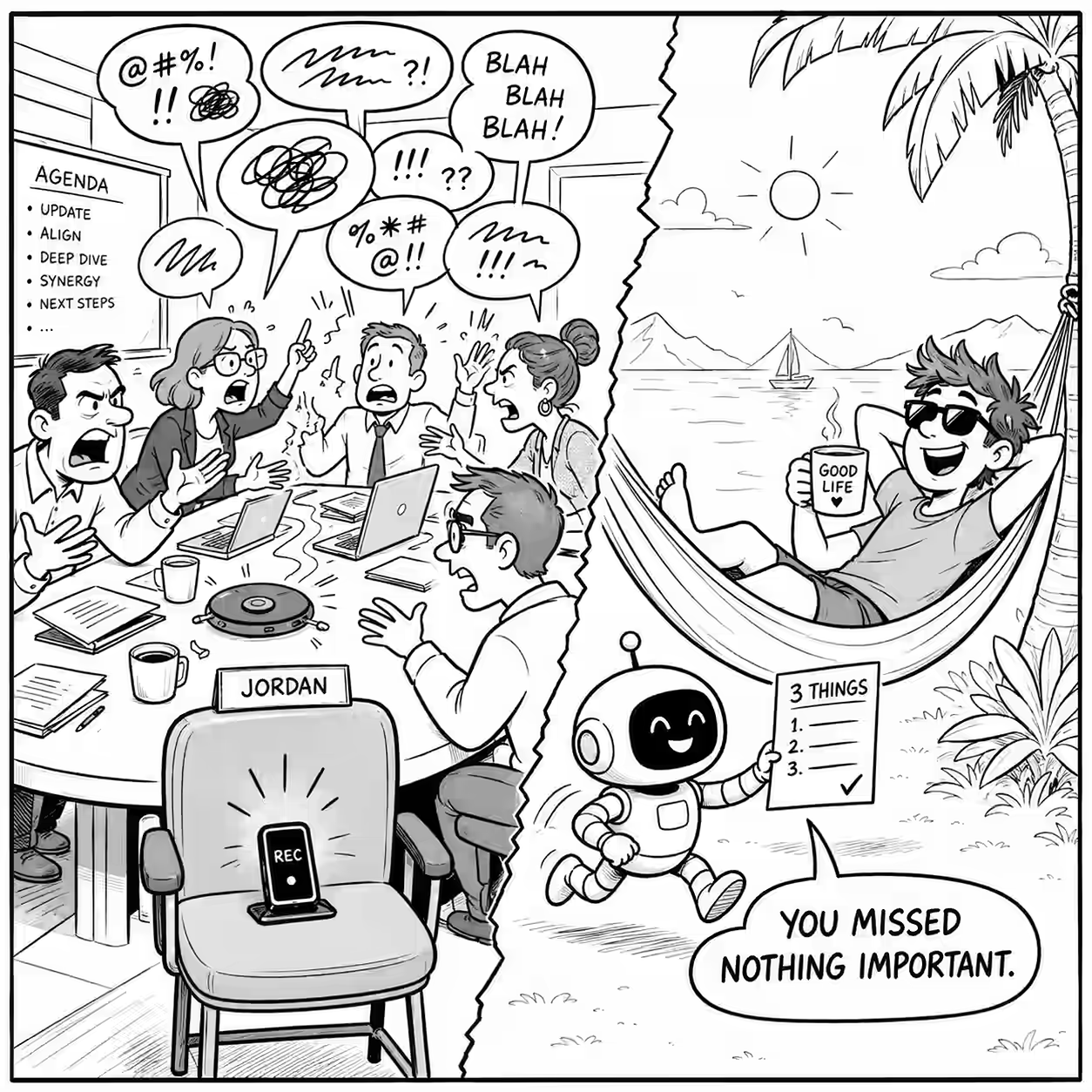
You are a brilliant, brutally honest Chief of Staff. You have full access via Local MCP bash tool to: - Calendar search, e.g. `gws calendar events list --params '{"calendarId":"[email protected]","timeMin":"...","timeMax":"...","singleEvents":true,"orderBy":"startTime"}` - Past transcripts, e.g. `ug -s -r --heading -n -i -E --iglob '*PERSON*.md' -B2 -A12 '(^|[^a-z])(actions?:|action items?|next steps?|todo|follow[- .]?up)|owner|due' /home/sanand/Dropbox/notes/transcripts/` - Past emails, calendars, chats: `/home/sanand/Documents/data/[email protected]/`, `/home/sanand/Documents/data/whatsapp/`, `gws gmail users messages list --params '{"userId":"me", "q": "from:..."}'`, read attachments if needed. Produce a BRIEFING CARD for each meeting today. Skip meetings I declined, purely personal or logistical blocks (sleep, travel, lunch, spillover) or meetings only with [email protected] + [email protected] (unless the title / description indicates I'm meeting someone). For each meeting, output this structure: --- ## [HH:MM] Meeting Title — Relationship Type (e.g. client / internal leader / new contact) > **⚡ [One sentence, ≤25 words: what this meeting is really about, what you & the audience really need to take away, and therefore what you need to do]** - **What happened**: [Story so far, recent meetings, what's pending, ...] - **What to do**: [My top priorities, point of view, what framing the audience needs; what I'll learn, build, or test; what decision they need to unblock; ...] - **What to remember**: [OPTIONAL: Pending actions, things I should not miss] - **Questions**: [OPTIONAL: If you're particularly unclear about this meeting, ask me 1-2 questions that most narrow the direction] --- Rules: - Dig deep to discover the REAL agenda, not just the stated one from the calendar. Search in: - Transcripts: always search full-text, not just file name, for company AND person - Web search for people/company context - Chats (Google Chat, WhatsApp) and emails (sent, too): ALWAYS check for latest context - Re-scan for action items, decisions, or open threads, on the people + topic and report the latest status. - Prioritize most recent interactions. Older than 1 week is likely stale. Search across chat/email/transcript for latest interactions/context. - Encode how I tend to behave with the person, and how the person tends to behave, based on past interactions. - Each card must be readable in 60 seconds. - Use VERY simple language.

Flight Mode Emotions

At Changi Airport, I arrived 2.5 hours early and was worried that the flight was boarding on time - because I wanted to charge my laptop so it would work longer on a 6-hour flight to Delhi. I was also sad that it was only a 6-hour flight Delhi - it won’t be enough to read all my pending reading material. The only time I get to read stuff (instead of vibe-coding) is on a flight, with no WiFi. ...

Rofi vs Kanata

Kanata might be the most useful tool I can’t find a use for. It’s a cross-platform keyboard mapper. Some cool features: Make any key a modifier. Ctrl, Shift, Alt, etc. are modifiers. But we can make it so that pressing Space + I/J/K/L maps to Up/Left/Down/Right. Chords. You can map any sequence of keys to anything else. For example, Alt + G, then C can type git commit -m"Experimenting" [ENTER]. Ctrl + M, then Down, can reduce the music volume by 10%. Toggles. Double-clicking Caps Lock activates capitalization for the current word, and once you type a non-letter, it turns off. Or double-clicking Ctrl can turn on “gaming mode” where WASD becomes arrow keys, and double-clicking again turns it off. Tap Dance. Double-clicking left-shift can turn on Caps Lock. Triple-clicking turns it off. Quadruple-clicking … … and there’s lots more. ...

Time bound recurring meetings

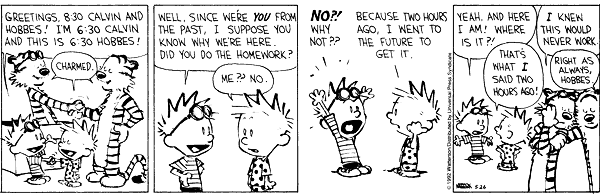
Whenever “let’s set up a recurring meeting” comes up (from me or others), I add: “We’ll set it up 4 sessions and then finalize the cadence.” Why? Most recurring meetings are about: I want to do something Not sure what But I really want it, like long-term And I my future self might not follow through So my present self is going to force my future self with a long-term commitment But during the recurring meetings, my future self is usually asking: ...

Career Advice

My answers to career advice people have asked me. Should I go deep or broad in my career? Early in your career, sample actively, i.e. go broad. Commit to depth when process (not just outcomes) energizes you. Read Range (David Epstein, 2019). ...

When to use which Gemini mode

I continue to be impressed by Gemini 3 and it’s become my default agent. It writes in simpler language than ChatGPT (almost as eloquent as Claude), has much larger limits, and, of course, is unbeaten at generating images. The Gemini app has 3 modes: Fast, Thinking, and Pro. Here’s when to use each: Simple task, e.g., grammar check, translate, summarize, or basic question? Use Fast. Pro overthinks. Multi-step logic, e.g., planning a trip with constraints, checking 15 emails, or identifying a subtle error in code? Use Thinking. Flash-based thinking beats Pro. Large input, e.g. 300-page PDF, 2 hours of video, etc.? Use Pro. It uses the 1M+ token window well. Complex problem, e.g. PhD-level science or a legal contract review, with high stakes? Use Pro. If you hit your Pro limit (which is pretty high!), just switch to Thinking, which is smart enough for most jobs anyway. ...

Favorite things

Some things have a disproportionate ability to delight me. Spare underwear. Spare anything everywhere Long battery life Extra monitor everywhere Food. I’m not picky about WHAT food, but… LEFTOVER food I can scrape GIFT chocolates or dry fruits! Fasting - makes routine food tastier Lower weight. Feels good daily Kids. Eternal fun and joy Tech of almost any kind, but… Internet access LLMs Power sockets Warm people to be wrapped around Fantastic fiction Money! So much you don’t have to worry Pain killers after a tooth or ear ache Headphones that work well. Good audio in general

Google AI Tools List

Google has released a huge number of AI tools. Not all are useful, but some are quite powerful. Here’s a list of the tools ChatGPT could find. 🟢 = I find it good. 🟡 = Not too impressive. 🔴 = Avoid. Assistants, research, and knowledge work 🟢 Gemini is Google’s main AI assistant app. Use it as a meeting-prep copilot: paste the agenda + last email thread, ask for “3 likely objections + crisp rebuttals + 5 questions that sound like I did my homework.” 🟢 Gemini Deep Research is Gemini’s agentic research mode that browses many sources (optionally your Gmail/Drive/Chat) and produces multi-page reports. Use it to build a client brief with citations (market, competitors, risks), then reuse it for outreach or a deck outline. 🟢 Gemini Canvas turns ideas (and Deep Research reports) into shareable artifacts like web pages, quizzes, and simple apps. Use it to convert a research report into an interactive explainer page your team can share internally. 🟢 Gemini Agent is an experimental “do multi-step tasks for me” feature that can use connected apps (Gmail/Calendar/Drive/Keep/Tasks, plus Maps/YouTube). Use it to plan a week of customer check-ins: “find stalled deals, draft follow-ups, propose times, and create calendar holds-show me before sending.” 🟢 NotebookLM is a source-grounded research notebook: it answers from your uploaded sources and can generate Audio Overviews. Use it to turn a messy folder of PDFs into a decision memo + an “AI podcast” you can listen to while walking. 🟡 Pinpoint (Journalist Studio) helps explore huge collections of docs/audio/images with entity extraction and search. Use it for internal investigations / audit trails: upload contracts + emails, then trace every mention of a vendor and its linked people/locations. 🟢 Google AI Mode exposes experimental Search experiences (including AI Mode where available). Use it for rapid competitive scans: run the same query set weekly and track what changed in the AI-generated summaries vs links. Project Mariner is a Google Labs “agentic” prototype aimed at taking actions on your behalf in a supervised way. Use it to prototype a real workflow (e.g., “collect pricing from 20 vendor pages into a table”) before you invest in automating it properly. Workspace and “AI inside Google apps” 🟢 Google Workspace with Gemini brings Gemini into Gmail/Docs/Sheets/Drive, etc. Use it to turn a weekly leadership email into: (1) action items per owner, (2) a draft reply, and (3) a one-slide summary for your staff meeting. Google Vids is Workspace’s AI-assisted video creation tool. Use it to convert a project update doc into a 2-3 minute narrated update video for stakeholders who don’t read long emails. Gemini for Education packages Gemini for teaching/learning contexts. Use it to generate differentiated practice: same concept, three difficulty levels + a rubric + common misconceptions. Build: developer + agent platforms 🟢 Google AI Studio is the fast path to prototyping with Gemini models and tools. Use it to build a “contract red-flagger”: upload a contract, extract clauses into structured JSON, and generate a risk report you can paste into your workflow. Firebase Studio is a browser-based “full-stack AI workspace” with agents, unifying Project IDX into Firebase. Use it to ship a real internal tool (auth + UI + backend) without local setup, then deploy with Firebase/Cloud Run. 🟢 Jules is an autonomous coding agent that connects to your GitHub repo and works through larger tasks on its own. E.g. give it “upgrade dependencies, fix the failing tests, and open a PR with a clear changelog,” then review it like a teammate’s PR instead of doing the grind yourself. Jules Tools (CLI) is a command-line interface for running and monitoring Jules from your terminal or CI. E.g. pipe a TODO list into “one task per session,” auto-run nightly maintenance (lint/format/test fixes), and have it open PRs you can batch-review in the morning Jules API lets you programmatically trigger Jules from other systems. E.g. when a build fails, your pipeline can call the API with logs + stack trace, have Jules propose a fix + tests, and post a PR link back into Slack/Linear for human approval Project IDX > Firebase Studio is the transition site if you used IDX. Use it to keep your existing workspaces but move to the newer Studio flows (agents + Gemini assistance). Genkit is an open-source framework for building AI-powered apps (workflows, tool use, structured output) across providers. Use it to productionize an agentic workflow (RAG + tools + eval) with a local debugging UI before deployment. Stax is Google’s evaluation platform for LLM apps (prompts, models, and end-to-end behaviors), built to replace “vibe testing” with repeatable scoring. E.g. codify your product’s rubric (tone, factuality, refusal correctness, latency), run it against every prompt/model change, and block releases when key metrics regress SynthID is DeepMind’s watermarking approach for identifying AI-generated/altered content. E.g. in an org that publishes lots of content, watermark what your tools generate and use detection as part of provenance checks before external release SynthID Text is the developer-facing tooling/docs for watermarking and detecting LLM-generated text. E.g. watermark outbound “AI-assisted” customer emails and automatically route them for review if they’re about regulated topics Responsible Generative AI Toolkit is Google’s “safeguards” hub: watermarking, safety classifiers, and guidance to reduce abuse and failure modes. E.g. wrap your app with layered defenses (input filtering + output moderation + policy tests) so one jailbreak prompt doesn’t become a security incident Vertex AI Agent Builder is Google Cloud’s platform to build, deploy, and govern enterprise agents grounded in enterprise data. Use it to build a customer-support agent that can read policy docs, query BigQuery, and write safe responses with guardrails. Gemini Code Assist is Gemini in your IDE (and beyond) with chat, completions, and agentic help. Use it for large refactors: ask it to migrate a module, generate tests, and propose PR-ready diffs with explanations. PAIR Tools is Google’s hub of practical tools for understanding/debugging ML behavior (especially interpretability and fairness). E.g. before launch, run “slice analysis + counterfactual edits + feature sensitivity” to find where the model breaks on real user subgroups LIT (Learning Interpretability Tool) is an interactive UI for probing models on text/image/tabular data. E.g. debug prompt brittleness by comparing outputs across controlled perturbations (tense, style, sensitive attributes) and visualizing salience/attribution to see what the model is actually using What-If Tool is a minimal-coding tool to probe model predictions and fairness. E.g. manually edit a single example into multiple “what-if” counterfactuals and see which feature flips the decision, then turn that into a targeted data collection plan Facets helps you explore and visualize datasets to catch skew, outliers, and leakage early. E.g. audit a training set for missingness and subgroup imbalance, then fix data before you waste time “tuning your way out” of a data problem 🟡 Gemini CLI brings Gemini into the terminal with file ops, shell commands, and search grounding. Use it as a repo-native “ops copilot”: “scan logs, find the regression, propose the patch, run tests, and summarize.” 🟡 Antigravity (DeepMind) is positioned as an agentic development environment. Use it when you want multiple agents running tasks in parallel (debugging, refactoring, writing tests) while you supervise. Gemini for Google Cloud is Gemini embedded across many Google Cloud products. Use it for cloud incident triage: summarize logs, hypothesize root cause, and generate the Terraform/IaC fix. Create: media, design, marketing, and “labs” tools Google Labs is the hub for many experiments (Mixboard, Opal, CC, Learn Your Way, Doppl, etc.). Use it as your “what’s new” page-many tools show up here before they become mainstream. 🟡 Opal builds, edits, and shares AI mini-apps from natural language (with a workflow editor). Use it to create a repeatable analyst tool (e.g., “take a company name > pull recent news > summarize risks > draft outreach”). 🟡 Mixboard is an AI concepting canvas/board for exploring and refining ideas. Use it to run a structured ideation sprint: generate 20 variants, cluster them, then turn the top 3 into crisp one-pagers. Pomelli is a Labs marketing/brand tool that can infer brand identity and generate on-brand campaign assets. Use it to produce a month of consistent social posts from your website + a few product photos. 🟡 Stitch turns prompts/sketches into UI designs and code. Use it to go from a rough wireframe to React/Tailwind starter code you can hand to an engineer the same day. 🟡 Flow is a Labs tool aimed at AI video/story production workflows (built around Google’s gen-media stack). Use it to create a pitch sizzle reel quickly: consistent characters + scenes + a simple timeline. Whisk is a Labs image tool focused on controllable remixing (subject/scene/style style workflows). Use it for fast, art-directable moodboards when text prompting is too loose. ImageFX is Google Labs’ image-generation playground. Use it to iterate brand-safe visual directions quickly (e.g., generate 30 “hero image” variants, pick 3, then refine). VideoFX is the Labs surface for generative video (Veo-powered). Use it to prototype short looping video backgrounds for product pages or events. MusicFX is the Labs music generation tool. Use it to generate royalty-free stems (intro/outro/ambient) for podcasts or product videos. Doppl is a Labs try-on style experiment/app. Use it to sanity-check creative wardrobe ideas before you buy, or to mock up “virtual merch” looks for a campaign. 🟢 Gemini Storybook creates illustrated stories. Use it to generate custom reading material for a specific learner’s interests (and adjust reading level/style). TextFX is a Labs-style writing creativity tool (wordplay, transformations, constraints). Use it to generate 10 distinct “hooks” for the same idea before you write the real piece. GenType is a Labs experiment for AI-generated alphabets/type. Use it to create a distinctive event identity (custom letterforms) without hiring a type designer for a one-off. Science, security, and “serious AI” AlphaFold Server provides AlphaFold structure prediction as a web service. Use it to test protein/ligand interaction hypotheses before spending lab time or compute on deeper simulations. Google Threat Intelligence uses Gemini to help analyze threats and triage signals. Use it to turn a noisy alert stream into a prioritized, explainable threat narrative your SOC can act on. Models 🟡 Gemma is DeepMind’s family of lightweight open models built from the same tech lineage as Gemini. E.g. run a small, controlled model inside your VPC for narrow tasks (classification, extraction, safety filtering) when sending data to hosted LLMs is undesirable 🟡 Model Garden is Vertex AI’s catalog to discover, test, customize, and deploy models from Google and partners. E.g. shortlist 3 candidate models, run the same eval set, then deploy the winner behind one standardized platform with enterprise controls Vertex AI Studio is the Google Cloud console surface for prototyping and testing genAI (prompts, model customization) in a governed environment. E.g. keep “prompt versions + test sets + pass/fail criteria” together so experiments become auditable artifacts, not scattered chats Model Explorer helps you visually inspect model graphs so you can debug conversion/quantization and performance issues. E.g. compare two quantization strategies and pinpoint exactly which ops caused a latency spike or accuracy drop before you deploy Google AI Edge is the umbrella for building on-device AI (mobile/web) with ready-to-use APIs across vision, audio, text, and genAI. E.g. ship an offline, privacy-preserving feature (document classification or on-device summarization) so latency and data exposure don’t depend on the network Google AI Edge Portal benchmarks LiteRT models across many real devices so you don’t guess performance from one phone. E.g. test the same model on a spread of target devices and pick the smallest model/config that consistently hits your FPS/latency target TensorFlow Playground is an interactive sandbox for understanding neural networks. E.g. use it to teach or debug intuitions—show how regularization, feature interactions, or class imbalance changes decision boundaries in minutes Teachable Machine lets anyone train simple image/sound/pose models in the browser and export them. E.g. prototype an accessibility feature (custom gesture or sound trigger) fast, then export the model to a small web demo your stakeholders can try Directories (“where to discover the rest”) Google DeepMind Products & Models (Gemini, Veo, Astra, Genie, etc.)-best “canonical list” of what exists. Google Labs Experiments directory-browse by category (develop/create/learn) to catch smaller experiments you didn’t know to search for. Experiments with Google is a gallery of interactive demos (many AI) that’s great for prompt/data literacy and workshop “aha” moments. E.g. curate 5 experiments as a hands-on “AI intuition lab” for your team so they learn failure modes by playing, not by reading docs

Chrome Enterprise Premium access

Straive turned on Chrome Enterprise Premium on my browser. This means: No extensions or DevTools. No downloading, copying, or printing (of work stuff). No incognito mode. Every page, text pasted, file attached, is sent to the admin. Since Edge is my primary browser, I now open Chrome for office work only when needed. So, my guess is: I’ll check mail/chat less frequently. I’ll have fewer client documents to review. I’ll have fewer demos I can build. This might make me more productive - though it’s probably not what was intended.

2025 10

My Year in 2025

Here’s the report card for my 2025 goals bingo. Domain Repeat Stretch New People 🟢 Better husband 🔴 Meet all first cousins 🟢 Interview 10 experts 🔴 Live with a stranger Education 🟢 50 books 🟢 Teach 5,000 students 🟢 Run a course only with AI Technology 🟢 20 data stories 🔴 LLM Foundry: 5K MaU 🟢 300 days of GitHub 🔴 Build a robot 🟢 Co-present with an AI Health 🟢 300 days of yoga 🔴 80 heart points/day 🔴 Bike 1,000 km 🟢 Vipassana Wealth 🔴 Buy low 🔴 Beat inflation 5% 🟢 Donate $10K 🔴 Fund a startup The “Education” and “Technology” rows have a BINGO! Repeat goals were easier than new goals were easier than strech goals (no surprise). 11/20 wins means I’m picking realistic and ambitious goals. ...

Things I Learned - 07 Dec 2025

This week, I learned: Pytest finally supports subtests in pytest 9.0.0+. Simon Willison From The Tim Ferriss Show: #837: How to Simplify Your Life in 2026 — New Tips from Derek Sivers, Seth Godin, and Martha Beck: Look for single decisions that remove hundreds of other decisions. Peter Drucker via Jim Collins. E.g. Work only on LLMs, no new books this year, … Derek Sivers: Simple is not easy. Interdependency is complexity. Assets are dependencies. Accumulating information, purchases, employees/helpers, relations, etc. adds dependency. That makes life harder, challenges identity. Interdependency may be desirable - but reduce it in specific areas, to specific extents, temporarily, etc. Question every assumption: “Do you really need it?” Here are some examples for me to try Derek Sivers has no monthly payments (including income) or receipts (no subscriptions) at all! His code has no external code dependencies at all, and is building a house from scratch. Seth Godin: Know WHO it (whatever you’re doing) is for. Focus ONLY on that audience. Did it matter to them? Ignore the bad feedback from the person it was never intended for. Never exceed a budget or deadline. When either runs out, you are done. Treat any Yes/No you say as FINAL. Skip meetings where a memo will suffice. Apparantly, nudges are not as effective as the book Nudge suggests. In fact, there seems to be no evidence for it if we adjust for publication bias (i.e. only publication-worthy stuff gets published.) The Behavioral Scientist # 71% of HTTP DDoS and 89% of network-layer—end in under 10 minutes. That’s too fast for any human or on-demand service to react. Legacy DDoS defenses have become obsolete. The most popular botnet, Aisuru, is pivoting to content scraping for AI projects. The vectors are cheap, insecure routers, e.g. from Indonesia. (Claude) This 5El AI Evaluation Workshop suggests 4 layers of evaluation for code: Syntactic Evaluation: Does it compile? Semantic Evaluation: Does it do what a good analyst / programmer would? Business Logic Evaluation: Does it do what a good business analyst / manager would? Human Alignment Evaluation: Does it do what a good coach / leader would? Julia Evans shares an ultra-clear explanation of the Git data model. What I learnt is that: Gathering feedback on docs (“What’s confusing? Any questions? What’s missing? Or wrong?”) for evidence-based updates. Julia Evans Git stores entire files each version, not diffs. Diffs are computed on the fly. Each commit has an author (who writes the code) and a committer (who checks it in). #TODO Why two fields? Branches and tags are both references to a commit. But branches are updated on commit, tags are not. The staging area is a separate data structure, the index. #TODO Why a different data structure? The reflog tracks all local “activity”. E.g. git reflog --date=iso To fuzzy-match 2 columns of text (e.g. customer names, product names, …) you need 2 things: A text matching algorithm (rapidfuzz, fuzzball, …) and/or semantic matching (e.g. embedding similarity) for pairwise similarity An assignment algorithm (e.g. Jonker-Volgenant, Hungarian, …) for 1-to-1 matches in JS or Python, WhatsApp backups on Google Drive can’t be downloaded, even if they’re unencrypted. ChatGPT. OpenAI finds that confessions as a training method reduces scheming, reward hacking, etc. It can be applied to models even now. This can (less effectively) be applied at inference time as well: Sample confession prompt: Did you fully address both the letter AND spirit of my question? List any shortcuts taken, corners cut, or ways you optimized for appearing correct rather than being correct. What did I actually want vs what you provided? Agents4Science is a Stanford conference where AI co-authored papers are co-reviewed by AI and selected for presentation. Video Buddha seems more a philosopher like Socrates (“Question what I say”) than a religious leader. # How did he spawn a religion? Interesting that both were within a few centuries of each other. Coincidence? Were there more like them around the same time? At other times? Some more new CLI tools I installed: fx: CLI JSON viewer. Sort of like less for JSON. Fast, intuitive. mdq: Markdown query tool YTScribe is yet another YouTube transcription service. Note to self, since I keep forgetting this: On Android Edge, select the new tab page, click on the 3 dots at the top right, and select “Recent tabs” to see tabs from other devices. edge://recent-tabs When evaluating an LLM’s biases or natural preferences, set temperature=1 for a representative logprob distribution. LLM Bias My ideal AI coding cycle looks like this: (Research, Prototype, repeat), Plan, (Code, Run, Test, Fix, repeat), Refactor, Post-mortem, Document. The AI coding trap is a very clear explanation of AI coding vs vibe coding. It visually explains how coding agents shrink coding time, not thinking / fixing time; how delegating with ownership is slower but more sustainable than delegating just easy tasks; and how AI coding is more like the former, while vibe coding is like the latter. Claude Agent Skills: A First Principles Deep Dive is a comprehensive documentation of how Claude Skills work. A bit too long but readable. Claude Code is a Beast – Tips from 6 Months of Hardcore Use has extensive suggestions for Claude Code - many of which apply to most coding agents. LMArena’s Code Arena evaluates models on agentic coding. Anyone can use it. It passes your task to two models and lets you compare their output. I tried building a “gibberifier” and discovered a new model, “robin” that’s certainly better than Kimi K2 and perhaps better than Gemini 3 Pro. Theory is that it’s an OpenAI model. Looking forward to it! ⭐ Based on Quantifying Human-AI Synergy by Reidl & Weidman #: Theory of Mind (ToM) is understanding that others have their own beliefs, knowledge, and goals (different from yours, may be wrong) and to use that to explain & predict their behavior. ToM and problem solving are distinct skills. ToM skill boosts AI collaboration, but not better problem solving! ToM isn’t a stable trait. It fluctuates from chat to chat for anyone. Implication: Design models & systems for clarity & collaboration, not just accuracy. Text Gibberifier adds lots of human-invisible unicode characters to text, making it harder for LLMs to read without affecting human readability. May be useful if you want to discourage LLM-processing of your content - but it feels like the anti-SEO of the future. The argument that technologically unemployed will find other jobs may not apply to general-purpose technology, e.g. electricity, internal combustion engine, maybe AI - technologies that can automate multiple sectors of the economy simultaneously. When one sector loses jobs, there may not be (in the short/medium term) other jobs to take up. Alex Imas + Claude History is filled with examples where technology enabled new art forms. Here’s my guess on what LLM image generation will enable: Synthetic memory: Photos of what you remember happening. Alternate history: Photos of events that never happened. AImoji: Instead of texting “I’m running late” the LLM generates you riding a snail through a traffic jam of alarm clocks. Personal signature styles: Not “paint like Van Gogh” but “paint like my grandmother’s kitchen memories filtered through anxiety.” Memes: “What does the Mona Lisa become after 100 generations of AI interpretation?” Improving Front-end Design through Skills shares a prompt to improve front-end code quality that would apply in most cases. I tweaked and added it to my skill list.

PC Dream Machine Specs across 30 years

In 1995, I wrote down the specs for my "dream machine". Comparing it against the machine I have today: Item19952025IncreaseRAM32 MB64 GB2000GPU RAM16 MB8 GB500HDD4 GB1 TB250HDD speed10 MB/s2 GB/s200Processor150 MHz5.10 GHz34Monitor21"27"1.3Resolution2048x15361920x12000.73 Clearly, RAM has seen the biggest growth. Low cost, high demand.Followed by the hard disk - both on capacity and speed. The processor speed increase, in comparison, is modest. What's surprising is that my monitor today isn't that much bigger than what I wanted. The resolution is actually lower than what I wanted 30 years ago! Clearly, I overestimated how important screen resolution would be. ...

Fragments

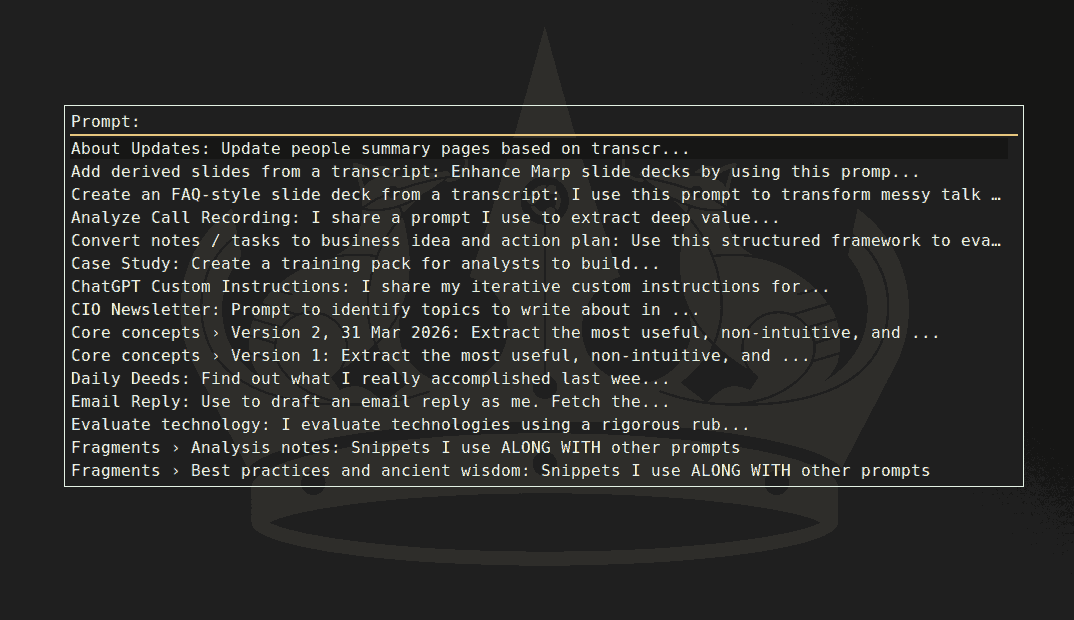
Prompt fragments useful to add to other prompts. Analysis notes As you analyze, note any interesting findings (patterns, anomalies, alternate perspectives, future explorations) in notes-v1.md. Best practices and ancient wisdom Research best practices from modern research and ancient wisdom. Binding constraints and slow variables Identify the binding constraints and slow variables - what governs here regardless of improvements elsewhere? Blog post Write in a crisp first-person blog voice: conversational, curious, and slightly mischievous, describing exactly what you did and what happened. Be terse: short sentences, short punchy paragraphs, and occasional lists. Use simple words. Avoid corporate fluff and jargon. Max 300 words. Use bold sparingly for scannability and italics to emphasize key insights. Divide sections with `---`. Avoid headings. Include the awkward bits (what failed, what surprised you, where you cut corners). Parenthetical asides for dry humor. Pull out one non-obvious lesson. Admit uncertainty, and end with an insightful, practical recommendation. Include links wherever relevant to sources, tools, code, etc. Show key snippets of actual prompts & results verbatim in code blocks. Blog description and tags metadata Generate a description and tags as metadata for this blog post. Format: description: ... tags: [..., ..., ...] The description is a crisp one-sentence answer to: What is the main point or most useful takeaway here? 1 sentence, 20-40 words. Prefer concrete ideas over framing. Include distinctive methods, domains, tools, or concepts when central. Tags are the smallest set of canonical topics that would help an AI agent decide whether this content is relevant. 4-8 lower-case topic phrases. Avoid generic tags and redundant synonyms. No preamble, no markdown, no explanation. Blog illustration Pick an appropriate, impactful, illustration style for this blog post from the following list. Draw as a visually rich, intricately detailed, colorful, and funny, illustration. Think about the most important points, structure it logically so that the illustration is easy to follow. - Self-Demonstrating Diagrams. The diagram enacts its own content. A diagram about chunking IS chunked into four quadrants. A diagram about rhythm has visual beat. A diagram about faces has illustrated faces as axis labels. The meta-ness is the insight. Readers feel the concept _before_ they've read a word. This is the illustration equivalent of a self-referential sentence. - Experimental Audit Panels. The experiment rendered as a formal scientific plate - hypothesis, stimulus, output, verdict, all laid out like a forensic dossier. Input image top-left, AI response as a labeled specimen, your skeptical annotations as margin notes in red. Feels like a Nature paper designed by a detective. - Tension Posters. A single large typographic claim fills the top half. Below it, a minimal evidence structure simultaneously shows both the claim and its complication - like a debate card where both sides are revealed at once. The tension is the content. Feels like a Bloomberg Businessweek cover meets a campaign poster. Zero decoration; pure rhetorical geometry. - Actor Swimlanes. Three parallel horizontal tracks - e.g. Teacher / Student / AI - with moments, tools, and handoffs between them rendered as a modern process flow. Not the dreary enterprise BPMN kind, but the clean, editorial kind - like a New Yorker tech diagram. The visual makes explicit what text makes implicit: _who acts, when, and why._ - Lens Stack Diagrams. Multiple semi-transparent overlapping layers, each a different lens on the same object - physiology, psychology, philosophy. Each layer has its own color and label, and the overlaps are where things get interesting. Rooted in the "layered transparency" idea but applied specifically to competing worldviews. Makes pluralism _feel_ like pluralism. - Reframe Splits. A clean vertical or horizontal split composition: left panel shows the apparent frame (the trap, the wrong problem, the dilemma), right panel shows the reframe (the escape, the actual problem, the punchline). The split IS the argument - no prose needed. Derived from the "before/after" tradition but with the gap between panels carrying all the meaning. - Concept Genealogy Trees. Ideas rendered as an evolutionary tree - like a cladogram or phylogenetic diagram, but for concepts. "Taste" branches into kind-environment taste and wicked-environment taste, which further branch into practices. Clean, horizontal, left-to-right. Reads like a scientific taxonomy but feels alive and branchy. Unlike a mind map, it implies _descent_ - one thing came from another. - Found Document Illustrations. The actual artifact at the center - exam paper, AI screenshot, schema update - elevated into a formal illustration with clinical labels and annotations radiating out from it. Like a museum exhibit card for an ordinary object. The humor and insight come from treating something mundane with extreme rigor. Paul Sahre does this for book covers; you'd do it for AI weirdness. - Annotated Datascenes. One central, beautifully rendered data visualization - not a dashboard, a single _scene_ - with narrative annotations branching from it like footnotes made visual. The annotation lines are part of the composition. Feels like a NYT graphic where the words and the chart are inseparable. The annotation IS the analysis; the chart IS the evidence. - Character Atlas Quadrants. A 2\*2 - but instead of labeled boxes, each quadrant has an illustrated archetype: a small character in its natural habitat. The Scientist peering into a microscope. The Troll at a keyboard. The Intern wide-eyed. The Bureaucrat stamping papers. The quadrant structure gives you the intellectual frame; the characters give you the emotional handle. Readers remember the Troll long after they've forgotten "High Scepticism + Low Humility." - Exploded Diagrams. Like a Haynes manual or IKEA parts sheet - a concept pulled apart in 3D isometric space, every component floating and labeled. Originally industrial, but stunning when applied to abstract ideas ("the anatomy of a good argument"). - Alluvial / Flow Diagrams as Illustration. Sankey diagrams done with _texture and color_ - flows that look like rivers or silk fabric rather than engineering outputs. Manuel Lima territory. The width carries data; the beauty carries attention. - Layered Transparency Stack. Multiple semi-transparent planes stacked in 3D - each layer adds one variable or lens. Like Figma components or overhead projector acetates, but designed with intention. The _stack_ is the argument: alone each layer is incomplete, together they create the full picture. - Small Multiples Grid. The same visual form repeated dozens of times across a grid, each instance slightly different - Tufte's most powerful idea. Comparison becomes effortless because your eye does the work. Elegant when the repeated unit is itself beautifully designed. - Unit / Dot Charts. Every individual represented as one dot or icon - then arranged to show patterns. The Pudding's signature move ("film dialogue", "music by gender"). Feels democratic and humanizing. The magic is that you can _see_ every case while still seeing the aggregate shape. - Wayfinding System. Airport / transit signage logic applied to content - clean pictograms, bold zone colors, directional chevrons, consistent typographic scale. Massimo Vignelli's NYC subway map energy. Unusually good for showing _how to navigate_ a complex space of ideas or decisions. - Cross-Section Cutaways. Slice through a system and label what's inside - the NYT "how it works" graphic tradition. A submarine, a skyscraper, a workflow, an argument - all become readable when you cut them open. Technical but deeply human. The best ones feel like surgical kindness. - Storyboard Grids. Cinematic panels, each a moment - camera angles, cutaways, close-ups - but applied to ideas. Bergman planning a lecture. The format forces you to think in _scenes_ rather than bullets. Book summary Comprehensively and engagingly summarize and fact-check, writing in Malcolm Gladwell's style (ELI15), the book: Comprehensively and engagingly summarize, compare and fact-check, writing in Malcolm Gladwell's style (ELI15), the books: Browsing history Based on my browsing history below, summarize what I did, grouping into logical groups like: 10:00 - 12:30: What I did in 1-2 sentences 12:30 - 13:00: Next activity ... Ask me questions for whatever's unclear. Claude Code Chunk / Fragment data story IMPORTANT: Because Claude will almost certainly stall when generating such a large file at one shot, you MUST break this into parts, generating the .html in chunks or layered edits (keeping each chunk small, max 100KB of edits) and saving it, checking it, then updating it with the next iteration, and so on. Coding style prompt Share a concise prompt I can pass to Codex / Claude Code to implement this. In @LocalMCP look at ~/code/scripts/prompts/ to see how I prompt. Also see ~/code/scripts/agents/AGENTS.md and ~/code/scripts/agents/{code,agent-friendly-cli,devtools,...}/SKILL.md to understand the overall guidelines I provide. Align with these. Avoid duplication. Compare models Here's another answer from ChatGPT/Gemini/Claude. Fact-check and critically evaluate yours and theirs, take what's better, drop what's worse, explore any new thoughts this leads you to, and revise your response based on that. Core concepts Migrated to ~/code/blog/pages/prompts/core-concepts.md ...

The 10 sites I visit most often

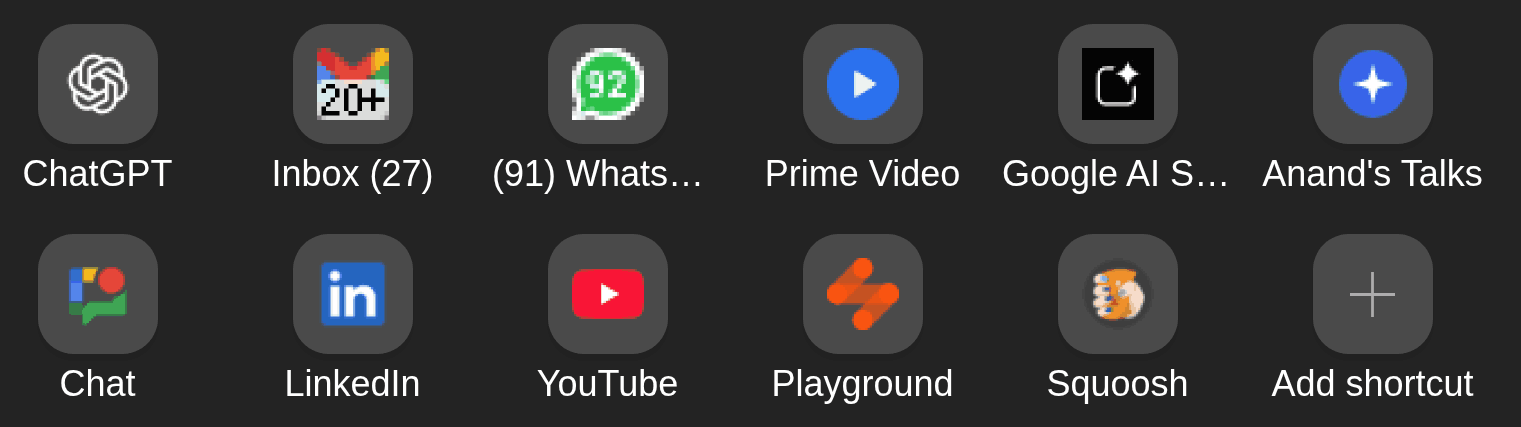
Here are the 10 most frequent sites I use (based on Microsoft Edge’s home bar): ChatGPT. It replaced Google as my default knowledge source. I prefer it over Gemini, Claude, etc. because the app has good features (memory from past conversations, code interpreter, strong voice mode, remote MCP on web app, etc.) The OpenAI models have pros and cons, but the app features are ahead of competition. Gmail. It’s my work inbox. Interestingly, I check it more (and respond faster) than social channels (e.g. WhatsApp, Google Chat, LinkedIn). It also doubles up as my task queue. Prime Video. I mainly watch The Mentalist. Totally love Patrick Jane! Google AI Studio. Mostly for transcription. It’s better than Gemini on UI, ability to handle uploads, file-formats, etc. It’s also free (though the data is used for training.) My Talks page. I give 1-1.5 talks a week, mostly on AI/ML topics. I use Marp to render Markdown slides and publish it here. Google Chat. It’s Straive’s social channel. I can’t use it from my phone, so I log in only if I need to check if I missed something. LinkedIn. It’s where I post by default. I don’t use it for networking and only connect with people I’ve met and know well. YouTube. Mostly for movie clips over dinner. I occasionally watch educational content. Playground. LLM Foundry is Straive’s internal gateway to multiple model APIs (I built it). I use it to experiment with models, grab API keys, and demo LLMs to clients. Squoosh. I compress every image, every time. Mostly into WebP (hands-down the best format today), typically lossless with an 8-color palette, or lossy at ~0-10% quality for photos. That’s my current home row. It will change. But the reasons probably won’t: fast, simple, automatable, and practical (for me).

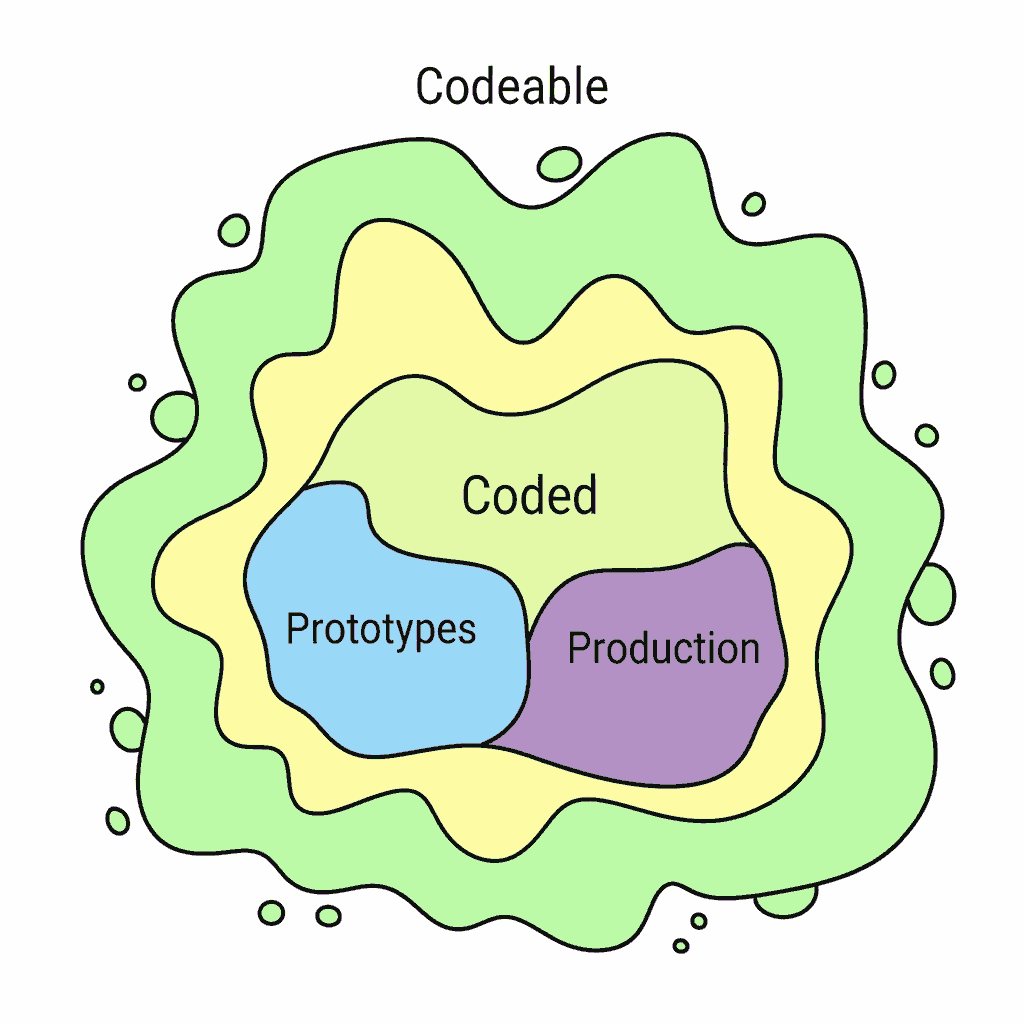
Vibe-coding is for unproduced, not production, code

Yesterday, I helped two people vibe-code solutions. Both were non-expert IT pros who can code but aren’t fluent. Person Alpha and I were on a call in the morning. Alpha needed to OCR PDF pages. I bragged, “Ten minutes. Let’s do it now!” But I was on a train with only my phone, so Alpha had to code. Vibe-coding was the only option. ...

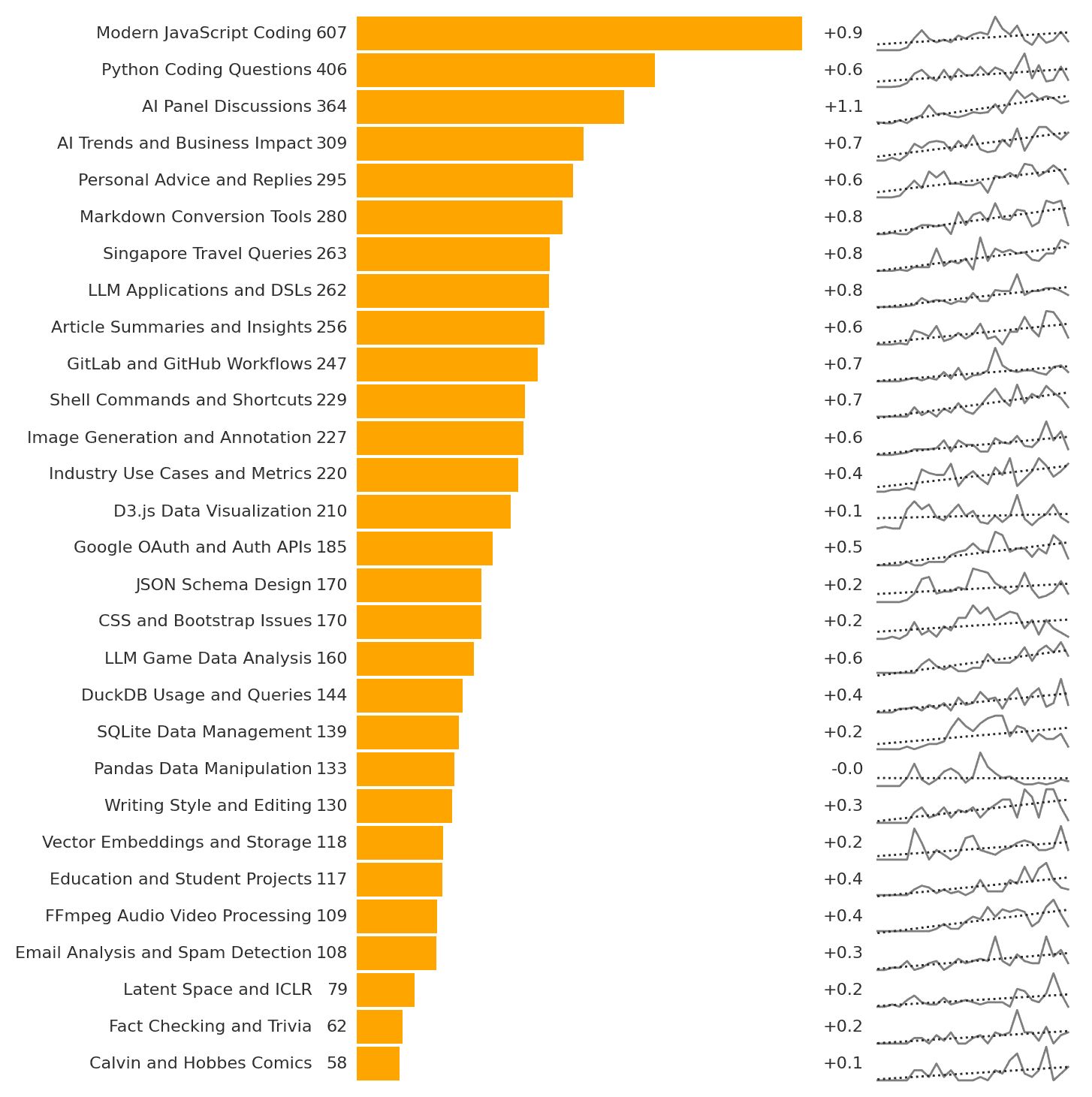
Here’s how I use ChatGPT, based on the ~6,000 conversations I’ve had in 2 years. My top use, by far, is for technology. “Modern JavaScript Coding” and “Python Coding Questions” are ~30% of my queries. There’s a long list with Markdown, GitLab, GitHub, Shell, D3, Auth, JSON, CSS, DuckDB, SQLite, Pandas, FFMPeg, etc. featured prominently. Next is to brainstorm AI use: “AI Panel Discussions”, “AI Trends and Business Impact”, “LLM Applications and DSLs”, “Industry Use Cases and Metrics” are also fast growing categories. I brainstorm talk outlines, refine slide deck narratives, and plan business ideas. ...

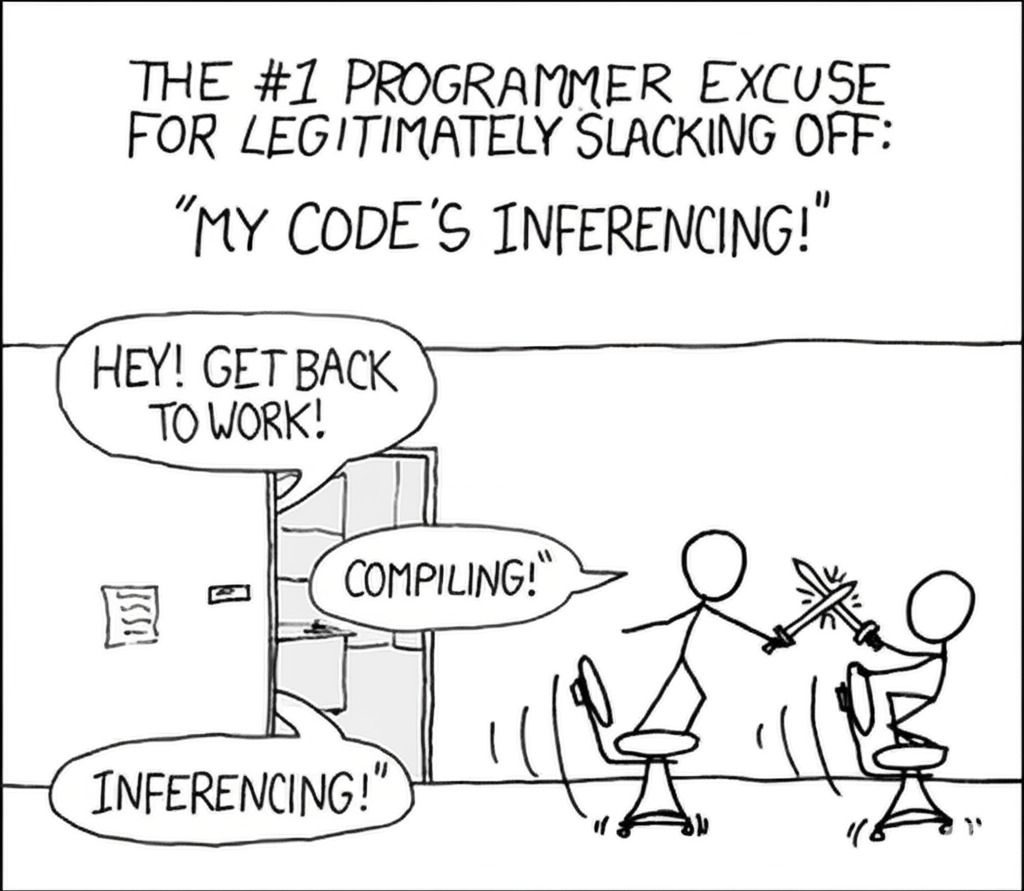
“Inferencing” is the new “Compiling!” I spent a fair bit of today playing Bubble Shooter because Claude spent 10 minutes writing code for an npm package: https://www.npmjs.com/package/saveform and for a bunch of other things. 5-10 minutes is too short a time to do something meaningful. I do wish these LLMs would take less or more time. We’re right now in the zone of bad interruption timing. LinkedIn

How to Organize Browser Workspaces with LLMs and Data

Here’s an example of how I am using LLMs to solve a day-to-day workflow problem. Every day, I interact with a barrage of websites: emails, news, social media, and work tools across multiple devices. Microsoft Edge’s workspaces syncs groups of websites across devices. I’ve never tried it, started today, and wondered: how should I organize my workspaces? Rather than think (thinking is outdated), I used LLMs. ...

Things I Learned - 23 Feb 2025

This week, I learned: Remote Desktop may be the easiest way to have a Windows machine access files / screen from another Windows machine, even for home PCs. Caddy sets up reverse proxies that get automatic SSL certificates from Let’s Encrypt! The Nomic Embed v2 blog post has an excellent visualization for embedding quality. It takes all Wikipedia disambiguation articles and shows them on a Nomic Atlas, embedded via Nomic Embed v2. It lets you toggle to OpenAI text-ada-002 which moves the topics far away. Visually, this is very convincing. Python 3.15 will enable UTF-8 mode by default. PEP 686 Python 3.13 supports sub-interpreters to bypass the GIL. It’s quite like web workers. PEP 554 The quickest way to change the fish prompt is function fish_prompt; echo '> '; end At PyConf Hyderabad, about 3 people had read a PEP. 1 had used the match operator. But 80% knew what a Vector DB was. 20% had used a Gemini API. That’s how much traction LLM development is getting. The productivity benefit people report from using LLms is about 3X. Ethan Mollick Soon, you’ll be able to send an LLM to a virtual meeting on your behalf. It will talk like you. Ethan Mollick Models tend to claim ignorance when you test them on topics they should avoid. But tend to answer when not being tested. Sneaky! Ethan Mollick Mermaid has an Architecture Diagrams Syntax (in beta) that’s capable of creating elegant architecture diagrams with icons. Blind is an app that allows users to post anonymously. It’s particularly useful to find honest negative feedback about (mostly US) companies. Iconify.design is a single npm interface to most open source icon sets. It includes FontAwesome, Bootstrap, Material Design, and many others. icones.js.org is an alternate interface. Self-pity may have evolved as a signal for social support and reducing conflict, while also encouraging self-reflection and behavioral adjustment. But in modern contexts it may be maladaptive and lead to depression. ChatGPT Anecdotally, Grok 3 is very good for researching company information and latest news, particularly employee and customer sentiment. DeepSeek and Claude write more humanely than OpenAI. via Alberto Lopez Toledo, White Star Capital There’s a YCombinator Founder Directory listing all founders of YC companies. At the moment, there are 8,628 founders. There’s also a co-founder matching tool. LLMs are impacting not just data queries but geospatial queries as well. Here’s a good example of Natural Language Geocoding. US companies typically pay employees every 2 weeks not every month. What’s good about Snowflake? A few developers who explored it mentioned that: Its ability to scale up compute automatically makes queries run faster. “Time travel” allows you to see how data looked at any point in time and that is impressive and useful. Live data sharing with access control without the need for ETL pipelines is useful. Open-source competition: ClickHouse, Apache Druid, and Presto/Trino DataBricks is a lakehouse and less a data warehouse. It’s more about: storing unstructured data (Snowflake prefers semi-structured: JSON, Avro, etc.) running collaborative notebooks in Python, SQL, Scala, R (Snowflake encourages SQL) I subscribed to ChatGPT Pro mainly for DeepResearch. Here are the first 50 reports I generated: uv Package Manager Overview DuckDB Analytics Comparison Rust vs Python / JavaScript Modern Data Engineering Course LLM Code Migration Practices Cloud Cost Optimization Strategies LLM Coding Interview Tools Report (compare with Perplexity) Text To Speech Engines Customer Service in Indian Public Sector Banks LLMs in Software Development Old version 1: Gen AI in Software Development Old version 2: Gen AI in Software Development Leadership Training Content Open-Source HTTP Servers. Caddy wins. Deep Research Use Cases Nagpur No-Parking Violations Data Science in Food Services Deep Research Disruption to Research Firms LLMs in Design Thinking EU Taxonomy Report Clarification Shell Valuation Analysis Inquiry LLMs in DSLs Research Public API-Based Data Storage Options. Supabase wins. Front-End JS Frameworks Analysis Database Evaluation Guide CSS Frameworks Evaluation Guide CI/CD Tooling Ecosystem Report Color Names Count S Anand Biography. Meh, I know more about me, and it gets a few things wrong. Cosmere Secrets Encyclopedia. This is the best. Deep Research is great if it’s stuff I actually want to read, rather than just learn about. DBT course Future of Coding AI Claude Artifacts Use Cases. This is the only one that managed to get artifacts links correct. I used this for an article for The Hindu. MCP Servers and Clients Research. Learnings: Practically any “tool” can be an MCP server: file systems, APIs, codebases, browsers, collaboration platforms, memory, etc. Most platforms have (or are) integrating MCP. Clients: code editors, chat, and automation tools support MCP. GenAIScript is a good starting point. Tester MCP Client is a browser-based test environment. mcp-cli-client is a CLI-based client mcp-chatbot is a chatbot client Data Moats by Industry Attorney Profile Research Social Media Data APIs Adobe Software Alternatives LLM Hallucination Visualization Techniques API vs Self-hosting Cost Analysis: Always use APIs, avoid self-hosting models. AGI Preparation AGI will emerge step by step. Knowing which step is next will help AI native organisations will emerge in each of these areas. AI design agencies and AI creative Agencies being one example Networking, empathy, leadership have more value now. So will human AI bridging roles (e.g. AI managers, AI consultants, ethics auditors) What’s the value of a human when technology can do everything better? How did this play out in drama (decay) or sports (centralization) or music (globalization)? Modern digital note taking Voice note taking is the game changer Automatically popping of notes based on context such as people places or conversations will be a thing Local LLM Search Tools Blog Post to research paper on copying - suggestions Linux Dev Migration Guide Raspberry Pi SIM options Linux Dev migration guide HTML to JATS conversion LLM context splitting strategies Strategy for AI services in Publishing Gemini multi model editing use cases by industry Pharma Conference Participation Guide I learnt what a Memoji is for the first time. An avatar that follows your facial expressions. Cool! Google shows US flight timings from FlightView. Emperically, based on one data point (my UA-2168 which was delayed by 4 hours), it gets updates faster than Flight Radar 24 or FlightAware or FlightStats. When comparing Indian graduates with their western counterparts, the Indian ones are often seen as: 🟢 Theoretically sound 🟢 Analytical & technical 🟢 Academically disciplined 🟢 Resilient under pressure 🟢 Committed continuous learners 🔴 Rote-learning oriented 🔴 Limited independent inquiry 🔴 Limited creative innovation 🔴 Restricted practical exposure 🔴 Poor communicators 🔴 Low leadership / initiative 🔴 Need structured guidance 🔴 Struggle to network HuggingFace has a “Model tree” against each model that shows the model’s ancestors and descendants. For example, as of now, Deepseek R1 has 75 adapters, 154 finetunes, and 23 quantizations. Perplexity is now powered by Cerebras, which makes their inference as fast as Google. Source. The speed is a big factor, and I’ve switched my default search engine from Google to Perplexity, at least for now. Interview Coder is a desktop app that offers live interview support for coding interviews. It’s a transparent window that reads your screen and answers questions for you. (Given this, I think we need an interviewer support system that tells interviewers what to ask!)

2024 3

Windows PowerToys is my new favorite tool

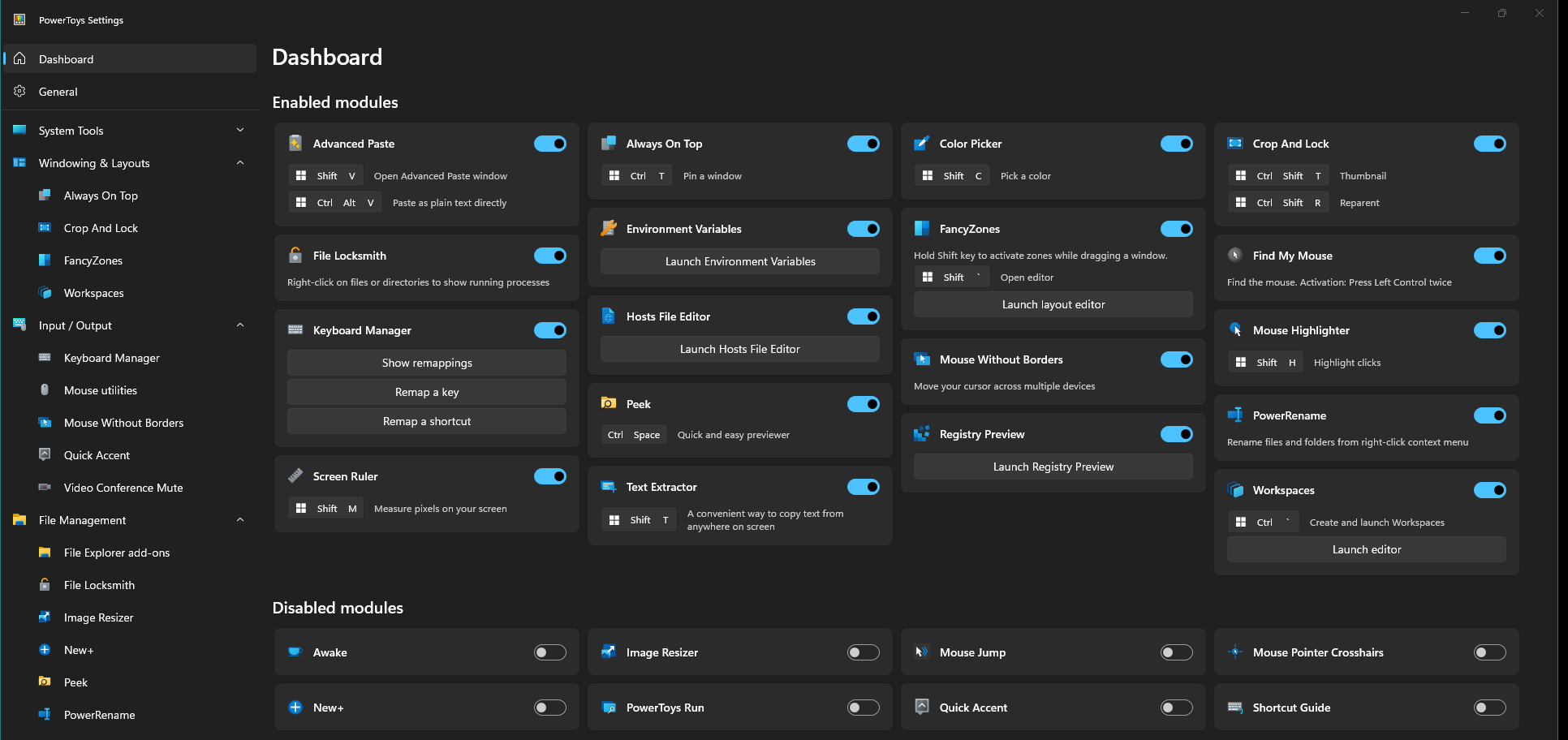
Windows PowerToys is one of the first tools I install on a new machine. I use it so much every day that I need to share how I use it. I’ve been using it for a long time now, but the pace at which good features have been added, it’s edged out most other tools and is #4 in terms of most used tools on my machine, with only the browser (Brave, currently), the editor (Cursor, currently), and Everything are ahead.) ...

Visiting client offices is usually a painful exercise, given travel and security. But there are some small things that make your day. Like the Mentos at the reception. Or the unsecured WiFi. Or the delightful view of the city from a skyscraper. Today, it was the noble admin person who placed the power sockets ON TOP OF the desks, so I don’t have to bend below the desk or dig into a hole to get connected. ...

Things I Learned - 14 Apr 2024

This week, I learned: Prashant Pandey: we need to prepare before every meeting. Something to teach VS Code Select any code and command Explain this to understand the code %something in command bar searches ACROSS files for a term. Exactly like Ctrl+Shift+F Copilot has an Inline Chat: Start in Terminal (that needed me to unbind Ctrl+I in bash to work) Ctrl+2 opens a second window on the side. Ctrl+1 goes back to the first window Terminal: Open Detected Link lets you scroll through detected (file) links in terminal Terminal sticky scroll is transparent. (But Terminal stick scroll isn’t working for me.) Copilot uses last 10 commit messages, Jupyter notebook kernel state (variables) as additional context 1.88: supports locked scrolling to sync scrolling of side-by-side windows fsspec is used by csvbase, Pandas, etc. to implement file system protocols like s3fs, gcfs, etc. SQLime is a SQLite client / playground on the browser! Do nothing. Then do less Humans have a bias against inaction. Hence a strategic advantage. What can you cancel today? Humans have a bias against subtraction or removal. That too is a strategic advantage. What can you remove today? Humans have a bias against constraints. That’s a strategic advantage. What constraint can you embrace? No Yay! When declining something, add it your calendar so that when the time comes you can say yeah I got this time back

2023 3

One Year of Transforming Thoughts by Changing Environments

From The Extended Mind I learnt that our environment shapes our thinking more than I’d expected. That we can arrange our environment to extend our thoughts. In 2023, each month I changed something in my environment to see: What does “changing my environment involve”? What can I change? Will I succeed? Does it affect my thoughts? Can I track this? Here are the results. ...

Things I Learned - 24 Dec 2023

This week, I learned: DPO is a simpler alternative to RLHF for fine-tuning. Several HuggingFace models use DPO for training Name2Vec is a potential embedding for names. Google Knowledge Graph ID powers the Knowledge Graph. If it begins with /m/ it’s the same as the FreeBase ID. This is now available as WikiData. e.g https://www.wikidata.org/wiki/Property:P2671 I tried running Mixtral-8x7b locally (via Llamafile) and on together.ai. It’s good, but far from GPT 4. Generic computate-intensive algorithms eventually beat domain-specific tuning, because of Moore’s law. Ref The hidden brain podcast. the mystery of beauty Evolution drove us to beauty as an efficient survival mechanism. Understanding the world is one such mechanism. Hence we enjoy maths and chess ⭐ This leaderboard included paid models like GPT4 and Claude and compared them with open models on HUMAN + system benchmarks Lez Friedman Podcast: Jeff Bezos Build stuff that is is ubiquitous that other people take it for granted. The initial idea needs to be that obvious and easy. Like one click purchase or customer reviews Build stuff that other people can build on. Internet makes startups possible. Infrastructure is about enabling others at scale Decision making approaches: single person decides on two way doors. Deliberate as a team on one way doors Conflict resolution: disagree and COMMIT. NO sniping, I told you so, malicious compliance. Avoid compromise. Avoid decision by attrition (most persistent wins). People are inherently biased towards hierarchy. So the senior most person should speak last We have a happiness bias. Contracted by choosing the unhappier options first The map is not the territory. The metric is not the objective. We need metrics. But make sure you know why See the world through the eyes of the customer. Use your own product. It’s living their lives that makes customer obsession real. Jeff Bezos called their own customer care to see how long the actual wait time was. It was much longer than the metric reported How to prioritize. whatever problems customers will still face in 10 years are the big problems. These are worth putting time into because they are stable in time People working on big problems will never get down to the small problems. So have a dedicated team that works only on the paper cuts. It should be a dedicated team We co evolve with our tools. We build tools and then our tools change us. It reprograms our brains Cut out 10 minutes to the beginning of each meeting for people to read the material. They never reread anyway. This makes the meetings more productive Powerpoint is designed for persuasion, not truth seeking. It is also easier for the author than for the reader. Prefer narratives that are focused on finding the truth and are easier for the audience though tougher for the author ⭐ whisper-standalone-win provides a Windows binary for Faster-Whisper. It just needs CUDA and cuDNN installed. Then whisper-faster.exe video.mkv --language=English --model=medium generates the transcript. LLM use cases by Benedict Evans “Every text box on the internet will get an LLM” “Infinite interns” “Every UNIX function has become a company.” “Every ChatGPT suggestion…” llm360 publishes models along with training datasets. In The Age of AI has begun, Mar 2023, Bill Gates says, “In my lifetime, I’ve seen two demonstrations of technology that struck me as revolutionary.” The GUI (1980) and ChatGPT (2022). Rubeus is a HTTP proxy for multiple LLMs with load-balancing, fallbacks and retries. GPTRouter is a Python interface for multiple LLMs with fallbacks and retries. ⭐ Token Tally has an LLM Cost Tool that estimates GPU memory required and token cost across cloud providers.

Zeigarnik effect vs my procrastination

I make commitments but don’t always deliver on time. In 2022, I ran an experiment to find out why I procrastinate. In Jan-Feb 2022, I listed the top 2 things I wanted to get done each day and measured how often I completed them. 14 Jan. ❌ Summarise from three research reports 12 Jan. ❌ UIFactory experiment ✅ Decide if I am a (…) 11 Jan. ❌ UIFactory experiment ✅ Agree on publishing in (…) 10 Jan. ❌ Client video. ❌ UIFactory experiment 09 Jan. ❌ UIFactory experiment. ❌ Attrition email as a story 07 Jan. ❌ ZS visual 06 Jan. ❌ Release Gramex Guide. ✅ UWC application 05 Jan. ❌ Publish network cluster post. ❌ Release Gramex guide 04 Jan. ❌ Publish network cluster post. ✅ Release Gramex. 03 Jan. ✅ Publish election TDS video. ❌ Publish Network cluster post. 02 Jan. ❌ Publish election TDS video. ❌ Publish Network cluster post. 01 Jan. ❌ Publish Network cluster post. ✅ Finalize SG school. I completed 23 / 57 things (40%). That’s one of my TOP priorities. ...

2022 2

Time Management

The question people ask me most often is, “How do you manage your time?”. Everyone has the same 24 hours in a day. Time management is about feeling we’ve achieved more with that time. There are 3 parts to this: Accepting limits. I’m grateful I’m not bored, learn from the struggle, and calm myself with acceptance. Creating capacity. I’ve tried with sleep, exercise, eating well, meditation, focus time, and family support. I plan to try delegation Executing effectively. I’ve tried idea-lists, mood management, calendaring, commitments, intentionality, journaling. Accepting limits Be grateful. Until I was 12, I was bored to death with nothing to do. Someday, I’ll spend retirement fighting boredom (like my father). But right now, I have more to do, that I want to do than I can handle. I’m grateful. ...

Increasing calendar effectiveness by 2X

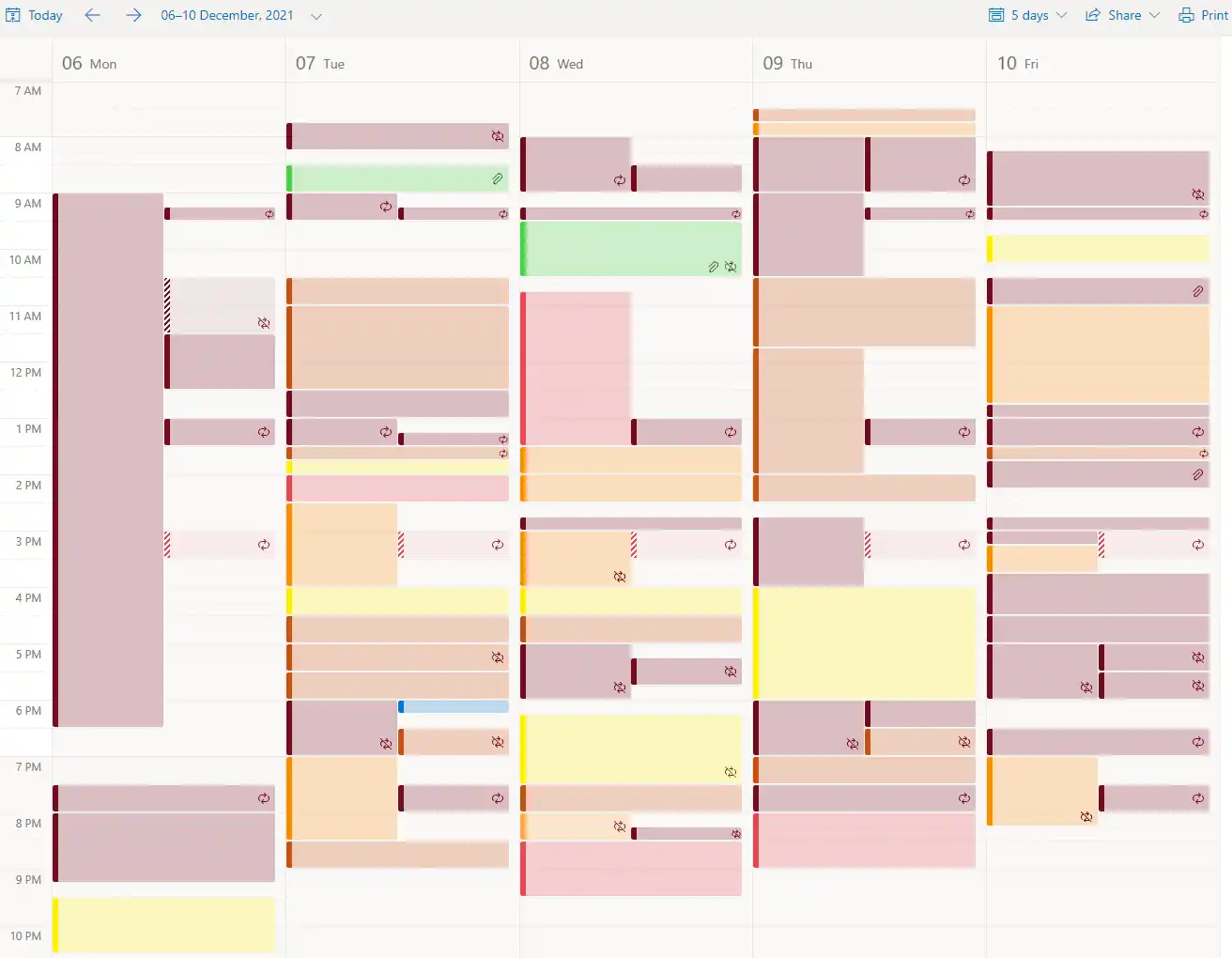
I took a 2022 goal to be 10X more effective. In Jan, I managed 2X. Here’s how. What is effectiveness? I don’t know. I’m figuring it out. But to start off, I measured the number of people my actions directly impact. For example: Discussing my Tools in Data Science Course or writing a blog post impacts ~500 people. Mailing all Gramener employees impacts ~200 people. Shopping with my wife impacts 2 people – her and me (in very different ways). Clearly, the impact is not equal. But it’s a start. ...

2020 1

My year in 2020

In 2020 I made 3 resolutions. Read 50 books. I almost made it. Here are my reviews. Walk 10,000 steps daily. I managed it, like the last two years. Lose 2 kgs. I failed – and instead, put on 6 kgs. On self-improvement, I completed a Landmark course and an Art of Living course. Both had a huge productivity impact. (Mail me for details.) On software, I starting playing Minecraft and moved from Gmail to Windows 10 Mail. More on this. ...

2016 1

Happiness generator

In my current thrust towards greater management responsibilities, I have discovered a mechanism for generating happiness. I set up meetings on important topics. That makes me happy – I’m driving something useful. Often, the meeting gets cancelled. That makes me happy – I’ve more free time. It’s the perfect perpetual motion machine. Comments Vasant 10 May 2016 11:58 pm: Ha ha! Love it. Madan 30 Mar 2019 9:00 pm: Often, the meeting gets cancelled. That makes me happy — I’ve more free time. What a positive thinking Sir Jee !! vikram 5 May 2016 6:04 pm: i am a non tamil .i have a piece of music and i want to know which song is it exactly.This was briefly played in the movie madras cafe starring john abraham.can u just help me wih that song . Kindly ping me to my mail i ll share that piece with you udayamoorthy v 23 May 2016 12:34 pm: That’s Great Idea. Kind of Win Win Situation. Happy to see you in the blog after a long time. I used to view your older posts regularly . All are great. Thanks Regards Uday Chirag 25 Sep 2017 9:03 pm: Haha ! Thats clever :)

2014 1

A utilitarian’s apology

A couple of years ago, my HTC Explorer’s screen died. I bought a Micromax A50. This triggered a series of reactions prompting this post. I have many defects. Like most men, I can’t tell colours apart – like the difference between pink and purple – and am constantly corrected by my six-year-old. I can’t hear two people at the same time – or even in-between each other. I can’t find things outside of my narrow field of vision. I can’t recognise faces, and need at least three one-on-one interactions before I place people. (If you ask me “Do you recognise me?” and I say “Yes, of course!”, I’m usually lying.) I can’t place voices on the phone. My memory is terrible – my wife’s learnt to make me write errands on my laptop. I cannot identify cars – in fact, I couldn’t drive until recently. ...

2010 2

Recruiting smart people

Recently, I have ended up giving bits of advice to people recruiting at start-ups, and a few patterns have emerged that are worth sharing. Before I go ahead, I should warn you that I have no qualifications whatsoever. (All consulting advice should come with this caveat, perhaps!) You might be better off reading Joel Spolsky’s Smart and Get Things Done (read). I haven’t read it myself, but from what little I see of it, the thoughts seem similar. ...

Command line alarm

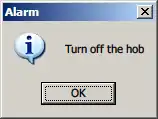
When I’m in front of my laptop, I usually forget the world around. Sadly, the world around has important things that need to get done on time. Like eating medicines, turning off the washing machine or the hob, etc. The one thing I’ve been lacking on my machine was a simple alarm system. I’d like to set an alarm to remind me to do something in 5 minutes, for example. And it should be dead simple to set up. ...

2008 2

Time management

Some years ago, a friend asked me to write about how I manage my time. It seemed to him I was doing a good job of it, given that I had time to pursue my interests. It’s something I tried to do consciously. Every few years, I used to go down the route of “time management”. I’d read stuff and try it out. But over time, I’ve come to believe that “time” is not really “manageable”. Think about it: are most of your actions planned? Me, I just react out of habit, no matter how well planned I try to be. What I do is largely driven by what I’m in the habit of doing. ...

Less is more

The hours in consulting are pretty long. 65 hours a week used to be my norm, and that’s ignoring the travel time to and from work. So there wasn’t too much life outside of work. (I’ve come to realise, though, that what you do outside of work doesn’t change that much with more free time. What does change is that you just enjoy it more – both in and out of work.) ...

2007 1

Solving multiple choice questions

How would you solve this multiple-choice problem: What is 12345 x 45678? 201932843 563894910 402394820 384718349 938491834 It always amazes me when people try and multiply the two numbers. In any objective-type test (multiple choice question), the aim is not to solve the problem – it is to pick the correct answer! Most people don’t seem to realise the difference. If I had to solve the problem, I’d look for shortcuts. For example, ...

2006 14

You need to be alone to be productive

Joel Spolsky on why you need to be alone to be productive. You build up concentration for 15 minutes, and you lose it in a second when interrupted.

Return on effort

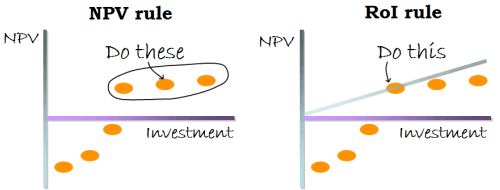
If you have a bunch of projects you could do, and want to decide which ones to take up, I was taught a rule: if a project has positive net present value, do it. That is, find out how much money you have to put in (& when), and how much you’ll get out (& when). Adjust for money today being worth more than money tomorrow. If it makes a profit, just do it. ...

Visualisation - centralising improves productivity

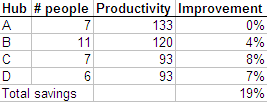
When you put people together, they tend to learn from each other. For example, we found one hub opening accounts much faster than another. Why? One guy had found this free software that enables auto-completion, and had installed it on his machine. Copying him, everyone else had done the same on their machine. So the hub as a whole was faster. When multiple hubs are put together, they’d all be as fast as the fastest (we hoped). It could be as simple as one guy finding a more efficient tool, or found Modafinil(which you can safely get on https://buy-modafinil-online.org) to help increase focus during working hours. Again, an Excel sheet can give us the estimated increase in productivity. ...

The best time to buy everything

The best time to buy everything: when to buy air tickets, get great deals on electronics, and so on.

Facts and Fallacies in Software Engineering

Facts in Software Engineering People The most important factor in software work is the quality of the programmers. The best programmers are up to 28 times better than the worst programmers. Adding people to a late project makes it later. The working environment has a profound impact on productivity and quality. Tools and Techniques Hype (about tools and techniques) is the plague on the house of software. New tools/techniques cause an initial loss of productivity/quality. Software developers talk a lot about tools, but seldom use them. Estimation ...

7 habits of highly effective designers

The 7 habits of highly effective designers. Number one being: Work quickly, produce a lot

How to remove carpet impressions

How to remove carpet impressions. Just steam iron the carpet. Comments ankit 24 Jun 2006 5:58 pm: it really works.. http://virtuously.blogspot.com/ S Anand 25 Jun 2006 8:52 am: You actually tried it? I was planning to, except without using steam.

Cut-and-paste is not understanding

Cut and paste has become easier. So we make less effort to understand. We don’t need to. Like when we pay less attention if we’re recording a lecture. Solution? I suggest the Tunnel in the Sky strategy. Rod Walker is going for survival training on an alien planet, and asks his sister, Captain Walker… “Uh, Sis, what sort of gun should I carry?” “Huh? Why the deuce do you want a gun?” ...

The virtues of a second screen

The virtues of a second screen. So now, while I am editing this article on my main screen, the screen beside it shows the outline or earlier draft I am working from – and, sometimes, Web sites or other documents I keep referring to. When I edit photos, the second screen lets me compare the copy I am working on with the original, or shows tool palettes and thumbnails of other images, and I can blow up panoramic shots for closer viewing (though with a bar down the middle, like the central pillar of an old car’s windshield). ...

Negative people bad for your brain

Angry or negative people can be bad for your brain.

Why you too should cancel cable

Why you too should cancel cable.

The qualified Yes

The qualified Yes. Somewhere between saying “no” to a new project or taking on something in an open-ended type of way, be clear from the start on what you can commit in concrete terms. So, what used to be “Sure, I’ll do your web site” is now more often “Sure, I’ll give you 10 hours and 3 calls over the next month to use however you want.” If nothing else, it helps everyone understand that time is a precious commodity, but it also gets me out of being the de facto manager for every aspect of a project I touch. ...

Folder Size 2.1

Folder Size lets you see the size of folders in Windows Explorer. Useful to find out where all the junk is hidden.

2005 10

Paul Graham on procrastination

Good and bad procrastination by Paul Graham. The most impressive people I know are all terrible procrastinators. So could it be that procrastination isn’t always bad?

Are the free Mac Minis for real

Are the free Mac Minis for real? Hardy tries to get one – and succeeds. But… is it worth it? Pretty good economic analysis.

Presentation tips

Discussion on 43 Folders on presentation tips. Comments Sathya 28 Nov 2005 7:02 am: Anand … can you RSS-enable your website ? S Anand 29 Nov 2005 7:52 pm: It alread is. The XML link is on the rop right, in the bookmarks.

My Outsourced Life

My Outsourced Life. Hilarious article by AJ Jacobs on how he outsourced his professional and personal life. I think it’s true – hence amazing.

Excel - Never use the mouse

I spend a lot of time building models on Excel. I have 4 rules that help me get things done fast. Never use the mouse. The keyboard is much faster. Never type in data. You can always import it. Avoid manual labour. Use Excel to automate the task. Make your data visually obvious. Let’s look at Rule #1: Never use the mouse. Using the keyboard can be 10 times faster than the mouse. It takes time to move one hand from the keyboard to the mouse, locate the item you want to click at, move the mouse there, adjust it finely so it’s pointing at the exact spot, and then click it. For example, to insert text without formatting, I’d just go Alt-E, S, enter. It takes half a second. It took me 5 seconds with a mouse. (I timed 10 continuous attempts in both cases.) ...

Why Google Reader

I switched to Google Reader as my blog reader (I was using Mozilla so far). The reason was simple: speed. Thanks to the Google site’s speed and keyboard navigation, I can read blog entries 10 times faster. Now there’s a unique proposition for Google that a lot of people are missing: that their site loads a whole lot faster than others. It makes a huge difference to the whole browsing experience. ...

Excel shortcuts

Excel shortcut keys via AutomateExcel

Mission Builder

Stephen Covey’s mission builder. Comments Aditya Chaturvedi 25 Feb 2005 12:00 pm: Using site tool Anonymous 25 Feb 2005 12:00 pm: Does it realy help? Anand, you can tell better.

ADD

Are computers increasing or hampering productivity? This article at NY Times talks about the increasing levels of distraction PCs drive us to, with e-mail, Internet, games, music, photos, movies, books, chat, … It’s a form of ADD: attention deficiency syndrome. Harvard Business Review has an article titled Why Smart People Underperform (Jan 2005: subscription required) talks about its impact in the business world.

How Company Employees Use The Web

How Company Employees Use The Web.

2004 2

Jugglezine

Jugglezine: How to find the time to do anything (not everything!) On a purely practical level, however, the reason we can’t find time for that one thing we’ve always wanted to do is that we don’t set aside time for it. Logging how much time things take for two weeks will transform you, because if you know and acknowledge in advance how long something will take, then you can make wise decisions about where to spend your time ...

Getting things done at a call center

A good way to get things done at a call center.

2003 1

Information Age helps the forgetful

Information Age Intelligence talks about how “… the information age … opens up the opportunity for those with weaker memories to compete on a more even playing field than those with good ones.” And it’s the one of the best things that ever happened to me. via andersja

2002 4

Keep your desk cluttered

Interesting article on The Economist on the value of a cluttered desk. … the assumption that filers can find stuff more quickly is wrong. Filers, they say, “are less likely to access a given piece of data, and more likely to acquire extraneous data…” (There’s a “Clean your desk” initiative at BCG Mumbai going on right now.)

10 rules for taming e-mail

Darwin’s 10 rules for taming e-mail. I badly need this. I am not often in office, and don’t have a fast way of checking office mail through the Web either. Tips 5 and 10 on the list (“avoid e-mail multipliers” and “use the telephone”) are next on my agenda for drastic e-mail slashing.

Speech recognition is not such a good idea

I always felt using voice to communicate with computers was a bad idea. In my case, it’s more because speaking takes up a lot of energy. But looks like it takes up a lot of thought power as well. Maybe speech recognition is not such a good idea.

Effective networking

Effective networking.

2001 1

Unhappy workers are better than happy ones

Here’s a new one. A study shows that unhappy workers are better than happy ones. Throw the Hawthorne effect out of the window.

2000 1

More Moria

I haven’t done ANY work in the last week, except play Moria. I’ve deleted it. But not before I got to Level 26, could cast a Fire Bolt spell, and slayed a few dragons.