Nano Banana (gemini-2.5-flash-image) did a pretty good job converting my parents’ wedding photos to color.
I checked how well GPT Image 2.5 would do. The older GPT Image 2 model messed up the faces.
The short answer is: better than Gemini 2.5 Flash!
Here’s the original and the GPT Image 2.5 colorized version, created with the prompt: “Convert this image to color.”
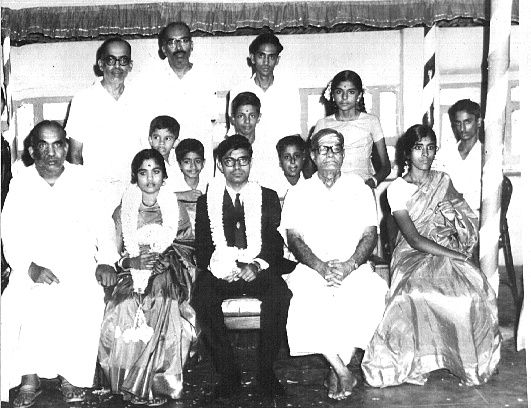
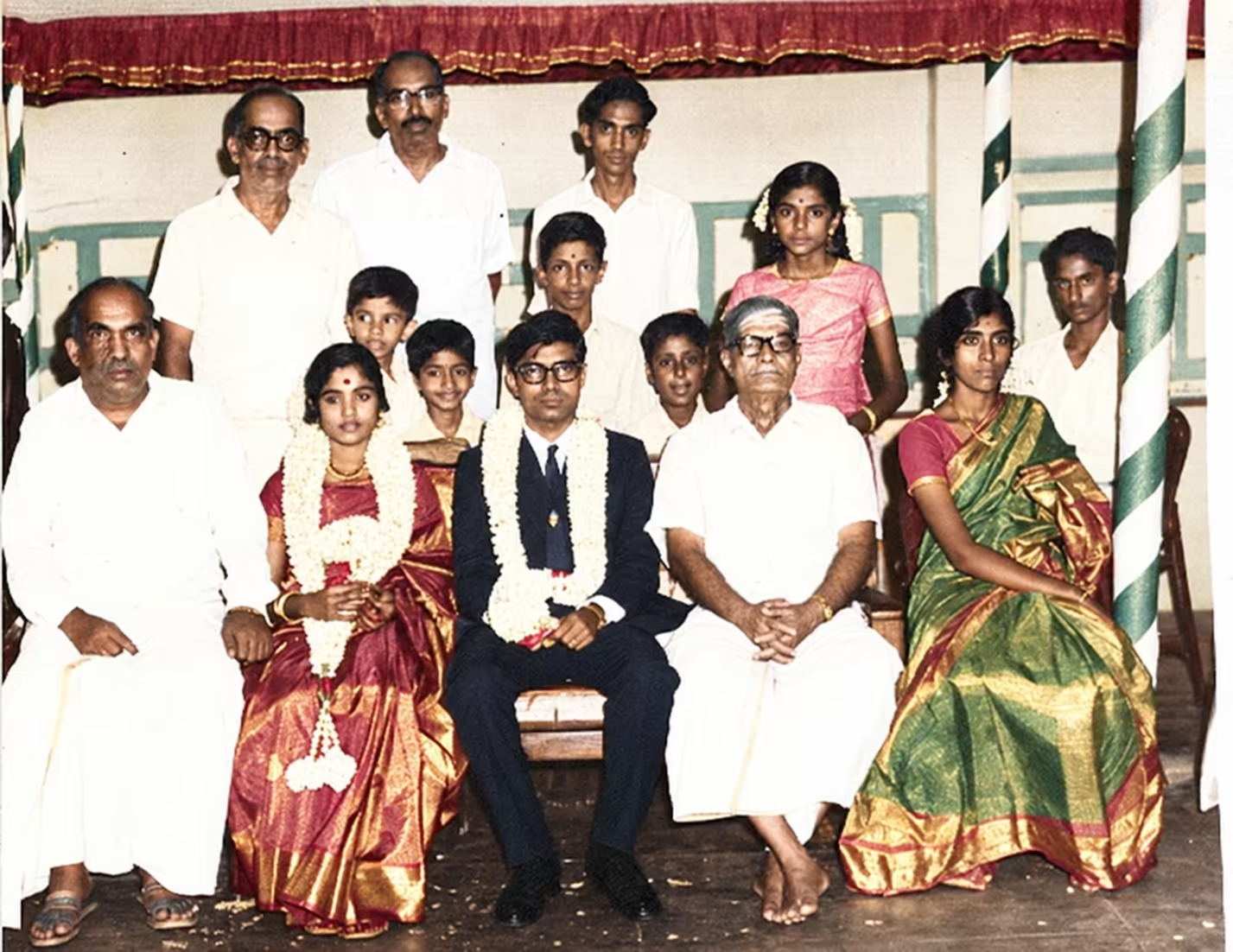
The reason I picked this “benchmark” is because:
- This is a real need for me.
- This is a LLM failure: GPT Image 2 doesn’t retain faces as well as Gemini 2.5 Flash does.
- It’s a benchmark I can evaluate really well. I mean, I know my parents’ faces well enough to spot really subtle differences.
So, from that perspective, a few things GPT Image 2.5 managed to capture well was:
- The slightly lost expression my mother has when she day-dreamed. This isn’t obvious from the photo, but is a look I know well.
BUT: She’s smiling a bit more than she actually was. - The stern, straight look my father has. BUT: He has a slight smile on his face (I don’t think he ever smiled in any wedding photo) with eyes slightly upwards.
- My grandfather’s downturned mounth - rather than a frown. BUT: It added what looks like a very mild moustache.
I think there’s a bias towards smiling faces. When I edited it further with this prompt:
Make it look like a modern digital camera was transported back in time to take exactly the same photo. That is, same people, exactly the same faces, same clothes, etc. but much better photo quality.
… I got this image:
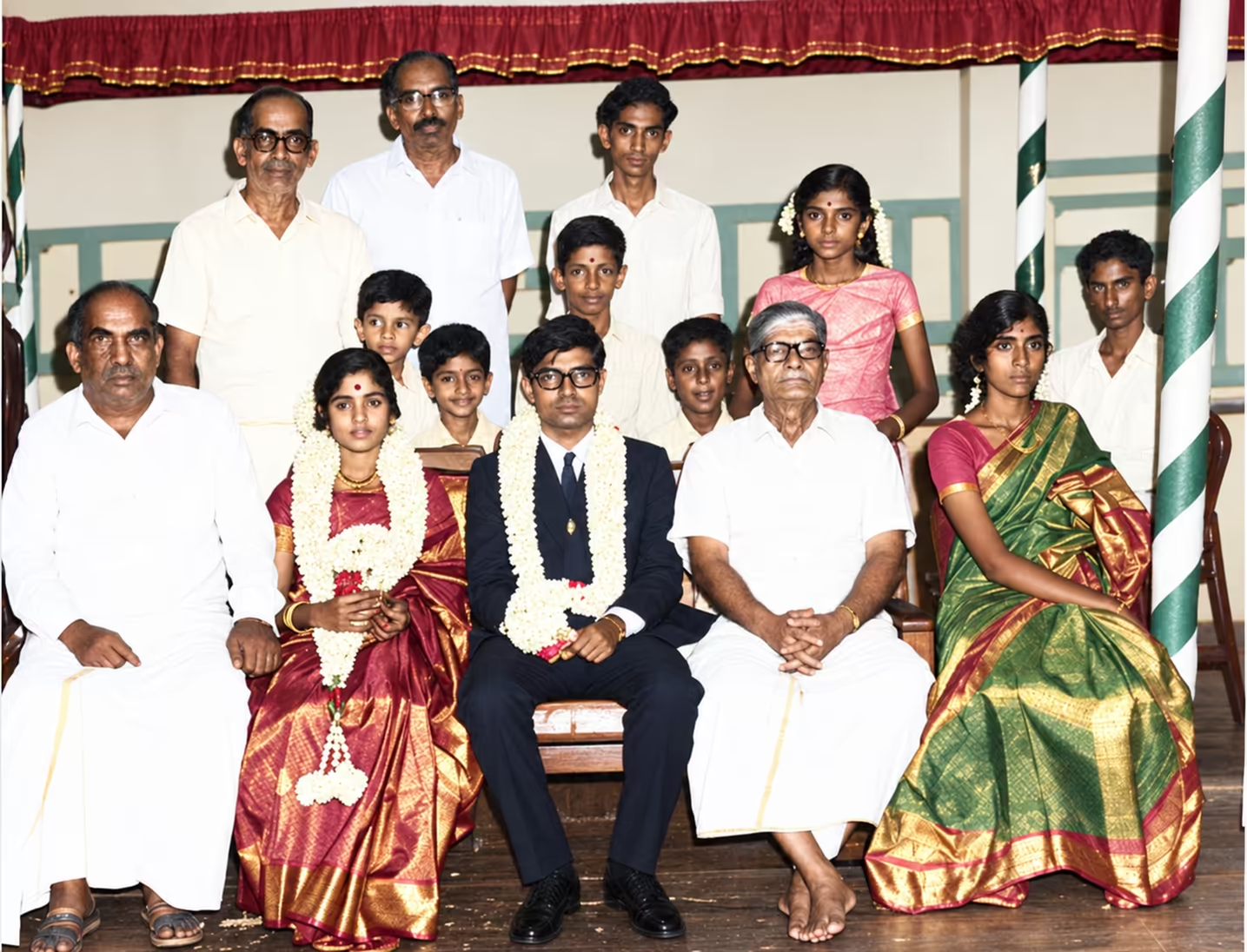
Both my parents, at least one cousin, and one uncle, are smiling slightly more than in the original.
The reason this works is that I can quickly spot subtle difference in faces of family members. It’s like “Oh, yeah, that’s them.” vs “Oh, that’s not quite them.”
This is the perfect kind of benchmark - something I can instantly evaluate, even as models grow far more capable.