
Code on remote machines

Thornston Bell’s How I work with Agents suggests actively using remote machines for coding. I’d struggled with this for many months, and finally managed to set up my Windows laptop for remote coding. How? Tell my wife to tell the maid to never switch it off. (It doesn’t have battery.) Tell ChatGPT to install Remote Desktop Commander - and schedule it to run on boot. Now agents can use it. Tell ChatGPT to install Tailscale so I can SSH into it and copy files. Tell ChatGPT to create a sync-plutonium.sh that pushes files from my Linux system (graphene) to the Windows machine (Plutonium). That last step was the critical enabler. This means that most of the files on my regular laptop is also on the home laptop, and it has the same context. ...
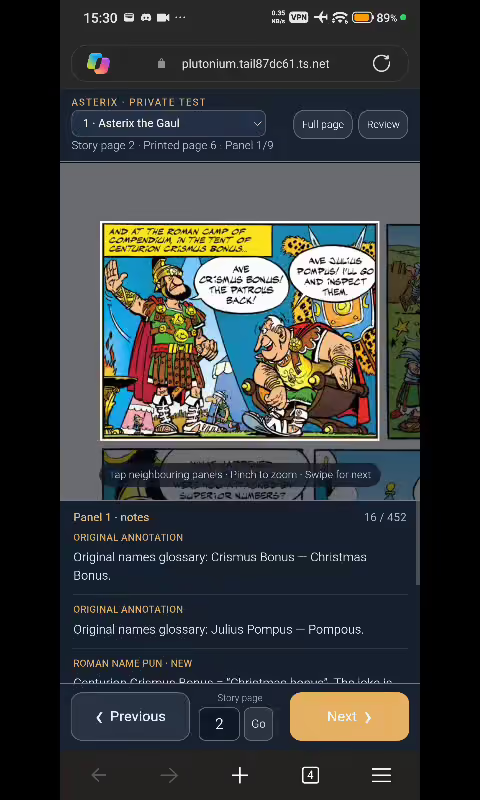
Reading Asterix from Brussels to Dubai via Singapore

I think it’s a miracle to see the sheer number of technologies that can come together with AI agents orchestrating them. I’m right now on a flight from Brussels to Dubai, and the Wi-Fi works. So, I’m dictating this blog post via PixelBoard, an AI-coded port of Gboard that lets me use Gemini for voice typing on Android (which is quite good!). I’m also browsing my Asterix comic book collection. These are on my Windows laptop in Singapore, which I’ve connected via Tailscale. I have no idea how to configure Tailscale, and ChatGPT did that for me. BTW, Tailscale is one of those services that I didn’t see a use for until I used it, and now will never turn it off. It creates a VPN between my phone, traveling laptop and home laptop, so I can browse files, SSH into each other, run HTTP servers, etc. All securely. ...