2026 2

Google Meet captions as a local transcript recorder

I’m a man of simple needs. All I want is: when I’m on Google Meet, I turn on captions. I wanted to click a bookmarklet and save those captions into a local Markdown file. (So that an AI agent can guide me from it.) Hence, Google Meet Captions. The code is in gmeetcaptions/. Drag the button to your bookmarks bar. Join a Meet. Turn on captions. Click it. You get a tiny panel with two buttons: Copy and Start Recording. ...

Gemini Scraper

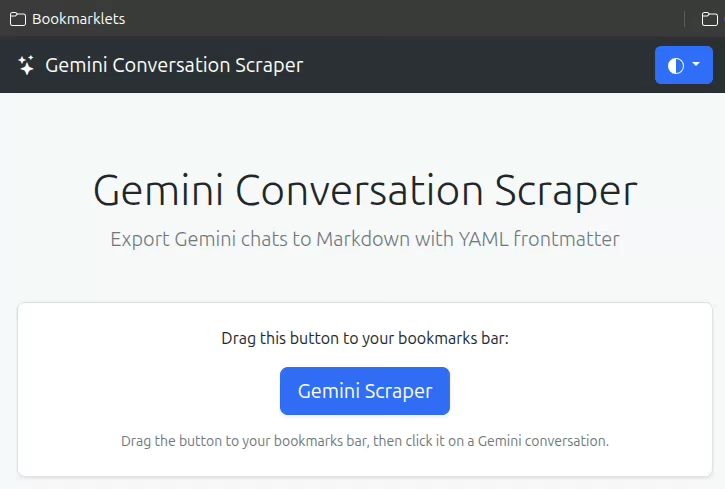
Gemini lets you copy individual responses as Markdown, but not an entire conversation. That’s useful if you want to save the chat for later, pass it to another LLM, or publish it. So I built a bookmarklet that scrapes the entire conversation as Markdown and copies it to the clipboard. SETUP: Drag the bookmarklet to your bookmarks bar. USAGE: On a Gemini chat page, click the bookmarklet. It copies the chat as Markdown. ...

2009 2

Random quotes generator

The Random Quotes Generator is a simple tool that creates quotes by mixing up words on a web page. The results are often funny, but sometimes surprisingly insightful. Yes, this is the equivalent of a million monkeys typing Shakespeare, except that they’re using the works of Shakespeare as a starting point. And it doesn’t have to be Shakespeare. It could be you or your friends. ...

Infyblogs dashboard

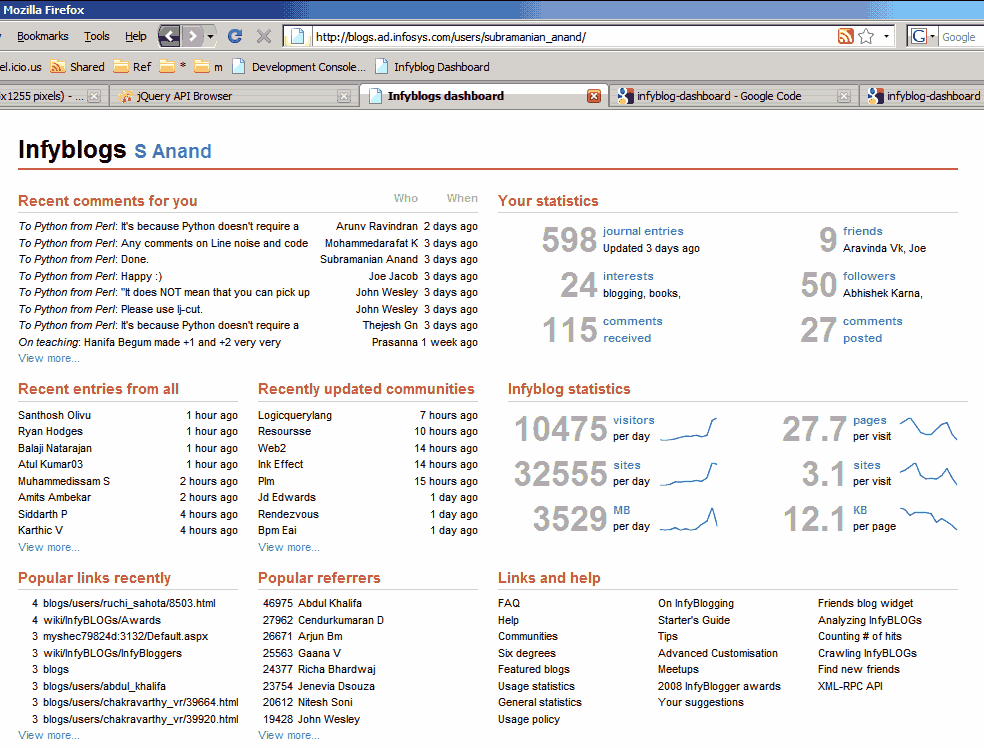
I just finished Stephen Few’s book on Information Dashboard Design. It talks about what’s wrong with the dashboards most Business Intelligence vendors (Business Objects, Oracle, Informatica, Cognos, Hyperion, etc.), and brings Tuftian principles of chart design to dashboards. So I took a shot at designing a dashboard based on those principles, and made this dashboard for InfyBLOGS. You can try for yourself. Go to http://www.s-anand.net/reco/ Note: This only works within the Infosys intranet. Right click on the “Infyblog Dashboard” link and click “Add to Favourites…” (Non-IE users – drag and drop it to your links bar) If you get a security alert, say “Yes” to continue Return to InfyBLOGS, make sure you’re logged in (that’s important) and click on the “Infyblog Dashboard” bookmark You’ll see a dashboard for your account, with comments and statistics The rest of this article discusses design principles and the technology behind the implementation. (It’s long. Skim by reading just the bold headlines.) ...

2008 1

Keyword searches as a Web command line

Andre’s mentions dumping Google Chrome because of lack of extension support, especially Ubiquity, and lists 15 useful Ubiquity commands. If you haven’t seen Ubiquity, you should. It’s a great extension that transforms your browser into an Internet command prompt. It is modelled on the Enso Launcher, which is a great piece of work by itself. I wasn’t quite prepared to let go of Chrome that easily. On Task Manager, seeing 10 Chrome processes, the largest of which takes up 60MB, is a lot more comforting, psychologically, than 1 Firefox process taking up 300MB. (I rarely hit my 1GB RAM limit, so it shouldn’t matter either way. Yet, the spendthrift in me keeps watching.) ...