2007 1

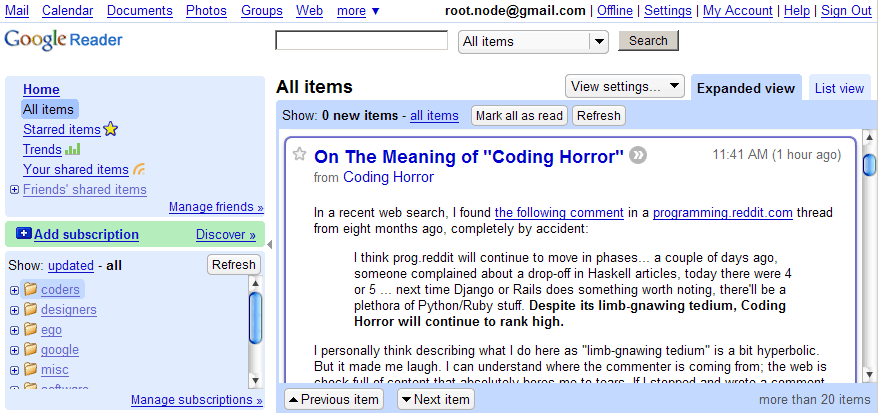
Advanced Google Reader

I’ve stopped visiting websites. No, really. There’s only one website I visit these days. Google Reader. Google Reader is a feed reader. If you want to just catch up on the new stuff on a site, you can add the site to Google Reader. Anything new that is published on the site appears in Google Reader. Right now, I’ve subscribed to over 50 feeds. There’s no way I can remember to visit 50 sites – so I’m actually able to read more and miss less. ...

2006 1

Google Reader shared lists are tough to find

Though Google Reader learns to share, I haven’t found it easy to see what others are reading. Even a Google search for shared lists reveals very few.

2005 2

Google Reader

Google Reader. Gmail principles applied to RSS. You can subscribe to posts, label feeds and star RSS items. The reader suggests items from your subscriptions based on your interest.

Autoblog

I have an automated (and lazy) way of finding interesting sites. This is what I do every day. I get the del.icio.us tags of every URL I blog about. (It’s available at http://del.icio.us/rss/url/ followed by the MD5 hex version of the URL). I pick the most popular tags (at least 50 links must have this tag), and use them as my “preferred tags” I scan the most popular sites on del.icio.us, and get each site’s tags If a site has my preferred tags, I give it points (the number of points is equal to the number of times I’ve blogged that tag) I pick the top 5 sites based on my points, and read them. There are two problems I have now. Firstly, I will find sites similar to those I have blogged about – not discover anything new. That’s fine to start with – I can search for those manually. The bigger problem is, this is restricted to del.icio.us. There are two ways I can extend this (lazily). ...

2001 1