2023 1

My first LAMBDA in Excel

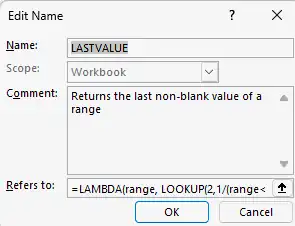
Ever since Excel introduced the LAMBDA function, I've been itching to use it in real life. I got my first chance today. We track the skill index of our different teams (consulting, analytics, technology, etc.) like this: TeamSkill IndexApr-23May-23Jun-23Jul-23Consulting0%0%Analytics33%33%Technology72%72%etc. The "Skill Index" column should pick the LAST value. If Apr-23 is filled, use that. But if May-23 is also filled, use that. ...
2006 1

In-cell Excel charts

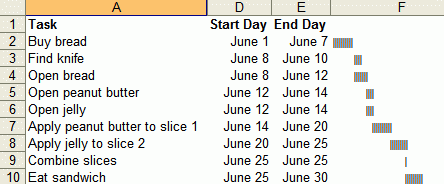
Juice analytics has some Excel graphing tips. You can make charts like below without using charts, using just text. These are useful because the charts are aligned with the data. I once used a similar technique to display people’s staffing position. The sheet below lists people, projects they’re on and how long they’ll be on. The coloured cells to the right are a calendar display of the same stuff. Makes it easy to read. ...

2005 1

Excel - Avoid manual labour

Rule #3: Avoid manual labour. Use Excel to automate the task. I use Excel’s formulas to speed up repetitous tasks. These techniques are powerful, meaning, you can do a lot with a little, but can have unforeseen consequences. Excel can find and replace formulas. If you had hardcoded formulas and wanted to change =B1*3.14 to =B1*3.1416 across all rows, just find “*3.14” and replace it with “*3.1416”. Find and replace works in formulas. This is very powerful. You can use it to change the source (e.g. change the source from column B to C by finding “=B” and replacing with “=C”) or even the formula (find and replace “SUM(” with “SUBTOTAL(9,”). ...