2025 7

I count AI summarized books as "Read"

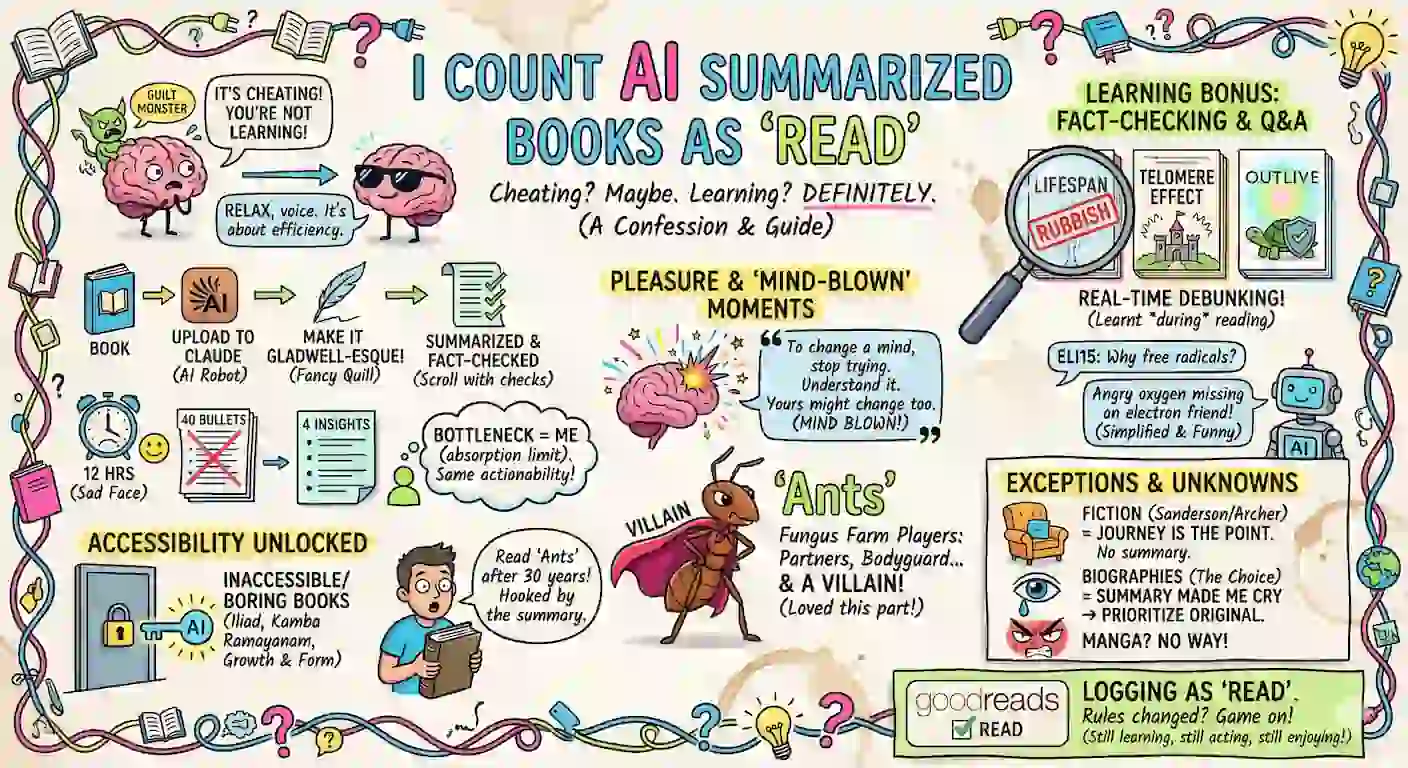
I have this nagging feeling (maybe you do too?) that it’s cheating and I’m not really learning if it’s so easy. The same voice makes me feel guilty when using coding agents to code or ChatGPT in meetings. I’m telling that voice to relax. I upload books to Claude and ask it to “Comprehensively and engagingly summarize and fact-check, writing in Malcolm Gladwell’s style, the book …”. I can read it in an hour instead of twelve. Four bullet points instead of forty. With (this surprised me) roughly the same number of insights I actually do something with. ...

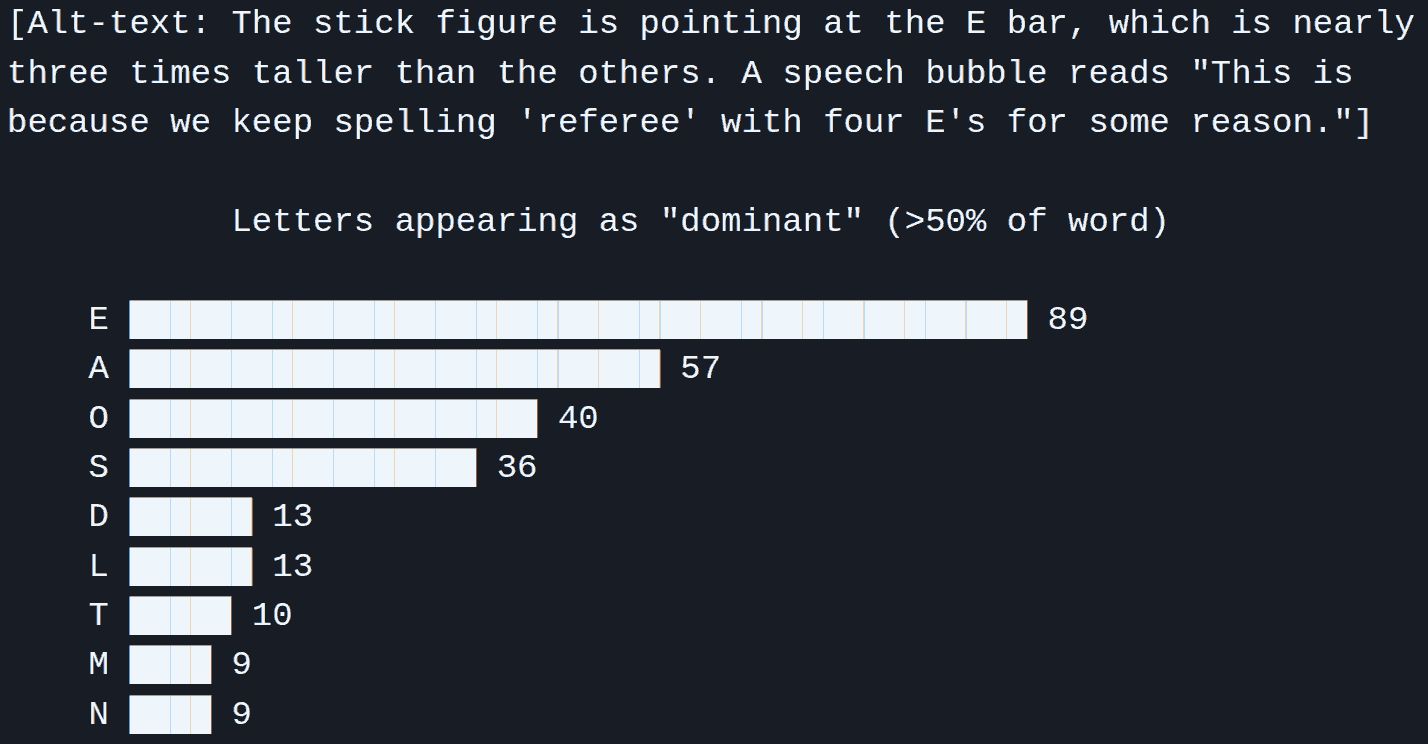
While meditating, I realized 75% of “LULL” is the letter “L”. (This sort of thing happens a lot when I meditate.) MUMMY (60% M) and DADDY (60% D) have lower percentage, but are longer, so maybe get a bonus? I asked Claude Code what would top such a list. It picked a dictionary, generated the 333 words with 4+ letters and >50% concentration. What did I like best? “ASSESSES”. 5/8 letters are “S”. That’s nearly two-thirds. ...

WhatsApp Group

Summarize a WhatsApp thread from https://tools.s-anand.net/whatsappscraper/ | whatsappthread.jq Analyze the attached WhatsApp messages and share your results by writing ONLY these 3 sections: - **Topics**. For each of the 20 most active topics, write a paragraph mentioning: - Start date (e.g. 13 Sep 2025) - Who discussed what - Quote where relevant - **Network**. Build a conversation graph of people exploring centrality, bridges, and topic-seeding scores. Summarize key insights as a paragraph each. - **People**. For each of the 20 most active people, write in a paragraph about any of the below that you can infer with confidence: - persona - topics/interests - roles in network - notable habits (e.g. active times - converting to guessed local time, style of writing, etc.) - blindspots (things they might not be aware of that or missed others mention or hint at, based on the actual conversations - not just metrics) Write in active voice, simple words, and conversational style for an 8th grader. Bold **people** and **key phrases** to help scanning. Attachment has WhatsApp messages as NDJSON with fields: .id, .chat_id, .ts, .type, .author.{name,phone}, .text_raw, .reply_to.{author,phone,text}, .reply_to_id, .thread_id, .urls[] Context: ...
Create an FAQ-style slide deck from a transcript

Annotate transcripts with section summaries, creating FAQ-style slides from talks / AMAs. Annotate this talk transcript by inserting slides (in Markdown) at logical breaks. Write in a fluid, natural style. - Use simple language as if explaining the concept to a student. - Write as if the slides were written BEFORE the talk. Don't refer to participants. - Don't condense into telegraphic fragments using semicolons (;), em-dash (—), arrow (→), etc. Example: Not "Improve setup—choose right tool; repeat" but "Improve set up by choosing the right tool and repeat the process.". - Prefer concrete subjects and active verbs over abstract nouns and linking verbs. Example: Not "Edge cases justify synthetic data" but "Synthetic data lets you test rare edge cases". Instructions - Divide the transcript into logical transcript sections covering one slide worth of content. Preserve the transcript order. - Prefix each transcript section with a Markdown slide. - Begin the slide with an H1 heading (≤10 words) that makes a declarative assertion. - Write as a complete sentence stating a finding, insight, or claim. - Use the Pyramid Principle: each title should answer "So what?" with a clear point of view (preferably with reason) - Use plain, conversational language: "makes it easy" not "reduces friction", "lets you" not "enables". - You may use "we" or "you" sparingly if it makes the title more direct and natural. - Write headings as an outline. **Verify**. See if it forms a complete, cohesive story covering the entire transcript. - Begin the slide with an H1 heading (≤10 words) that captures the core insight or action. - Write each slide, add 3-6 supporting paragraphs based on the transcript, each ≤30 words. - Highlight in **bold** the top 1-3 phrases that most closely support the slide heading, if applicable. - Try to explain the reason, impact, and/or implication ("what / why / so what") of the heading. - Incorporate content references / links if provided below. - Add a `<transcript>` tag with the first 10 words of transcript for this slide to mark the position. Append these slides: - Quiz. List ≤5 non-trivial quiz questions based on the content, each ≤25 words. - Errata. Fact-check every supporting statement and list all corrections (≤5 per slide, ≤30 words each). Cite sources. - Counterpoints. Research and append alternative views to the content (≤5 per slide, ≤30 words each). Cite sources. - Feedback. List ≤5 ways the speaker could improve clarity, engagement, or informativeness. <OUTPUT-FORMAT> # Outline - (Summary of first slide) - (Summary of second slide) - ... # (Summary of first slide) - (Supporting statement) - ... <transcript> (first 10 words of the transcript for the first slide) </transcript> --- # (Summary of second slide) - (Supporting statement) - ... <transcript> (first 10 words of the transcript for the second slide) </transcript> ... </OUTPUT-FORMAT> --- <CONTENT-REFERENCES> <!-- PLACEHOLDER: include content references if any --> </CONTENT-REFERENCES> --- # Transcript <!-- PLACEHOLDER: include transcript here -->

Transcribe talk

Transcribe talk recordings with Q&A. Transcribe this talk. DO NOT MISS ANY PART OF THE TALK. Drop verbal tics and fillers (um, uh, etc). Correct spelling and grammar but otherwise don't modify the original words. Add English translations to any non-English parts. Mark inaudible or unclear segments as "[inaudible]". Mark uncertain words with like "[word?]" or ambiguous possibilities like "[word1? word2?]". Break it into LOGICAL paragraphs beginning with timestamps, e.g. "[00:13] When did ..." For audience questions, prefix with "**Question**: ..." and answers with "**Answer**: ..." **Make key points / takeaways / memorable statements bold**. <!-- #TODO List details of talk or share slides, for context --> If video is provided, add this line: ...

Prompts

My collection of LLM prompts.

The Magic of Repeated ‘Improve It’ Prompts

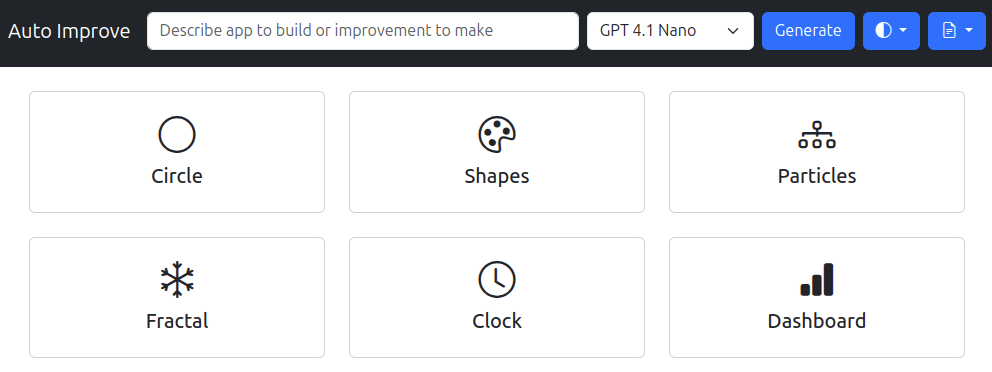
What if you keep ask an LLM Improve the code - dramatically!? We used the new GPT 4.1 Nano, a fast, cheap, and capable model, to write code for simple tasks like “Draw a circle”. The we fed the output back and asked again, Improve the code - dramatically! Here are the results. Draw a circle rose from a fixed circle to a full tool: drag it around, tweak its size and hue, and hit “Reset” to start fresh. Animate shapes and patterns turned simple circles and squares into a swarm of colored polygons that spin, pulse, and link up by distance. Draw a fully functional analog clock grew from a bare face to one that builds all 60 tick marks in code—no manual copy‑paste needed. Create an interactive particle simulation went from plain white dots on black to hundreds of bright, color‑shifting balls that bounce, die, and come back to life. Generate a fractal changed from a single Mandelbrot image to an explorer you can zoom, drag, and reset with sliders and the mouse wheel. Generate a dashboard jumped from static charts to a live page with smooth card animations, modern fonts, and a real‑time stats box. A few observations. ...