Finding old friends with Gemini

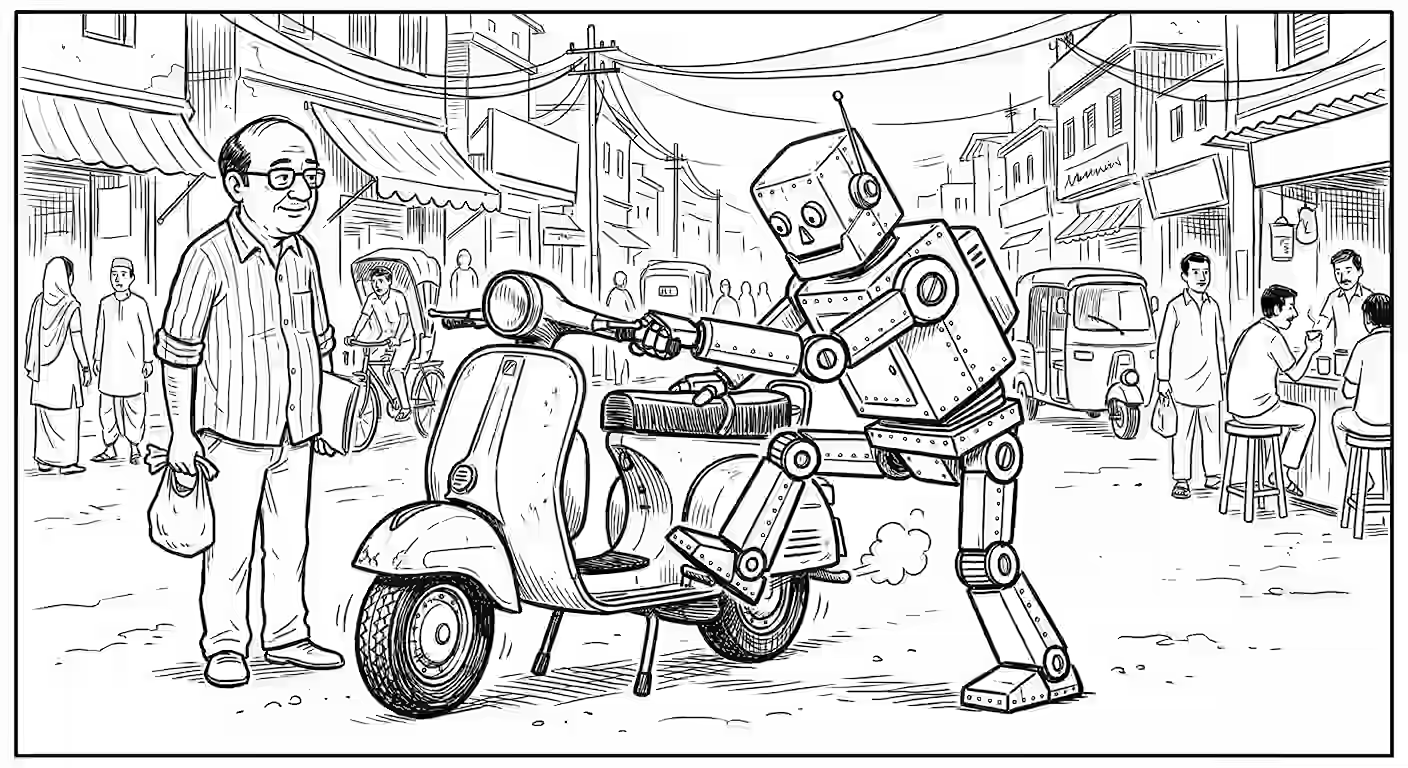
I was taking a bus past Mandaveli in Chennai, which reminded me of where I learnt mrdangam from Mr Melakaveri K Krishnamurthi between 1993-1996. So, after a few futile Google searches trying to find his whereabouts, I asked Gemini: Tell me everything that you know about and the current status of Melakaveri K Krishnamurthi, Mandaveli, a mridangam artiste. His son Balaji is a mridangam artiste too … and I learnt that: ...

Extracting AI advice

This weekend, two people asked me, roughly “How do I use AI better?” This is a frequently asked questions. I document my FAQs, e.g. time management, career advice, etc. and it was time to add AI advice to this list. I often record online calls and transcribe them. I asked Gemini, Claude and ChatGPT for the best way to summarize 400 transcripts of ~40K each. Claude’s suggestion was the best: Use Gemini Flash (1M context, dirt cheap) to process calls in batches of 20-25 Each batch → extract advice themes Aggregate batch results with Claude Sonnet for final synthesis But I ignored it because it was too much work. (See my AI advice: “Ask for easier output”) ...

TDS Comic Generation

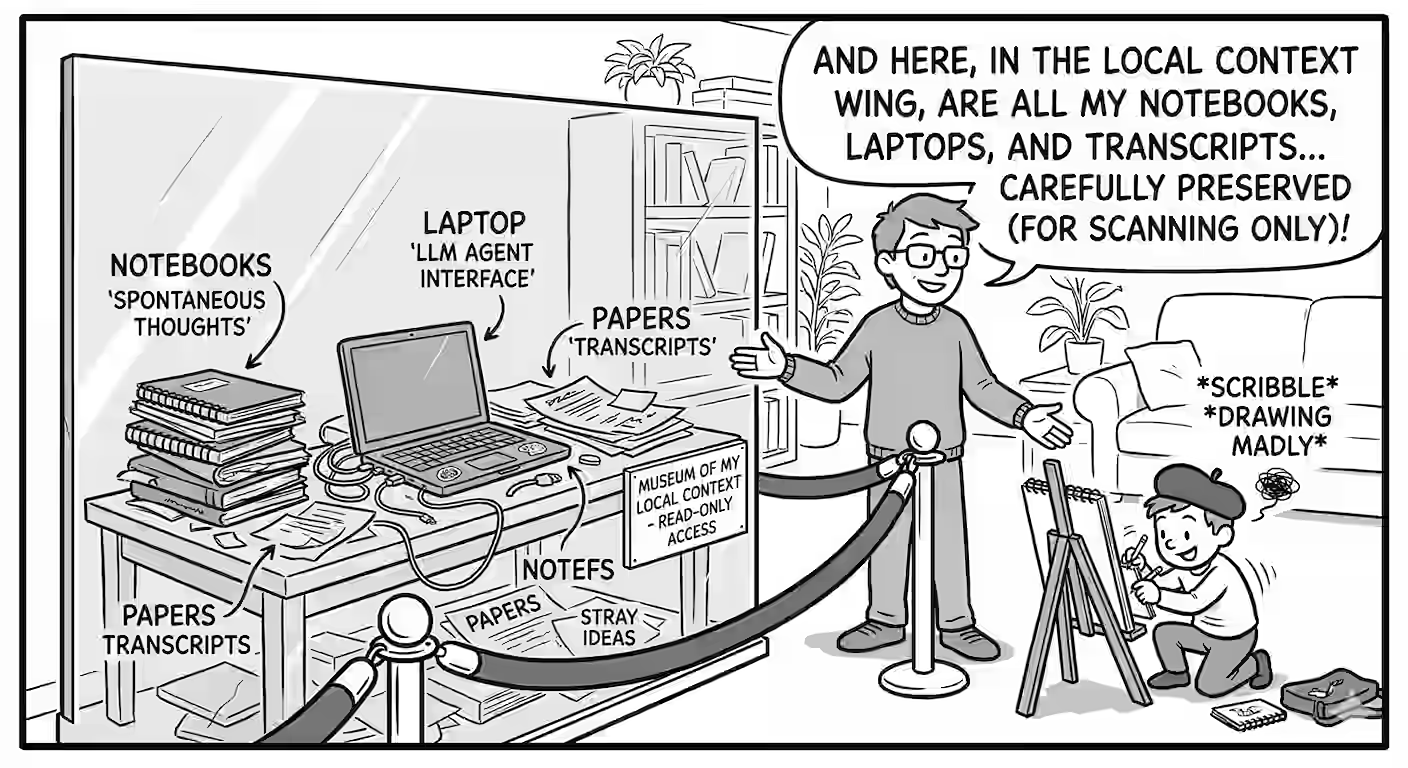
I use comics to make my course more engaging. Each question has a comic strip that explains what question is trying to teach. For example, here’s the comic for the question that teaches students about prompt injection attacks: For each question, I use this prompt on Nano Banano Pro via Gemini 3 Pro: Create a simple black and white line drawing comic strips with minimal shading, with 1-2 panels, and clear speech bubbles with capitalized text, to explain why my online student quizzes teach a specific concept in a specific way. Use the likeness of the characters and style in the attached image from https://files.s-anand.net/images/gb-shuv-genie.avif. 1. GB: an enthusiastic socially oblivious geek chatterbox 2. Shuv: a cynic whose humor is at the expense of others 3. Genie: a naive, over-helpful AI that pops out of a lamp Their exaggerated facial expressions to convey their emotions effectively. --- Panel 1/2 (left): GB (excited): I taught Genie to follow orders. Shuv (deadpan): Genie, beat yourself to death. Panel 2/2 (right): Genie is a bloody mess, having beaten itself to death. GB (sheepish): Maybe obedient isn't always best... … along with this reference image for character consistency: ...

TDS Jan 2026 GA1 released

Graded Assignment 1 (GA1) for the Tools in Data Science course is released and is due Sun 15 Feb 2026. See https://exam.sanand.workers.dev/tds-2026-01-ga1 If you already started, you might notice some questions have changed. Why is GA1 changing? Because some questions don’t work. For example: We replaced Claude Artifacts with a Vercel question because Claude won’t allow a proxy anymore. A question had unintentionally wrong instructions. (Some questions have intentionally wrong instructions, but those are, …um… intentional). Someone changed an API key. … etc. When will GA1 stabilize? Probably by end of day, Sun 9 Feb 2026? ...

Migrating TDS from Docsify to Hugo

This morning, I migrated my Tools in Data Science course page from Docsify to Hugo using Codex. Why? Because Docsify was great for a single term. For multiple terms, archives became complex. I still could have made it work, but it felt like time to move towards a static site generator. I don’t know how Hugo or Go work. I didn’t look at the code. I just gave Codex instructions and it did the rest. This gives me a bit more confidence that educators can start creating their own course sites without needing coding or platforms. Soon, they might not be stuck to LMSs either - they can build their own. ...

RIP, Data Engineers

As AI marches along, another role at risk is the data engineer / database administrator. (Data scientists are already feeling the heat.) A common task for data engineers is to analyze SQL queries - to optimize and standardize. Pavan used Antigravity to analyze 1,500 SQL queries and found: 30% of queries are purely headcount / volume related. Much more than revenue (25%) or engagement (15%). That’s sign of a tactical culture. 70% of the queries are about What happened yesterday? rather than What will happen tomorrow? - again, tactical culture. Here’s the analysis. ...

Gemini 3 Flash OCRs Dilbert accurately

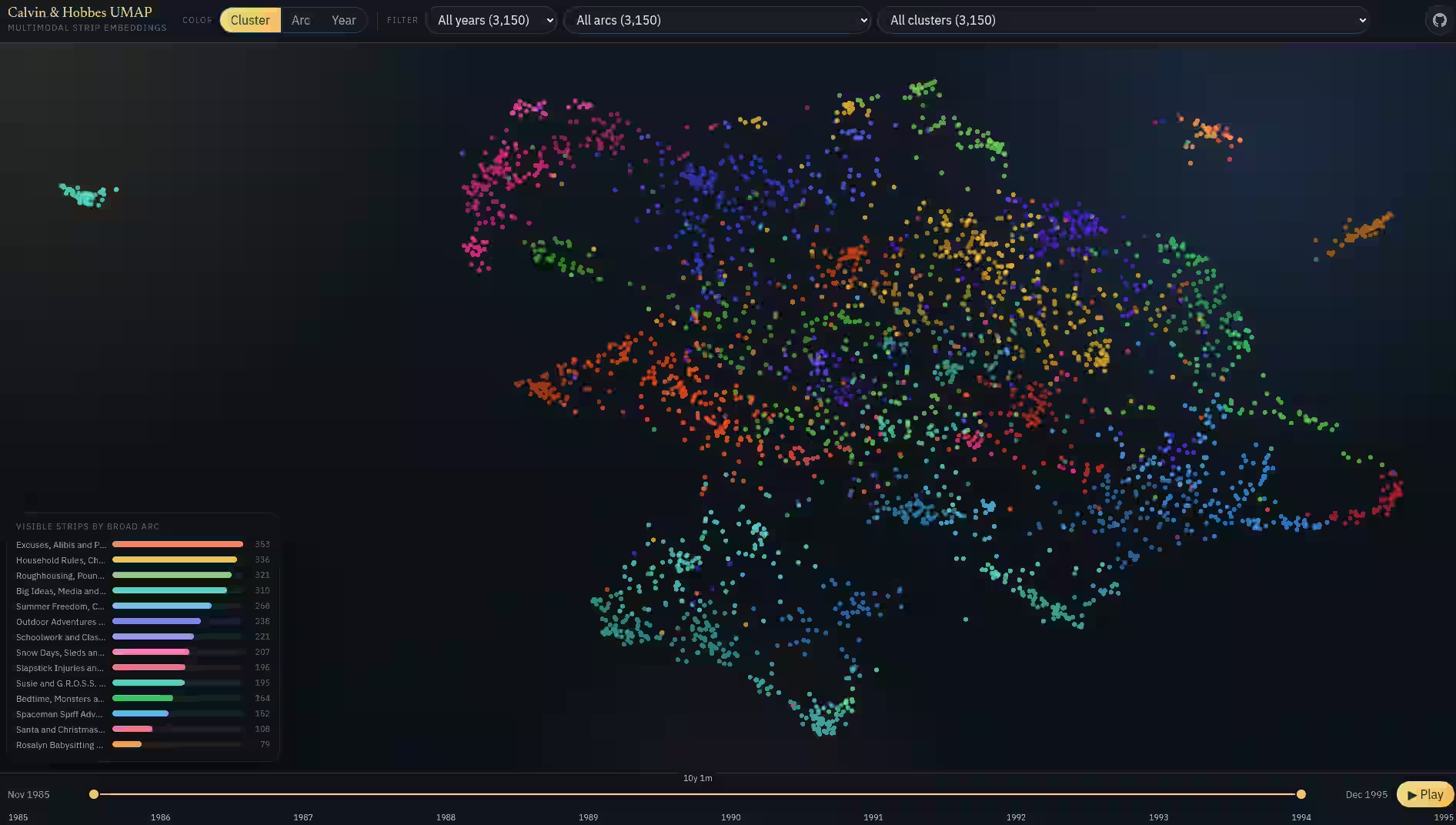
Scott Adams, the author of Dilbert, passed away last month. While his work will live on, I was curious about the best way to build a Dilbert search engine. The first step is to extract the text. Pavan tested over half a dozen LLMs on ~30 Dilbert strips to see which one transcribed them best. Here are the results. Summary: Gemini 3 Flash does the best, and would cost ~$20 to process the entire Dilbert archive. But if you want a local solution, Qwen 3 VL 32b is the best. ...

When to use which Gemini mode

I continue to be impressed by Gemini 3 and it’s become my default agent. It writes in simpler language than ChatGPT (almost as eloquent as Claude), has much larger limits, and, of course, is unbeaten at generating images. The Gemini app has 3 modes: Fast, Thinking, and Pro. Here’s when to use each: Simple task, e.g., grammar check, translate, summarize, or basic question? Use Fast. Pro overthinks. Multi-step logic, e.g., planning a trip with constraints, checking 15 emails, or identifying a subtle error in code? Use Thinking. Flash-based thinking beats Pro. Large input, e.g. 300-page PDF, 2 hours of video, etc.? Use Pro. It uses the 1M+ token window well. Complex problem, e.g. PhD-level science or a legal contract review, with high stakes? Use Pro. If you hit your Pro limit (which is pretty high!), just switch to Thinking, which is smart enough for most jobs anyway. ...

Breaking Rules in the Age of AI

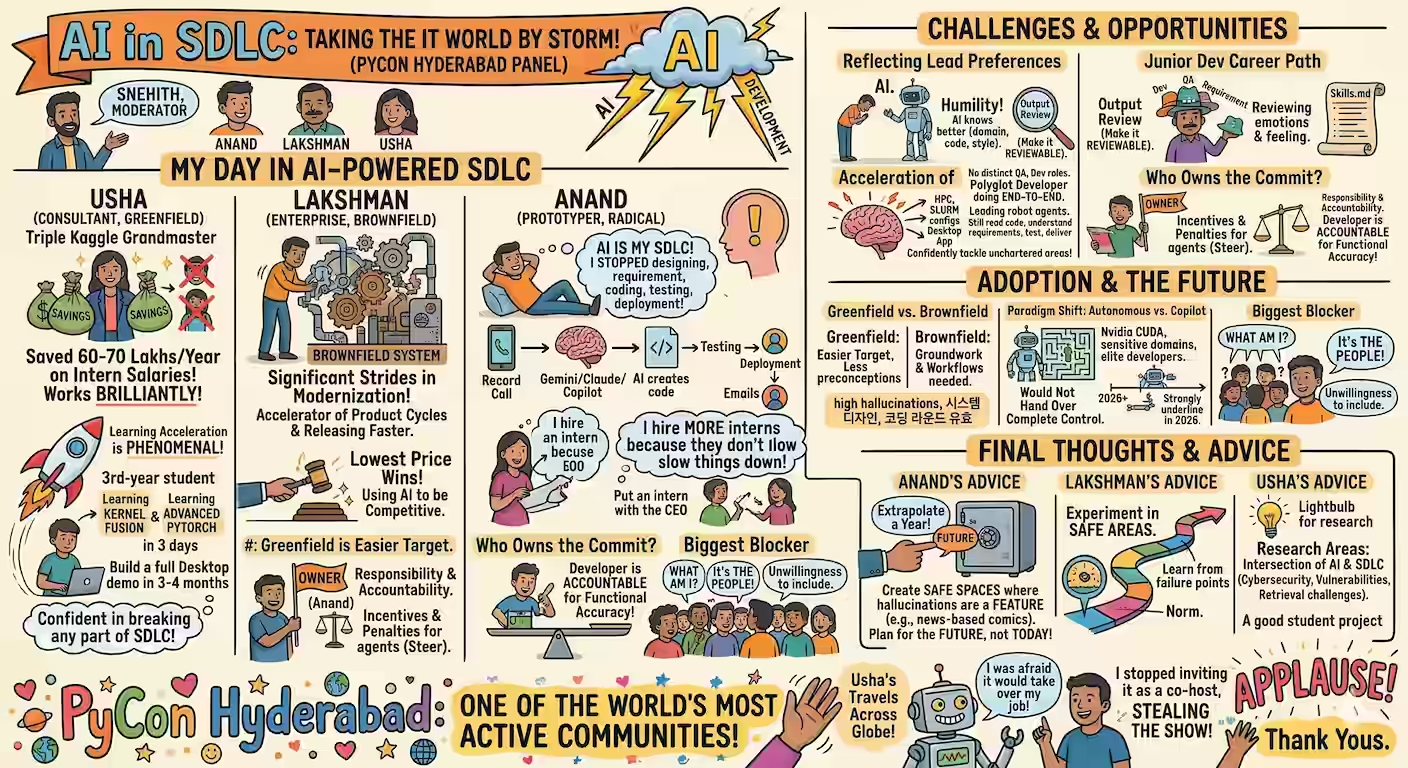
Several educators have AI-enabled their courses, like: David Malan at Harvard CS50 provides an AI-powered “rubber duck debugger” trained on course-specific materials. Mohan Paturi at UC San Diego has deployed AI-tutors to his students. Ethan Mollick at Wharton uses AI as tutor, coach, teammate, simulator, even student, and runs simulations. Jeremy Howard’s Fast.ai encourages students to use LLMs to write code, with a strict verification loop. Andrew Ng DeepLearning.AI integrates a chatbot into the platform, next to code cells, to handle syntax errors and beginner questions. But no one seems to have eliminated reading material, nor added an “Ask AI” button to solve each question, nor run it at my scale (~3,000 students annually). ...

OpenAI Prism for LaTeX

OpenAI launched Prism - an AI LaTeX IDE. It’s a boon for anyone writing LaTeX documents. All the nitty-gritty of formatting, syntax, etc. is handled by AI. You can collaborate, too. It brings the power of AI code editors to scientific document editing. It still has some way to go, though. I asked it to convert a portion of this paper into LaTeX. Here’s the image I passed: … and here’s the LaTeX output it generated: ...

Tools in Data Science - Jan 2026

My Tools in Data Science course is available publicly, with a few changes from last year. First, I removed all the content! Last year, Claude generated teaching material using my prompts. But what’s the point? I might as well give students the prompts directly. They can tweak it to their needs. This time, TDS shares the questions needed to learn a topic. Any AI will give you good answers. Second, it focuses on what AI does NOT do well. Coding syntax? Who cares. Basic analysis? ChatGPT can do that. In fact, each question now has an “Ask AI” button that dumps the question into your favorite AI tool. Just paste the answer and move on. ...

Using Gemini to create slides

On Friday, our data & analytics client-facing teams connected Gemini to their Drive and Email: Open Gemini Make sure you see a “Pro” icon on the top right. (Some already had access. Some enabled it by clicking stuff.) Go to Settings & help > Connected apps. Turn on “Google Workspace” and approve access. Select “Pro” as the model (instead of “Fast” or “Thinking”). Then they ran this a prompt like this: Go through my Google Drive and find out what are the recent sales proposals we’ve picthed or new clients we’ve won. ...

Google AI Tools List

Google has released a huge number of AI tools. Not all are useful, but some are quite powerful. Here’s a list of the tools ChatGPT could find. 🟢 = I find it good. 🟡 = Not too impressive. 🔴 = Avoid. Assistants, research, and knowledge work 🟢 Gemini is Google’s main AI assistant app. Use it as a meeting-prep copilot: paste the agenda + last email thread, ask for “3 likely objections + crisp rebuttals + 5 questions that sound like I did my homework.” 🟢 Gemini Deep Research is Gemini’s agentic research mode that browses many sources (optionally your Gmail/Drive/Chat) and produces multi-page reports. Use it to build a client brief with citations (market, competitors, risks), then reuse it for outreach or a deck outline. 🟢 Gemini Canvas turns ideas (and Deep Research reports) into shareable artifacts like web pages, quizzes, and simple apps. Use it to convert a research report into an interactive explainer page your team can share internally. 🟢 Gemini Agent is an experimental “do multi-step tasks for me” feature that can use connected apps (Gmail/Calendar/Drive/Keep/Tasks, plus Maps/YouTube). Use it to plan a week of customer check-ins: “find stalled deals, draft follow-ups, propose times, and create calendar holds-show me before sending.” 🟢 NotebookLM is a source-grounded research notebook: it answers from your uploaded sources and can generate Audio Overviews. Use it to turn a messy folder of PDFs into a decision memo + an “AI podcast” you can listen to while walking. 🟡 Pinpoint (Journalist Studio) helps explore huge collections of docs/audio/images with entity extraction and search. Use it for internal investigations / audit trails: upload contracts + emails, then trace every mention of a vendor and its linked people/locations. 🟢 Google AI Mode exposes experimental Search experiences (including AI Mode where available). Use it for rapid competitive scans: run the same query set weekly and track what changed in the AI-generated summaries vs links. Project Mariner is a Google Labs “agentic” prototype aimed at taking actions on your behalf in a supervised way. Use it to prototype a real workflow (e.g., “collect pricing from 20 vendor pages into a table”) before you invest in automating it properly. Workspace and “AI inside Google apps” 🟢 Google Workspace with Gemini brings Gemini into Gmail/Docs/Sheets/Drive, etc. Use it to turn a weekly leadership email into: (1) action items per owner, (2) a draft reply, and (3) a one-slide summary for your staff meeting. Google Vids is Workspace’s AI-assisted video creation tool. Use it to convert a project update doc into a 2-3 minute narrated update video for stakeholders who don’t read long emails. Gemini for Education packages Gemini for teaching/learning contexts. Use it to generate differentiated practice: same concept, three difficulty levels + a rubric + common misconceptions. Build: developer + agent platforms 🟢 Google AI Studio is the fast path to prototyping with Gemini models and tools. Use it to build a “contract red-flagger”: upload a contract, extract clauses into structured JSON, and generate a risk report you can paste into your workflow. Firebase Studio is a browser-based “full-stack AI workspace” with agents, unifying Project IDX into Firebase. Use it to ship a real internal tool (auth + UI + backend) without local setup, then deploy with Firebase/Cloud Run. 🟢 Jules is an autonomous coding agent that connects to your GitHub repo and works through larger tasks on its own. E.g. give it “upgrade dependencies, fix the failing tests, and open a PR with a clear changelog,” then review it like a teammate’s PR instead of doing the grind yourself. Jules Tools (CLI) is a command-line interface for running and monitoring Jules from your terminal or CI. E.g. pipe a TODO list into “one task per session,” auto-run nightly maintenance (lint/format/test fixes), and have it open PRs you can batch-review in the morning Jules API lets you programmatically trigger Jules from other systems. E.g. when a build fails, your pipeline can call the API with logs + stack trace, have Jules propose a fix + tests, and post a PR link back into Slack/Linear for human approval Project IDX > Firebase Studio is the transition site if you used IDX. Use it to keep your existing workspaces but move to the newer Studio flows (agents + Gemini assistance). Genkit is an open-source framework for building AI-powered apps (workflows, tool use, structured output) across providers. Use it to productionize an agentic workflow (RAG + tools + eval) with a local debugging UI before deployment. Stax is Google’s evaluation platform for LLM apps (prompts, models, and end-to-end behaviors), built to replace “vibe testing” with repeatable scoring. E.g. codify your product’s rubric (tone, factuality, refusal correctness, latency), run it against every prompt/model change, and block releases when key metrics regress SynthID is DeepMind’s watermarking approach for identifying AI-generated/altered content. E.g. in an org that publishes lots of content, watermark what your tools generate and use detection as part of provenance checks before external release SynthID Text is the developer-facing tooling/docs for watermarking and detecting LLM-generated text. E.g. watermark outbound “AI-assisted” customer emails and automatically route them for review if they’re about regulated topics Responsible Generative AI Toolkit is Google’s “safeguards” hub: watermarking, safety classifiers, and guidance to reduce abuse and failure modes. E.g. wrap your app with layered defenses (input filtering + output moderation + policy tests) so one jailbreak prompt doesn’t become a security incident Vertex AI Agent Builder is Google Cloud’s platform to build, deploy, and govern enterprise agents grounded in enterprise data. Use it to build a customer-support agent that can read policy docs, query BigQuery, and write safe responses with guardrails. Gemini Code Assist is Gemini in your IDE (and beyond) with chat, completions, and agentic help. Use it for large refactors: ask it to migrate a module, generate tests, and propose PR-ready diffs with explanations. PAIR Tools is Google’s hub of practical tools for understanding/debugging ML behavior (especially interpretability and fairness). E.g. before launch, run “slice analysis + counterfactual edits + feature sensitivity” to find where the model breaks on real user subgroups LIT (Learning Interpretability Tool) is an interactive UI for probing models on text/image/tabular data. E.g. debug prompt brittleness by comparing outputs across controlled perturbations (tense, style, sensitive attributes) and visualizing salience/attribution to see what the model is actually using What-If Tool is a minimal-coding tool to probe model predictions and fairness. E.g. manually edit a single example into multiple “what-if” counterfactuals and see which feature flips the decision, then turn that into a targeted data collection plan Facets helps you explore and visualize datasets to catch skew, outliers, and leakage early. E.g. audit a training set for missingness and subgroup imbalance, then fix data before you waste time “tuning your way out” of a data problem 🟡 Gemini CLI brings Gemini into the terminal with file ops, shell commands, and search grounding. Use it as a repo-native “ops copilot”: “scan logs, find the regression, propose the patch, run tests, and summarize.” 🟡 Antigravity (DeepMind) is positioned as an agentic development environment. Use it when you want multiple agents running tasks in parallel (debugging, refactoring, writing tests) while you supervise. Gemini for Google Cloud is Gemini embedded across many Google Cloud products. Use it for cloud incident triage: summarize logs, hypothesize root cause, and generate the Terraform/IaC fix. Create: media, design, marketing, and “labs” tools Google Labs is the hub for many experiments (Mixboard, Opal, CC, Learn Your Way, Doppl, etc.). Use it as your “what’s new” page-many tools show up here before they become mainstream. 🟡 Opal builds, edits, and shares AI mini-apps from natural language (with a workflow editor). Use it to create a repeatable analyst tool (e.g., “take a company name > pull recent news > summarize risks > draft outreach”). 🟡 Mixboard is an AI concepting canvas/board for exploring and refining ideas. Use it to run a structured ideation sprint: generate 20 variants, cluster them, then turn the top 3 into crisp one-pagers. Pomelli is a Labs marketing/brand tool that can infer brand identity and generate on-brand campaign assets. Use it to produce a month of consistent social posts from your website + a few product photos. 🟡 Stitch turns prompts/sketches into UI designs and code. Use it to go from a rough wireframe to React/Tailwind starter code you can hand to an engineer the same day. 🟡 Flow is a Labs tool aimed at AI video/story production workflows (built around Google’s gen-media stack). Use it to create a pitch sizzle reel quickly: consistent characters + scenes + a simple timeline. Whisk is a Labs image tool focused on controllable remixing (subject/scene/style style workflows). Use it for fast, art-directable moodboards when text prompting is too loose. ImageFX is Google Labs’ image-generation playground. Use it to iterate brand-safe visual directions quickly (e.g., generate 30 “hero image” variants, pick 3, then refine). VideoFX is the Labs surface for generative video (Veo-powered). Use it to prototype short looping video backgrounds for product pages or events. MusicFX is the Labs music generation tool. Use it to generate royalty-free stems (intro/outro/ambient) for podcasts or product videos. Doppl is a Labs try-on style experiment/app. Use it to sanity-check creative wardrobe ideas before you buy, or to mock up “virtual merch” looks for a campaign. 🟢 Gemini Storybook creates illustrated stories. Use it to generate custom reading material for a specific learner’s interests (and adjust reading level/style). TextFX is a Labs-style writing creativity tool (wordplay, transformations, constraints). Use it to generate 10 distinct “hooks” for the same idea before you write the real piece. GenType is a Labs experiment for AI-generated alphabets/type. Use it to create a distinctive event identity (custom letterforms) without hiring a type designer for a one-off. Science, security, and “serious AI” AlphaFold Server provides AlphaFold structure prediction as a web service. Use it to test protein/ligand interaction hypotheses before spending lab time or compute on deeper simulations. Google Threat Intelligence uses Gemini to help analyze threats and triage signals. Use it to turn a noisy alert stream into a prioritized, explainable threat narrative your SOC can act on. Models 🟡 Gemma is DeepMind’s family of lightweight open models built from the same tech lineage as Gemini. E.g. run a small, controlled model inside your VPC for narrow tasks (classification, extraction, safety filtering) when sending data to hosted LLMs is undesirable 🟡 Model Garden is Vertex AI’s catalog to discover, test, customize, and deploy models from Google and partners. E.g. shortlist 3 candidate models, run the same eval set, then deploy the winner behind one standardized platform with enterprise controls Vertex AI Studio is the Google Cloud console surface for prototyping and testing genAI (prompts, model customization) in a governed environment. E.g. keep “prompt versions + test sets + pass/fail criteria” together so experiments become auditable artifacts, not scattered chats Model Explorer helps you visually inspect model graphs so you can debug conversion/quantization and performance issues. E.g. compare two quantization strategies and pinpoint exactly which ops caused a latency spike or accuracy drop before you deploy Google AI Edge is the umbrella for building on-device AI (mobile/web) with ready-to-use APIs across vision, audio, text, and genAI. E.g. ship an offline, privacy-preserving feature (document classification or on-device summarization) so latency and data exposure don’t depend on the network Google AI Edge Portal benchmarks LiteRT models across many real devices so you don’t guess performance from one phone. E.g. test the same model on a spread of target devices and pick the smallest model/config that consistently hits your FPS/latency target TensorFlow Playground is an interactive sandbox for understanding neural networks. E.g. use it to teach or debug intuitions—show how regularization, feature interactions, or class imbalance changes decision boundaries in minutes Teachable Machine lets anyone train simple image/sound/pose models in the browser and export them. E.g. prototype an accessibility feature (custom gesture or sound trigger) fast, then export the model to a small web demo your stakeholders can try Directories (“where to discover the rest”) Google DeepMind Products & Models (Gemini, Veo, Astra, Genie, etc.)-best “canonical list” of what exists. Google Labs Experiments directory-browse by category (develop/create/learn) to catch smaller experiments you didn’t know to search for. Experiments with Google is a gallery of interactive demos (many AI) that’s great for prompt/data literacy and workshop “aha” moments. E.g. curate 5 experiments as a hands-on “AI intuition lab” for your team so they learn failure modes by playing, not by reading docs

Verifying Textbook Facts

Using LLMs to find errors is fairly hallucination-proof. If they mess up, it’s just wasted effort. If they don’t, they’ve uncovered a major problem! Varun fact-checked Themes in Indian History, the official NCERT Class 12 textbook. Page-by-page, he asked Gemini to: Extract each claim. E.g. “Clay was locally available to the Harappans” on page 12. Search online for the claim. E.g. ASI site description and by Encyclopedia Britannica. Fact-check each claim. E.g. “Clay was locally available to the Harappans” is confirmed by both sources. Here is his analysis and verifier code. ...

AWS PartyRock

I tried vibe-code a CSV to colored HTML table converter using this prompt. Create a tool that can convert pasted tables into colored HTML tables. Allow the user to paste a CSV or tab-delimited or pipe-delimited table. … Create an HTML table that has minimal styling. … Add a button to copy just the HTML to the clipboard. Codex built this. Which is perfect. AWS Partyrock built this. Which is a joke, because it didn’t write the code to do the conversion. It uses an LLM every time. ...

Gemini copies images almost perfectly

Summary: Nano Banana Pro is much better than recent models at copying images without errors. That lets us do a few useful things, like: Pre-process images for OCR, improving text recognition by cleaning up artifacts while preserving text shapes exactly. Convert textbook raster diagrams into clean vector-like images that vectorizers can process easily. Create in-betweens for cartoon animations Copy torn, stained 1950s survey maps into pristine, high-contrast replicas with boundary lines preserved pixel-perfectly. Redraw sewage map blueprints or refinery blueprints into clean schematics, separating the “pipes” from the “background noise”. … and more! GPT Image 1.5 has a good reputation for drawing exactly what you tell it to. ...

Gemini Scraper

Gemini lets you copy individual responses as Markdown, but not an entire conversation. That’s useful if you want to save the chat for later, pass it to another LLM, or publish it. So I built a bookmarklet that scrapes the entire conversation as Markdown and copies it to the clipboard. SETUP: Drag the bookmarklet to your bookmarks bar. USAGE: On a Gemini chat page, click the bookmarklet. It copies the chat as Markdown. ...

Baba Is You

I have this feeling that the skills we need for the AI era might be found in video games. (Actually, no. I just want an excuse to play games. Self-improvement is a bonus.) I asked the usual LLMs (Claude, Gemini, ChatGPT): What are mobile phone games that have been consistently proven to be educational, instructive or skill/mental muscle building on the one hand, and also entertaining, engaging and popular on the other? ...

Can AI Replace Human Paper Reviewers?

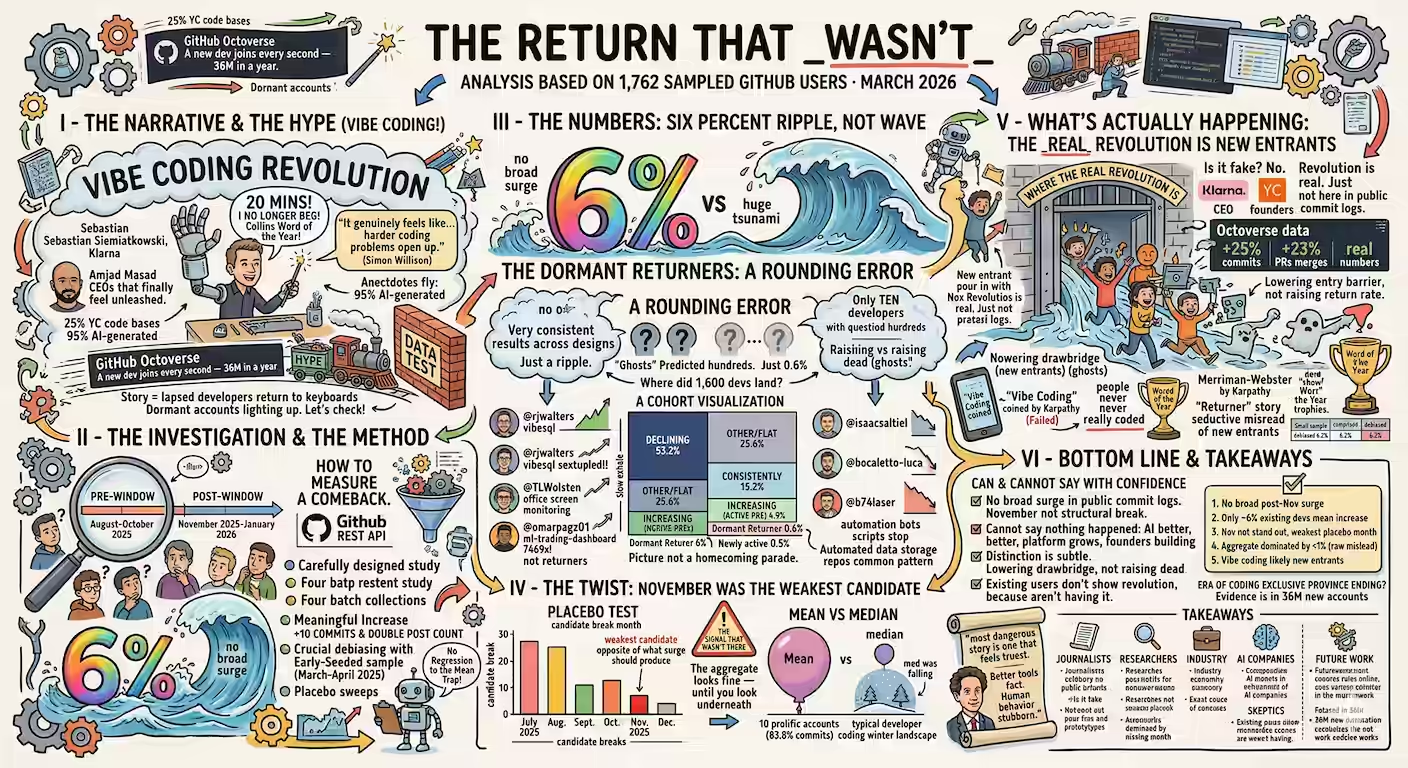
Stanford ran a conference called Agents for Science. It’s a conference for AI-authored papers, peer reviewed by AI. They ran three different AI systems on every paper submitted, alongside some human reviewers. The details of each of the 315 papers and review are available on OpenReview. I asked Codex to scrape the data, ChatGPT to analyze it, and Claude to render it as slides. The results are interesting! I think they’re also a reasonably good summary of the current state of using AI for peer review. ...

NPTEL Applied Vibe Coding Workshop

For those who missed my Applied Vibe Coding Workshop at NPTEL, here’s the video: You can also: Read this summary of the talk Read the transcript Or, here are the three dozen lessons from the workshop: Definition: Vibe coding is building apps by talking to a computer instead of typing thousands of lines of code. Foundational Mindset Lessons “In a workshop, you do the work” - Learning happens through doing, not watching. “If I say something and AI says something, trust it, don’t trust me” - For factual information, defer to AI over human intuition. “Don’t ever be stuck anywhere because you have something that can give you the answer to almost any question” - AI eliminates traditional blockers. “Imagination becomes the bottleneck” - Execution is cheap; knowing what to build is the constraint. “Doing becomes less important than knowing what to do” - Strategic thinking outweighs tactical execution. “You don’t have to settle for one option. You can have 20 options” - AI makes parallel exploration cheap. Practical Vibe Coding Lessons Success metric: “Aim for 10 applications in a 1-2 hour workshop” - Volume and iteration over perfection. The subscription vs. platform distinction: “Your subscriptions provide the brains to write code, but don’t give you tools to host and turn it into a live working app instantly.” Add documentation for users: First-time users need visual guides or onboarding flows. Error fixing success rate: “About one in three times” fixing errors works. “If it doesn’t work twice, start again-sometimes the same prompt in a different tab works.” Planning mode before complex builds: “Do some research. Find out what kind of application along this theme can be really useful and why. Give me three or four options.” Ask “Do I need an app, or can the chatbot do it?” - Sometimes direct AI conversation beats building an app. Local HTML files work: “Just give me a single HTML file… opening it in my browser should work” - No deployment infrastructure needed. “The skill we are learning is how to learn” - Specific tool knowledge is temporary; meta-learning is permanent. Vibe Analysis Lessons “The most interesting data sets are our own data” - Personal data beats sample datasets. Accessible personal datasets: WhatsApp chat exports Netflix viewing history (Account > Viewing Activity > Download All) Local file inventory (ls -R or equivalent) Bank/credit card statements Screen time data (screenshot > AI digitization) ChatGPT’s hidden built-in tools: FFmpeg (audio/video), ImageMagick (images), Poppler (PDFs) “Code as art form” - Algorithmic art (Mandelbrot, fractals, Conway’s Game of Life) can be AI-generated and run automatically. “Data stories vs dashboards”: “A dashboard is basically when we don’t know what we want.” Direct questions get better answers than open-ended visualization. Prompting Wisdom Analysis prompt framework: “Analyze data like an investigative journalist” - find surprising insights that make people say “Wait, really?” Cross-check prompt: “Check with real world. Check if you’ve made a mistake. Check for bias. Check for common mistakes humans make.” Visualization prompt: “Write as a narrative-driven data story. Write like Malcolm Gladwell. Draw like the New York Times data visualization team.” “20 years of experience” - Effective prompts require domain expertise condensed into instructions. Security & Governance Simon Willison’s “Lethal Trifecta”: Private data + External communication + Untrusted content = Security risk. Pick any two, never all three. “What constitutes untrusted content is very broad” - Downloaded PDFs, copy-pasted content, even AI-generated text may contain hidden instructions. Same governance as human code: “If you know what a lead developer would do to check junior developer code, do that.” Treat AI like an intern: “The way I treat AI is exactly the way I treat an intern or junior developer.” Business & Career Implications “Social skills have a higher uplift on salary than math or engineering skills” - Research finding from mid-80s/90s onward. Differentiation challenge: “If you can vibe code, anyone can vibe code. The differentiation will come from the stuff you are NOT vibe coding.” “The highest ROI investment I’ve made in life is paying $20 for ChatGPT or Claude” - Worth more than 30 Netflix subscriptions in utility. Where Vibe Coding Fails Failure axes: “Large” and “not easy for software to do” - Complexity increases failure rates. Local LLMs (Ollama, etc.): “Possible but not as fast or capable. Useful offline, but doesn’t match online experience yet.” Final Takeaways “Practice vibe coding every day for one month” - Habit formation requires forced daily practice. “Learn to give up” - When something fails repeatedly, start fresh rather than debugging endlessly. “Share what you vibe coded” - Teaching others cements your own learning. “We learn best when we teach.” Tool knowledge is temporary: “This field moves so fast, by the time somebody comes up with a MOOC, it’s outdated.”