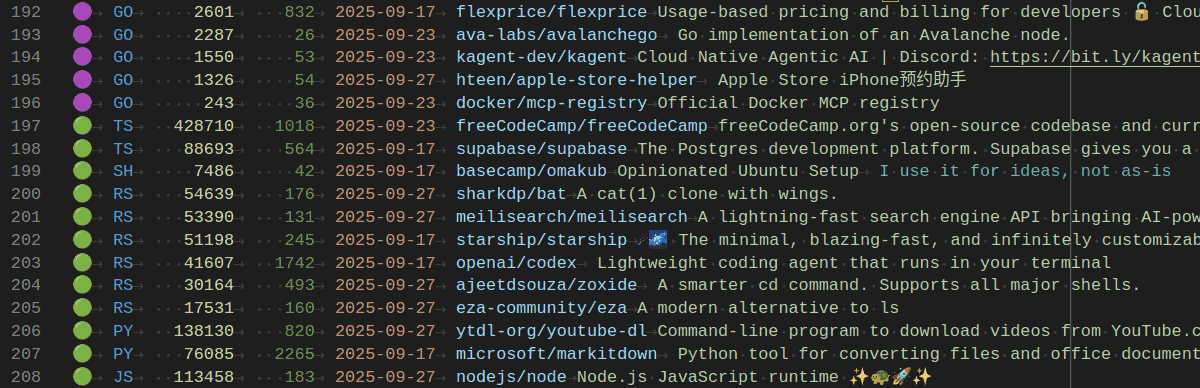
Here’s how I track trending GitHub repos each week. I run a scheduled script that saves a clean TSV I can scan fast.
It uses uvx gtrending to fetch weekly trending repos for:
- Rust: High-quality system tools. (Anything in Rust seems cool.)
- Go: Reliable CLI/infra tools. (Like Rust, most Go code seems good.)
- Python: Most AI/ML stuff
- TypeScript: Most modern JS codebases
- JavaScript: Most front-end utilities
- Shell: Productivity scripts
I pipe results through jq to extract:
- Language
- Stars: for popularity
- Current period stars: for growth
- Date: when I run it
- Full name
- Description
I use awk to de-duplicate by repo and save into a TSV file.
Then I review the TSV in VS Code. I stopped using Excel. Rainbow CSV and Edit CSV make large TSVs easy to scan, sort, and re-structure. (I’m quite excited at the new tricks I’m learning to replace Excel!)
I tag the first column with:
- 🟣 pending
- 🔴 ignore (with reason in the last column)
- 🟢 active (I currently use it)
- ⏺️ review
I picked these icons carefully. A descending sort puts 🟣 on top (to scan quickly) and ⏺️ at the bottom (for closer review). This also puts top-starred repos in each language first.
The payoff for the right tools is high. This process makes it easy. I found Flameshot, duf and wrkflw this way.
To try it, download and run bash trending-repos.sh and open the TSV it generates.