Five years ago, I built a song search engine – mainly because I needed to listen to songs. Three years ago, I stopped updating it – mainly because I stopped listening to songs actively, and have been busy since. For those of you who have been using my site for music: my apologies. These days, I don’t really find the need to download music. YouTube has most of the songs I need. Bandwidth is pretty good too even when on the move. But when I do need to download music, this is my new workflow.
- Find the song on YouTube. (Misspellings are still an issue, but you’ll usually find what you need)
- Download the video. Keepvid is the simple option. youtube-dlis the geek’s option (for multiple downloads)
- Use VLC – the swiss-army knife of media – to convert the video into an MP3.
That last step requires a bit of explaining. It’s very simple once you know how, but it took me a few months to get it right. So here goes.
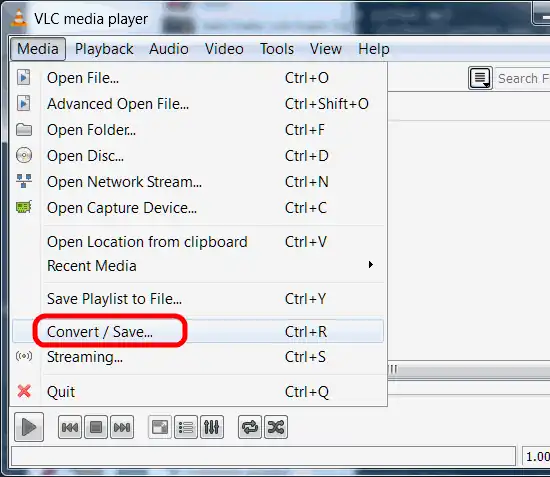
Select the Convert / Save option in the Media menu.
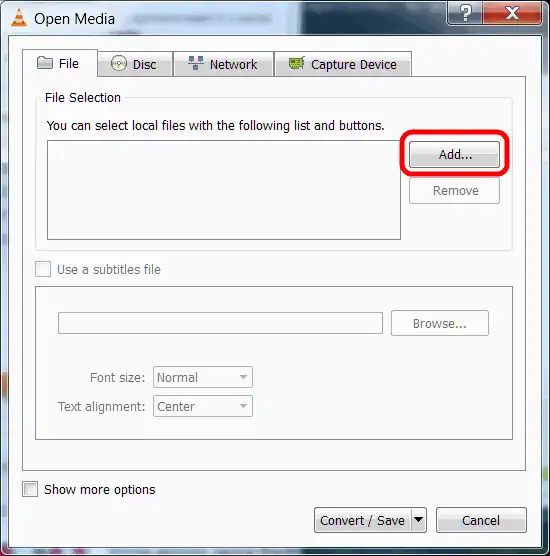
 Click on Add to open file you want to convert. You can pick a track from an disk as well if you want to rip an audio CD or a DVD.
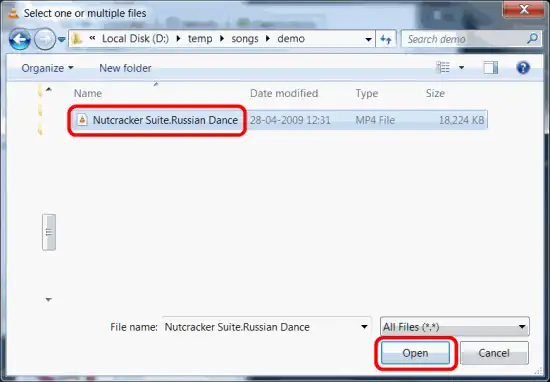
 Choose the file.
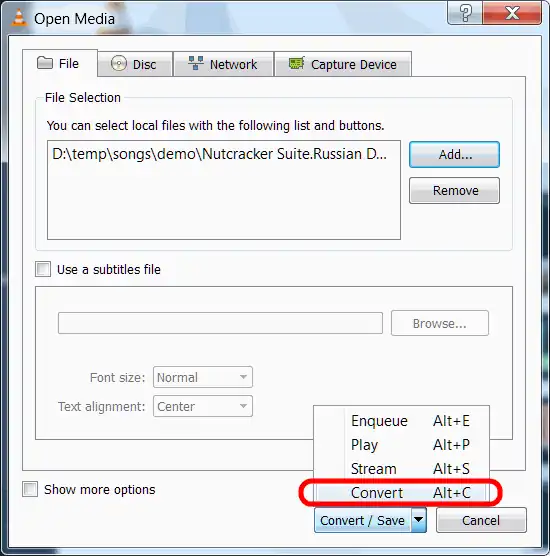
 Click on Convert / Save.
 Type the destination filename. Make sure you type the full file name, and not just the name of the folder.
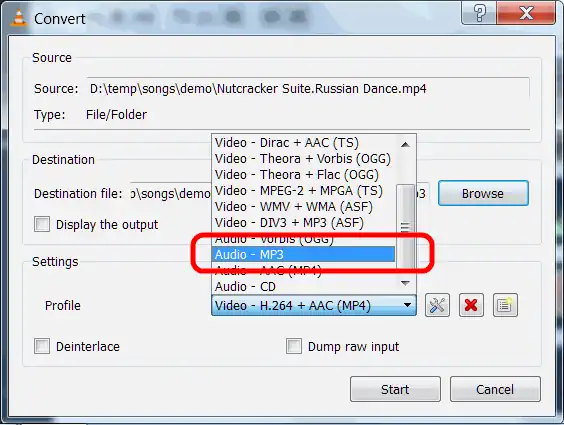
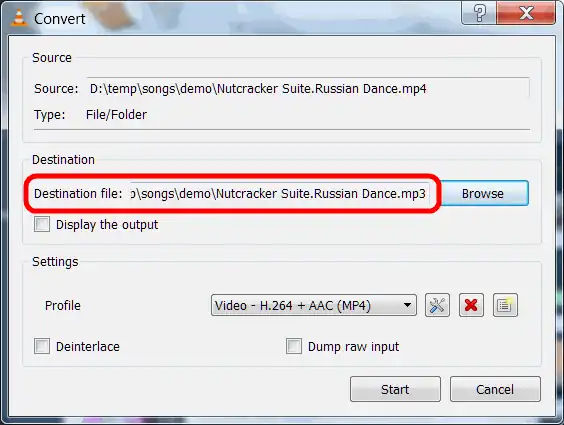 Select the output format you want under Settings – Profile. You can tweak the bitrate with the settings button, but I usually don’t bother.
 When you click on the Start button, the file will be converted or the CD will be ripped. You’ll see the position marker move fairly fast.

The only problem I have with this method is that I can’t seem to do batch conversions easily enough with the GUI. Does anyone have any other workflow they like? Update (31 Jul 2012): Aditya Sengupta suggests the following: (should’ve guessed VLC would have something up its sleeve)
vlc -I dummy $FILENAME --no-sout-video --sout "#transcode{acodec=mp3,5Dab=<wbr>AUDIO_BITRATE,channels=2}:std{<wbr>access=file,mux=raw,dst=$NAME.<wbr>mp3}" vlc://quit
Comments