Scrabble image generation

AI image generation still has a long way to go. Here are two images generated by Gemini and ChatGPT from the same prompt: “Create a funny scrabble board of dysfunctional family relationships!” Gemini It’s probably showing off, with coffee stains, and spelling “DYSFUNCTIONAL” right. But “ABLOMY”? “PASSIAVE”? “RGUCT_SVA”? “SORDSP”? Most of the vertical letters are wrong. Some horizontals (“DTENSION”?) are off, too. Also: “Z” has 2 points? “C” has “C” points? “DOUBLE STTER SCORE”? “UUT SCORE SCORE” instead of “TRIPLE WORD SCORE”? ...

AI agents to hire

GDPval is a benchmark that compares how well AI does (vs experts without AI) on useful real-world tasks. In several areas, the agents outperform experts. For example, AI beats personal financial advisors, but not accountants and auditors. So I used ChatGPT / Claude to decide where to invest, but am having an accountant file my taxes. That’s a high leverage activity, especially since I might not have hired a personal financial advisor by default, and ChatGPT is certainly better than me (I’m not an expert) at personal financial advice. ...

New ways of reading books

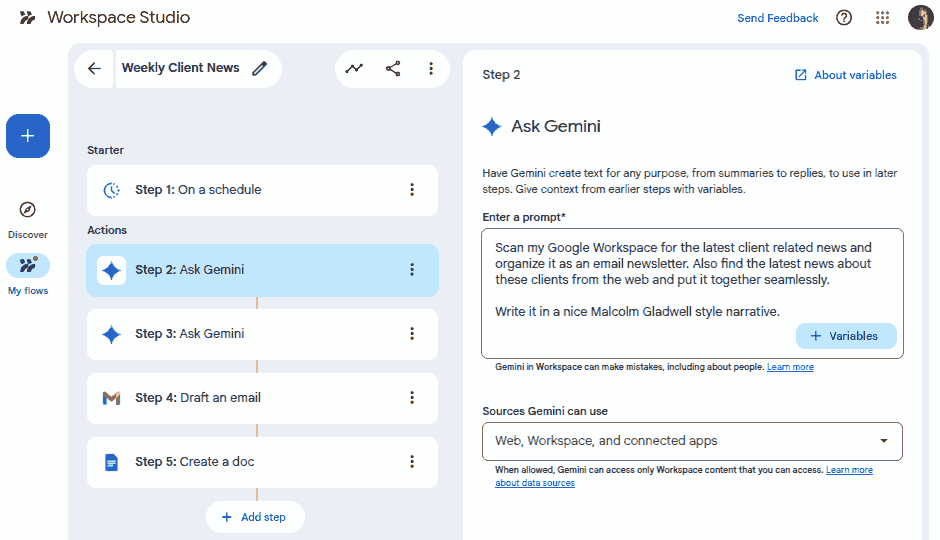
I’m using AI to read books by: Summarizing. This tells me what the books is about, the key points it makes and the main takeaways. It also helps me decide if I want to dig deeper. Fact-checking. I can find mistakes, alternate perspectives, and biases. That’s a huge win! Re-authoring. I can write it in the style of Malcolm Gladwell, Randall Munroe, Richard Feynman, or anyone else I like. Makes dense prose much more enjoyable. So far, I’ve applied this at different levels - and I’m sure there are more possibilities: ...

Get this blog via email on Google Groups

TL;DR: Join this Google Group to get my blog updates via email. My blog is over 25 years old. At first, people had to visit it to read it. Then I added an RSS feeds. Then email subscriptions. Then via social media, cross-posting on Twitter, now LinkedIn. The RSS feed remains. But I feel it’s time to bring back email subscriptions. It’s the oldest of the technologies, the most robust, and the one I believe will last the longest. ...

First 4 words of 2026

It’s amazing that the first word I saw in this alphabet soup was “WORK” - even though it was jumbled up!

Open sandals

My sandals landed me in trouble twice in December. And that’s not uncommon. Mr Krishnan and I were meeting. He suggested: Good morning. Sunday 07/12/25 breakfast at 09:00 am at the Bangalore Club Residency Road (not far from Koramangala)? … but knowing me, he also added: These clubs are peculiar and may insist on no round necked t-shirt or no open sandals. If you have ideological issues with that, no problem and I will suggest another venue. ...

Migrating my blog from WordPress to Hugo

In 2009, I migrated from a self-made Perl static site generator to WordPress because it was slow, WordPress was dynamic and rapidly growing in features, and I wanted to write rather than code. (Also, I had plenty of time in 2009 for such things!) Over the years, problems crept in. Hosting costs ($200/year) for a slow server. No local writing - Windows Live Writer was dead. I wasn’t using most WordPress features. So it was time to migrate back to a static site generator. (Also, I now have plenty of time for such things!) ...

Using SVG favicons with Unicode

Browsers support SVG favicons as data: URLs. For example, this SVG: <svg xmlns="http://www.w3.org/2000/svg" viewBox="0 0 32 32"> <circle cx="16" cy="16" r="15" fill="#2563eb"/> <path fill="#fff" d="m16 7 2 7 7 2-7 2-2 7-2-7-7-2 7-2Z"/> </svg> … can be: Compressed via svgomg Converted to a data: URL via svgviewer Inserted into HTML like this: <link rel="icon" type="image/svg+xml" href="data:image/svg+xml,%3Csvg%20xmlns%3D%22http%3A%2F%2Fwww.w3.org%2F2000%2Fsvg%22%20viewBox%3D%220%200%2032%2032%22%3E%3Ccircle%20cx%3D%2216%22%20cy%3D%2216%22%20r%3D%2215%22%20fill%3D%22%232563eb%22%2F%3E%3Cpath%20fill%3D%22%23fff%22%20d%3D%22m16%207%202%207%207%202-7%202-2%207-2-7-7-2%207-2Z%22%2F%3E%3C%2Fsvg%3E"/> The fun part is that you can use text inside the SVG, styled as you wish: ...

The Jamnagar Chokepoint - Data Story

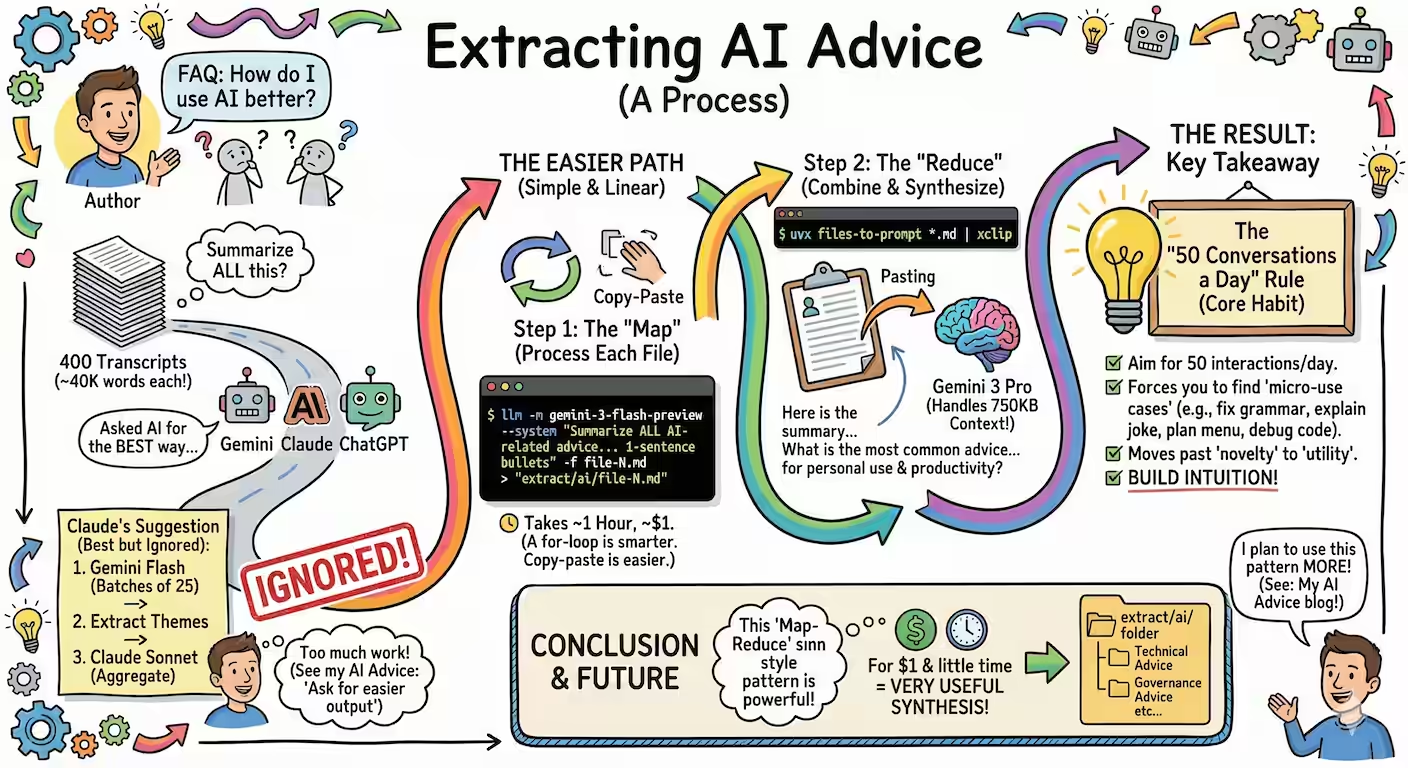
Vivek published an Indian commodity export/import dataset on 31 Dec 2025. Codex and Claude increased their rate limits for the holiday season, so I had: Codex analyze the data (OpenAI models are a bit more rigorous) and create an ANALYSIS.md file. Claude create a visual story based on the analysis. (Claude narrates and visualizes better). Here is the data story. Here are the prompts used. Analyze I downloaded export-import.parquet from https://github.com/Vonter/india-export-import which has data sourced from the Indian [Foreign Trade Data Dissemination Portal](https://ftddp.dgciskol.gov.in/dgcis/principalcommditysearch.html) Each row in the dataset represents a trade entry for a single commodity, country, port, year, month, and type (import or export). - `Commodity` string: Name of the commodity - `Country` string: Name of the foreign country - `Port` string: Name of the port in India - `Year` int32: Year for the import/export activity - `Month` int32: Month for the import/export activity - `Type` category: Type of trade (Import or Export) - `Quantity` int64: Quantity of the commodity - `Unit` string: Unit for the quantity - `INR Value` int64: Value of the commodity in INR - `USD Value` int64: Value of the commodity in USD Analyze data like an investigative journalist hunting for stories that make smart readers lean forward and say "wait, really?" - Understand the Data: Identify dimensions & measures, types, granularity, ranges, completeness, distribution, trends. Map extractable features, derived metrics, and what sophisticated analyses might serve the story (statistical, geospatial, network, NLP, time series, cohort analysis, etc.). - Define What Matters: List audiences and their key questions. What problems matter? What's actually actionable? What would contradict conventional wisdom or reveal hidden patterns? - Hunt for Signal: Analyze extreme/unexpected distributions, breaks in patterns, surprising correlations. Look for stories that either confirm something suspected but never proven, or overturn something everyone assumes is true. Connect dots that seem unrelated at first glance. - Segment & Discover: Cluster/classify/segment to find unusual, extreme, high-variance groups. Where are the hidden populations? What patterns emerge when you slice the data differently? - Find Leverage Points: Hypothesize small changes yielding big effects. Look for underutilization, phase transitions, tipping points. What actions would move the needle? - Verify & Stress-Test: - **Cross-check externally**: Find evidence from the outside world that supports, refines, or contradicts your findings - **Test robustness**: Alternative model specs, thresholds, sub-samples, placebo tests - **Check for errors/bias**: Examine provenance, definitions, methodology; control for confounders, base rates, uncertainty (The Data Detective lens) - **Check for fallacies**: Correlation vs. causation, selection/survivorship Bias (what is missing?), incentives & Goodhart’s Law (is the metric gamed?), Simpson's paradox (segmentation flips trend), Occam’s Razor (simpler is more likely), inversion (try to disprove) regression to mean (extreme values naturally revert), second-order effects (beyond immediate impact), ... - **Consider limitations**: Data coverage, biases, ambiguities, and what cannot be concluded - Prioritize & Package: Select insights that are: - **High-impact** (not incremental) - meaningful effect sizes vs. base rates - **Actionable** (not impractical) - specific, implementable - **Surprising** (not obvious) - challenges assumptions, reveals hidden patterns - **Defensible** (statistically sound) - robust under scrutiny Save your findings in ANALYSIS.md with supporting datasets and code. This will be taken up by another coding agent to create reports, data stories, visualizations, dashboards, presentations, articles, blog posts, etc. Ensure that ANALYSIS.md is documented well enough so that all assets are clear, the approach, intent and implications are understandable. Visualize I downloaded export-import.parquet from https://github.com/Vonter/india-export-import which has data sourced from the Indian [Foreign Trade Data Dissemination Portal](https://ftddp.dgciskol.gov.in/dgcis/principalcommditysearch.html) Each row in the dataset represents a trade entry for a single commodity, country, port, year, month, and type (import or export). - `Commodity` string: Name of the commodity - `Country` string: Name of the foreign country - `Port` string: Name of the port in India - `Year` int32: Year for the import/export activity - `Month` int32: Month for the import/export activity - `Type` category: Type of trade (Import or Export) - `Quantity` int64: Quantity of the commodity - `Unit` string: Unit for the quantity - `INR Value` int64: Value of the commodity in INR - `USD Value` int64: Value of the commodity in USD Then I had Codex analyze it. The analysis is in ANALYSIS.md. Find the most intesting insights from ANALYSIS.md and create a data story with supporting visualizations. Write as a **Narrative-driven Data Story**. Write like Malcolm Gladwell. Think like a detective who must defend findings under scrutiny. - **Compelling hook**: Start with a human angle, tension, or mystery that draws readers in - **Story arc**: Build the narrative through discovery, revealing insights progressively - **Integrated visualizations**: Beautiful, interactive charts/maps that are revelatory and advance the story (not decorative) - **Concrete examples**: Make abstract patterns tangible through specific cases - **Evidence woven in**: Data points, statistics, and supporting details flow naturally within the prose - **"Wait, really?" moments**: Position surprising findings for maximum impact - **So what?**: Clear implications and actions embedded in the narrative - **Honest caveats**: Acknowledge limitations without undermining the story Visualize like The New York Times Interactives. Ensure that all visualizations interactive and provide revelatory insights as well as some kind of delightful experience. Follow the typography, color & theme, backgrounds, interaction patterns, and animation principles of The Verge's frontends. Generate a single page index.html + script.js.

Creating a favicon from SVG

I use a tiny SVG favicon.svg. <svg xmlns="http://www.w3.org/2000/svg" viewBox="0 0 32 32"> <circle cx="16" cy="16" r="15" fill="#2563eb"/> <path fill="#fff" d="m16 7 2 7 7 2-7 2-2 7-2-7-7-2 7-2Z"/> </svg> It’s small enough that I usually inline it in HTML: <link rel="icon" href="data:image/svg+xml,<svg xmlns='http://www.w3.org/2000/svg' viewBox='0 0 32 32'><circle cx='16' cy='16' r='15' fill='%232563eb'/><path fill='%23fff' d='m16 7 2 7 7 2-7 2-2 7-2-7-7-2 7-2Z'/></svg>"> But sometimes I need a /favicon.ico because I don’t want to change the HTML (e.g. generated content, others’ code, too many files to change) and /favicon.ico is the default browsers look for. ...