SSH Tunneling via Rackspacecloud
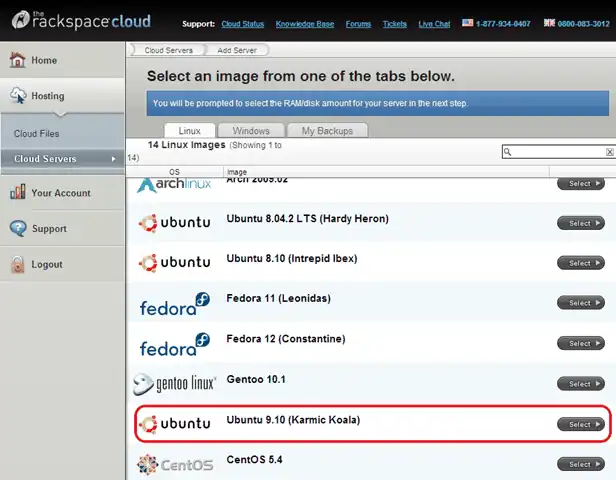
I wrote about SSH Tunneling through web filters using Amazon’s EC2 at 8 cents/hr. With Rackspacecloud, you can get that down to 1.5 cents/hr. This turns out to be a lot simpler than EC2 as well! Ingredients Rackspacecloud account (sign up for free – you won’t be charged until you use it) Putty (which may be available on your Intranet, if you’re lucky) Directions On the Rackspacecloud console, click on wordpress website hosting– Cloud Servers – Add Server and select Ubuntu 9.10 (Karmic Koala). Actually, you can pick any other instance. I’m going to talk through this using Ubuntu 9.10 as the example. Type any server name, pick a 256MB RAM instance, and click on Create Server. Once the server has started, you’ll get the screen below. Click on the Console to open a session. Your password would have been e-mailed to the account you registered with. Log in as root with that password. Now type the following: sed –i “s/^Port 22/Port 443/” /etc/ssh/sshd_config /etc/init.d/ssh restart ...