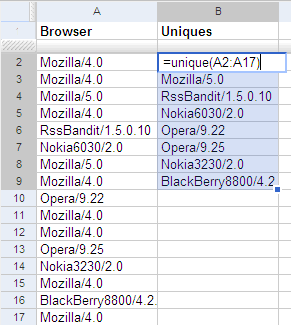
Dynamically eliminate duplicates
This is a series on what Google Spreadsheets can do that Excel can’t To get a list of unique values from a list, use the UNIQUE function on Google Spreadsheets. For example, if you have a list of browsers in column A, type =UNIQUE(A1:A17) at cell B1 to get a unique list of browsers. This is a dynamic list. If you change the list of browsers, the unique list gets updated automatically. ...