Web lookup using Google Spreadsheets
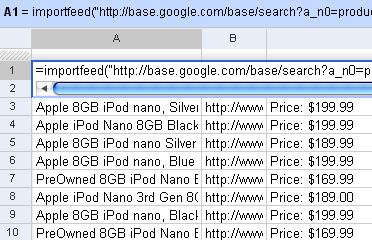
I’d written earlier about Web lookup in Excel. I showed an example how you could create a movie wishlist that showed the links to the torrents from Mininova. You can do that even easier on Google Spreadsheets. It has 4 functions that let you import external data: =importData(“URL of CSV or TSV file”). Imports a comma-separated or tab-separated file. =importFeed(URL).vLets you import any Atom or RSS feed. =importHtml(URL, “list” | “table”, index). Imports a table or list from any web page. =importXML(“URL”,“query”). Imports anything from any web page using XPath. Firstly, you can see straight off why it’s easy to view RSS feeds in Google Spreadsheets. Just use the importFeed function straight away. So, for example, if I wanted to track all 8GB iPods on Google Base, I can import its feed in Google Spreadsheets. ...