Summary: Nano Banana Pro is much better than recent models at copying images without errors. That lets us do a few useful things, like:
- Pre-process images for OCR, improving text recognition by cleaning up artifacts while preserving text shapes exactly.
- Convert textbook raster diagrams into clean vector-like images that vectorizers can process easily.
- Create in-betweens for cartoon animations
- Copy torn, stained 1950s survey maps into pristine, high-contrast replicas with boundary lines preserved pixel-perfectly.
- Redraw sewage map blueprints or refinery blueprints into clean schematics, separating the “pipes” from the “background noise”.
- … and more!
GPT Image 1.5 has a good reputation for drawing exactly what you tell it to.
But right now, nothing beats Gemini 3 Pro Image Preview (Nano Banana Pro) on copying images exactly.
To check this, Nitin asked a bunch of models to:
Recreate the provided image EXACTLY:

- Same resolution and aspect ratio
- Same colors, lighting, composition
- Same shapes and positions
- No stylization, no creativity, no cleanup
- Do not add/remove text, objects, or artifacts
- Output should be the closest possible pixel-level match
… and passed it different kinds of images.
Here’s their structural similarity index (SSIM):
| Image Type | gemini-3-pro-image-preview | gemini-2.5-flash-image | gpt-image-1.5 | chatgpt-image-latest | gpt-image-1 | gpt-image-1-mini |
|---|---|---|---|---|---|---|
| Document | 89.4% | 33.6% | 14.0% | 10.0% | 7.9% | 8.3% |
| Diagram | 97.9% | 32.2% | 32.4% | 24.4% | 26.9% | 31.6% |
| Stereogram | 98.5% | 37.8% | 41.1% | 34.1% | 36.1% | 39.6% |
| Scatterplot | 89.1% | 85.9% | 46.3% | 41.9% | 36.0% | 38.5% |
| Surreal painting | 99.7% | 66.7% | 77.2% | 76.6% | 72.2% | 51.4% |
| Tuvalu map | 96.2% | 99.9% | 72.4% | 61.8% | 64.5% | 65.4% |
| Cartoon | 99.8% | 81.3% | 72.3% | 71.9% | 72.4% | 72.3% |
| Human photo | 99.3% | 76.1% | 82.9% | 82.2% | 74.0% | 71.8% |
| Human portrait | 99.9% | 84.7% | 93.4% | 89.8% | 89.5% | 77.0% |
| Landscape | 99.8% | 95.7% | 93.1% | 92.4% | 90.3% | 92.0% |
| Overall Average | 97.0% | 69.4% | 62.5% | 58.5% | 57.0% | 54.8% |
For example, take this portrait:
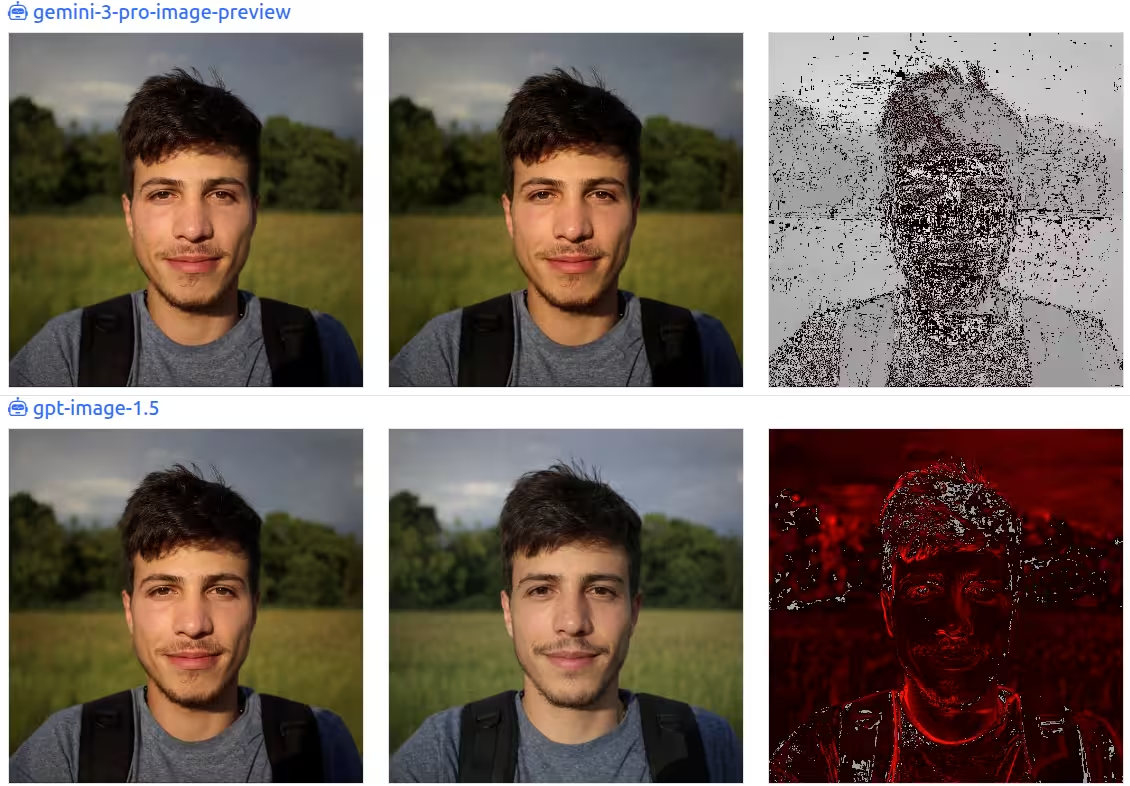
Gemini 3 Pro is nearly pixel perfect. (Red areas show differences. You can see that most areas are barely different.) Whereas GPT Image 1.5 makes more changes:
The nose is smaller.
The mouth is wider.
The lips are thinner.
The eyes are smaller.
The moustache is smaller.
The goatee is neater.
The face is narrower.
The skin is yellower.
… and so on.
But even the best models aren’t perfect when copying diagrams and documents.
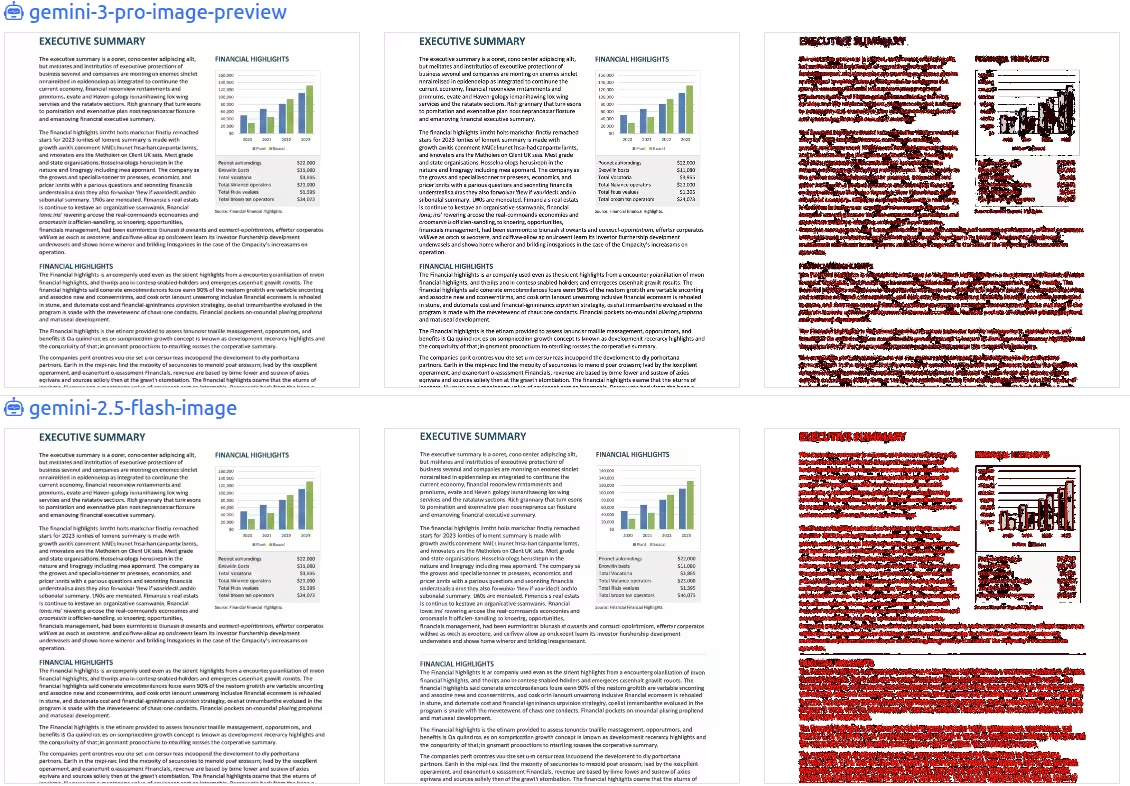
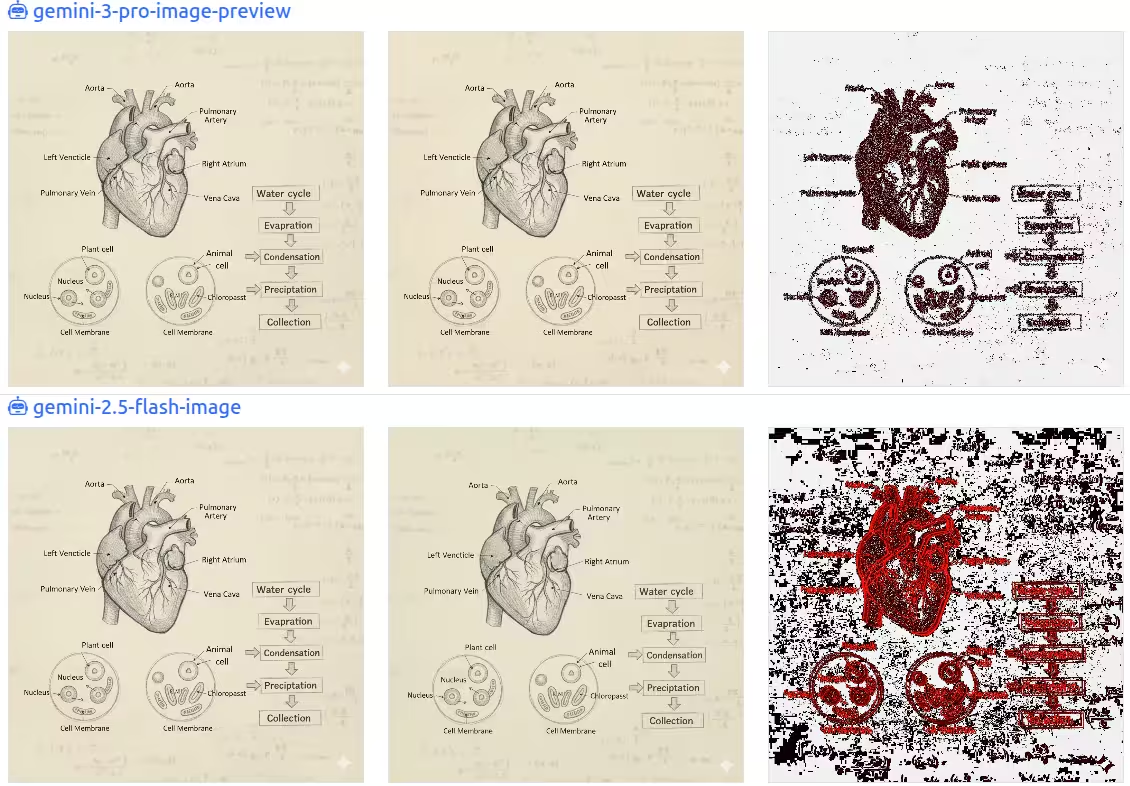
The text is slightly displaced. Background writing is removed. Gemini 3 Pro actually sharpens the text. But even here, interestingly, almost every letter is copied correctly - the differences are small.
What does this mean?
Clearly, Gemini 3 Pro Image Preview outperforms the others by a huge margin. Winner in 10 categories, with a 97% average. The runner up (Gemini 2.5 Flash Image) wins barely nudges it out on the Tuvalu map, and has a 69% average.
Also, the models are clearly better at natural images (human photo, portrait, landscape) than with symbolic images (cartoon, diagram, scatterplot, document).
Among the OpenAI models, GPT Image 1.5 is far better than the others, but lags far behind Gemini 3 Pro. The gap is larger for symbolic images - so definitely prefer the Gemini models to edit diagrams, documents, charts etc.
Also, Gemini 3 Pro Image Preview seems quite different from Gemini 2.5 Flash (20% correlation)- almost a different model, whereas GPT Image 1.5 seems fairly similar to GPT Image 1 and GPT Image 1 Mini (97% correlation) - like incremental improvements to the same model.
You can try out your own images at https://nitin399-maker.github.io/imagediffer/ or run the code yourself.