AI for film dialogues

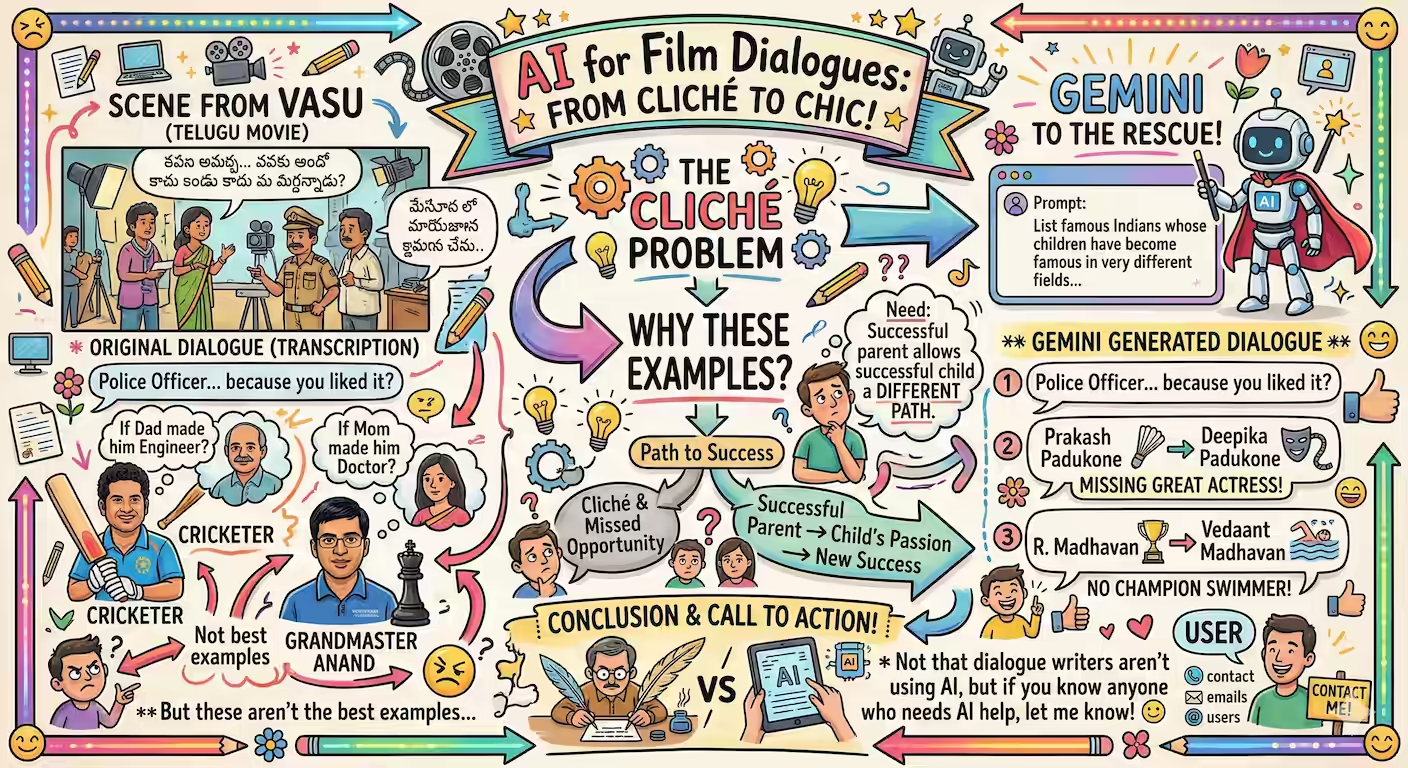
I was watching Vasu while Codex-ing and came across this dialogue: Here’s the dialogue, recorded via ffmpeg, transcribed via AI Studio: మీ నాన్న మిమ్మల్ని పోలీస్ ఆఫీసర్ అవ్వమని అడిగితే అయ్యారా? మీకు ఇష్టం కాబట్టి అయ్యారు. సచిన్ టెండూల్కర్ ని ఇంజనీర్ ని చేయాలని వాళ్ళ నాన్న అనుకుని ఉంటే, ఇండియా ఒక గొప్ప క్రికెటర్ ని మిస్ అయ్యేది. విశ్వనాథ్ ఆనంద్ ని డాక్టర్ ని చేయాలని వాళ్ళ అమ్మ కోరుకుని ఉంటే, ఇండియాకి ఓ గ్రాండ్ మాస్టర్ ఉండేవాడు కాదు. ...
Using Codex to improve Codex

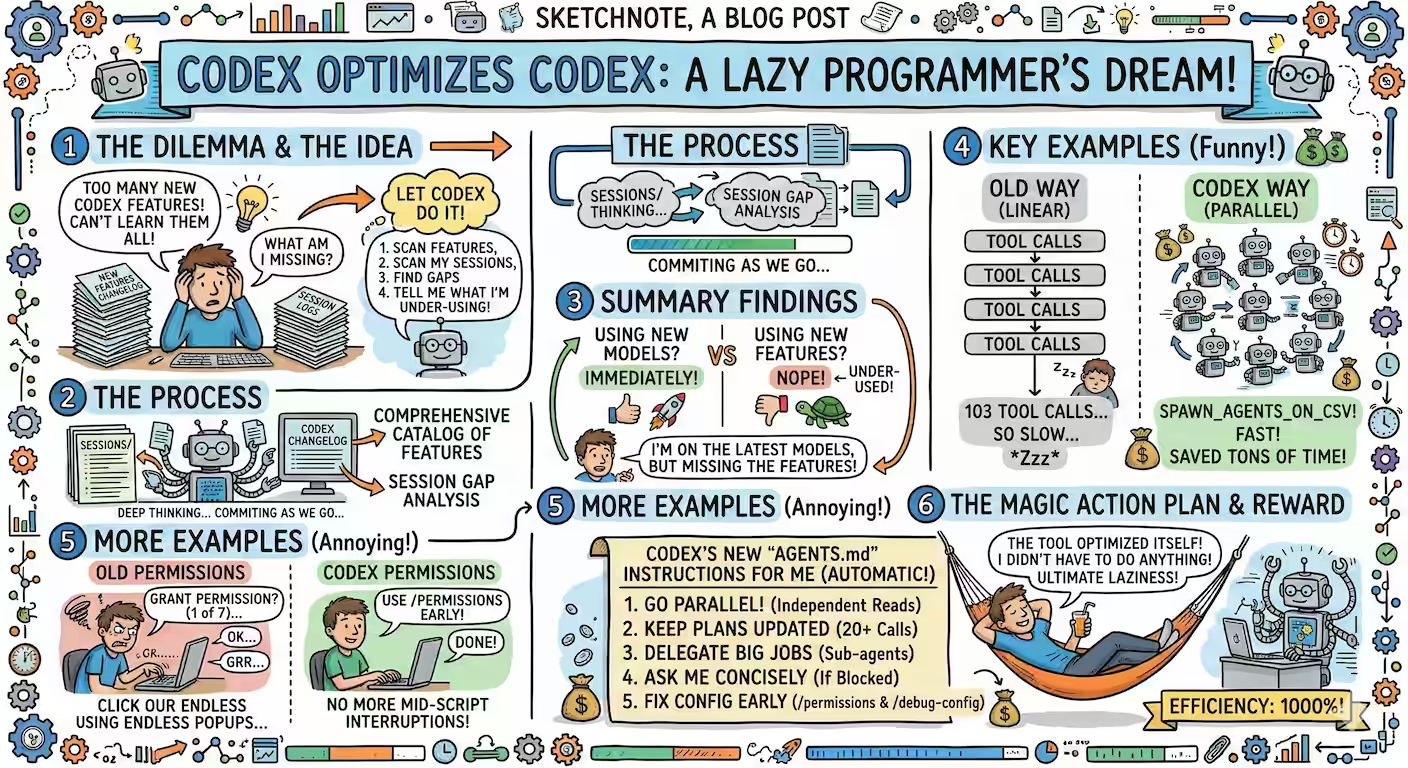
Instead of learning and applying new Codex features, I asked it to analyze my sessions and tell me what I’m under-using. I'd like you to analyze my Codex sessions and help me use Codex better. sessions/ has all my past Codex sessions. Search online for the OpenAI Codex release notes for the latest features Codex has introduced and read them - from whatever source you find them. Then, create a comprehensive catalog of Codex features. Then, analyze my sessions and see which feature I could have used but didn't and make a comprehensive list. Then summarize which features I should be using more, how, what the benefits are, and with examples from my sessions. Document these in one or more Markdown files in this directory. Write scripts as required. Commit as you go. It did a thorough job of listing all the new features and analyzing my gaps. ...

AnalAIzing Cloud Costs

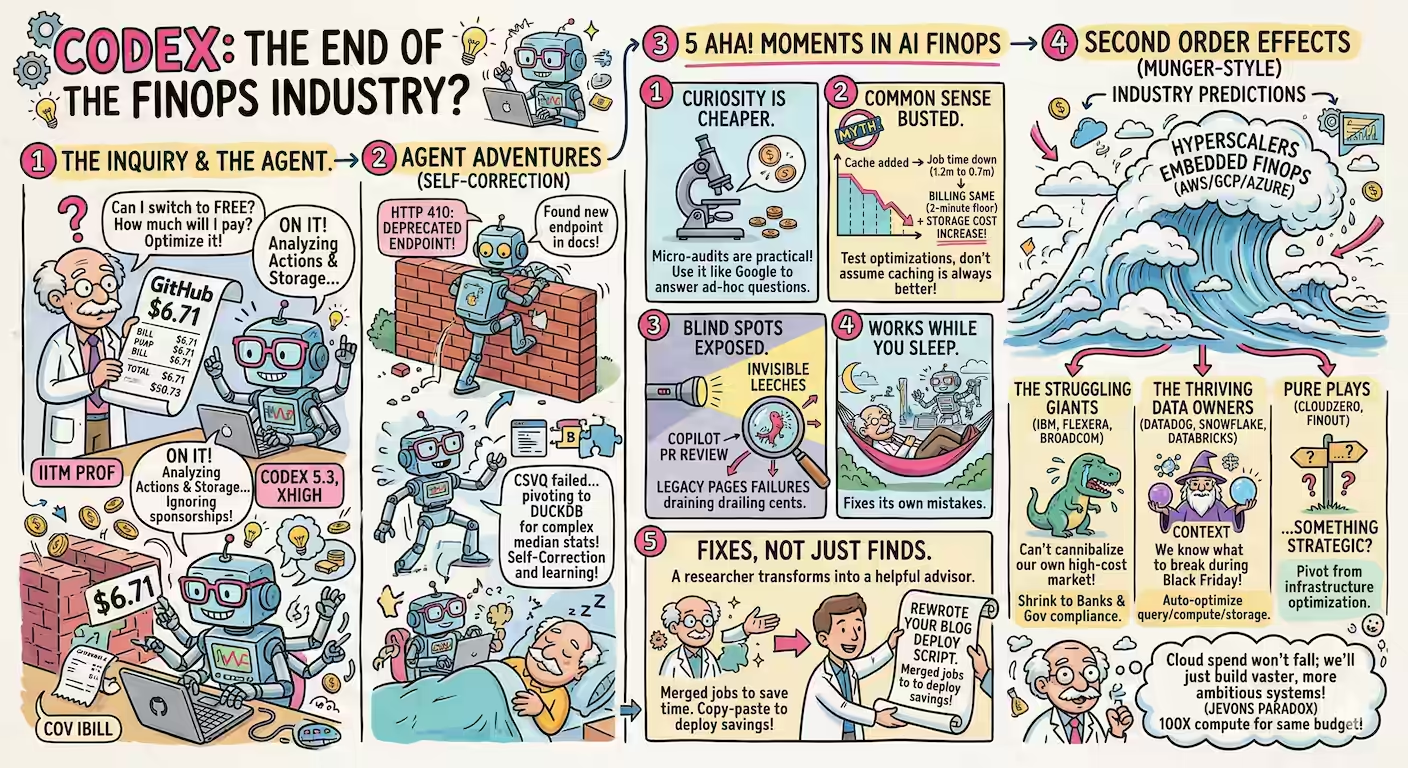
I have a GitHub Education since I teach at IITM. But if I switch back to a free account, how much would I need to pay? I asked Codex (5.3, xhigh): My GITHUB_TOKEN is in .env. Go through my GitHub billing. Ignore the $100 sponsorships I make. Other than that, my current metered usage is $6.71 for Feb 2026 (which is included in my billing plan). $0.35 comes from sanand0/exam and $0.34 from sanand0/blog and so on. That’s coming mostly from “Actions Linux”, occasionally “Actions Storage”. Pick a few of the top repos and tell me what I should do to make the cost zero - or reduce the cost as much as possible. See if there’s a pattern across repos. ...

Rofi vs Kanata

Kanata might be the most useful tool I can’t find a use for. It’s a cross-platform keyboard mapper. Some cool features: Make any key a modifier. Ctrl, Shift, Alt, etc. are modifiers. But we can make it so that pressing Space + I/J/K/L maps to Up/Left/Down/Right. Chords. You can map any sequence of keys to anything else. For example, Alt + G, then C can type git commit -m"Experimenting" [ENTER]. Ctrl + M, then Down, can reduce the music volume by 10%. Toggles. Double-clicking Caps Lock activates capitalization for the current word, and once you type a non-letter, it turns off. Or double-clicking Ctrl can turn on “gaming mode” where WASD becomes arrow keys, and double-clicking again turns it off. Tap Dance. Double-clicking left-shift can turn on Caps Lock. Triple-clicking turns it off. Quadruple-clicking … … and there’s lots more. ...

AI Expert Lens

My current favorite prompt fragment is the expert lens: Think like an expert. In this context: - What patterns would an expert in this field check / recognize that beginners would miss? - What questions would an expert ask that a beginner would not know to? - What problems / failures would an expert anticipate that beginners may not be aware of? - How would an expert analyze this? At each step, explain what they are looking for and why. When I add this to my questions, if feels a lot smarter. ...